

There is a version of SEO that lives entirely in spreadsheets and keyword tools. And then there is technical SEO hosting: the version that determines whether Google can actually reach your content, render it correctly, and trust that it will be there the next time the crawler visits. It all rests on two hosting-level foundations: crawlability and uptime.
The second version is technical SEO, and your hosting infrastructure is its foundation. You can write excellent content, build strong backlinks, and optimize your on-page structure — and still underperform in search because your server is slow, your uptime is inconsistent, or your crawl signals are conflicting.
This guide covers the hosting-layer technical SEO decisions that matter most for sites targeting growth in competitive or international markets.
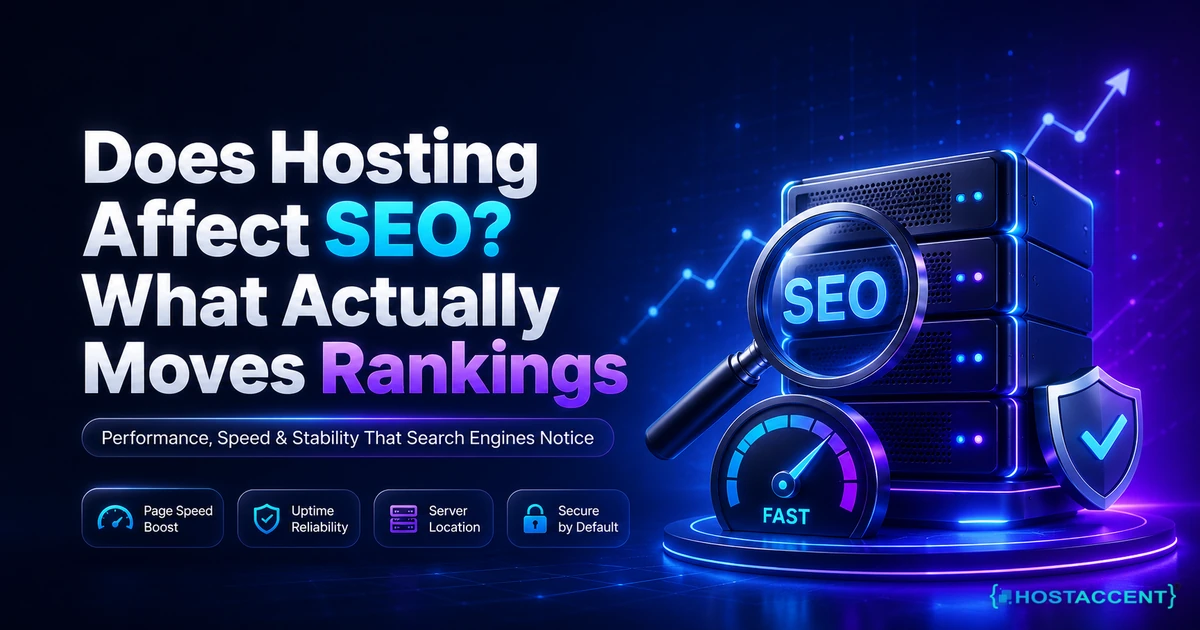
Why hosting quality is an SEO input
Core Web Vitals—Largest Contentful Paint (LCP), Interaction to Next Paint (INP), and Cumulative Layout Shift (CLS)—measure important parts of real-world page experience. Hosting can influence response time and resource delivery, but layout, JavaScript, caching, and application behaviour also affect the result.
Beyond direct ranking signals, hosting quality affects crawl budget. Google allocates a crawl budget to every site — a limit on how many pages it will crawl in a given period. Slow servers cause Google to crawl fewer pages per visit. If your site has thousands of pages and your server is slow, pages deep in your architecture may not be crawled frequently enough to rank.
Downtime is the most direct hosting-SEO relationship. A server that is down when Googlebot visits results in a 503 error, which Google interprets as temporary. Repeated 503 responses over days can eventually cause Google to reduce crawl frequency or, in extended cases, to demote pages from the index.
The 10 technical foundations
1. Enforce HTTPS everywhere
HTTPS is a ranking signal, a trust signal, and increasingly a prerequisite for modern browser features. Enforce it site-wide with a 301 redirect from all HTTP URLs to their HTTPS equivalents. Set an HSTS (HTTP Strict Transport Security) header after you are confident your HTTPS setup is stable — this tells browsers to never even attempt HTTP connections to your domain.
Verify that your canonical tags, sitemap URLs, and internal links all use HTTPS. A canonical tag pointing to an HTTP version of a page undermines your whole redirect strategy.
2. Achieve sub-200ms Time to First Byte
TTFB is the time from a browser requesting a page to receiving the first byte of the response. It is the most direct measure of server performance from a search engine's perspective. Google's good threshold for TTFB is under 800ms, but competitive sites in well-optimized niches often achieve under 200ms.
The main levers for TTFB are server location (closer to users is faster), server resources (CPU and RAM available to handle requests), application caching (serving cached responses instead of regenerating pages on every request), and database query performance.
On a well-configured VPS or dedicated server with Redis or Memcached caching and a nearby datacenter, sub-200ms TTFB is achievable for most content-type sites.
3. Maintain uptime reliability above 99.9%
99.9% uptime means approximately 8.7 hours of downtime per year. 99.5% means over 43 hours. For an actively growing site, downtime beyond what your hosting SLA covers is worth auditing and addressing.
Monitor your uptime with an external monitoring tool — your hosting panel's dashboard does not count, as it is on the same infrastructure that may be experiencing issues. Tools like UptimeRobot check from external locations every 5 minutes and alert you immediately on failure.
For international sites, monitor from multiple geographic regions. A server may be accessible from its home location but timing out for users in a distant region.
4. Use canonical strategy to consolidate ranking signals
Duplicate content — the same content accessible at multiple URLs — fragments your ranking signals. Canonicals tell search engines which URL you consider the definitive version. This matters most for:
- HTTPS vs HTTP versions
- www vs non-www variants
- URL parameters (tracking parameters, sort/filter options)
- Paginated content
- Product variants on ecommerce sites
Every page should have a self-referencing canonical tag. Pages with parameter variants should canonicalize to their clean URL. Check this in your site's <head> section and confirm it matches your sitemap URLs.
5. Keep your XML sitemap clean
Your sitemap is an invitation to Google. It should only include pages you want indexed — high-quality, canonical, indexable pages. Common sitemap mistakes:
- Including noindex pages
- Including redirect URLs instead of final destination URLs
- Including paginated pages beyond page 1 (unless they carry unique content)
- Including broken or 404 pages
- Not updating the sitemap after deleting or restructuring content
Submit your sitemap in Google Search Console and monitor the coverage report for errors. Address rejected URLs promptly.
6. Review robots.txt carefully
Robots.txt is a powerful and dangerous file. A single misplaced rule can block Googlebot from crawling your entire site. The most common dangerous mistake is Disallow: / — which instructs all bots not to crawl anything — accidentally left in place from a development period.
Beyond blocking errors, review what you are intentionally disallowing. Admin panels, checkout flows, and duplicate utility pages should be blocked. But make sure your main content, category pages, blog posts, and landing pages are fully accessible to crawlers.
7. Add structured data for rich results eligibility
Structured data (Schema.org markup) does not directly improve rankings, but it makes your content eligible for rich results — featured snippets, FAQ dropdowns, article bylines, how-to steps, review stars — that significantly improve click-through rates from search results pages.
Implement structured data for the content types you publish. For a blog: Article schema. For a business: Organization and LocalBusiness schema. For FAQ sections: FAQPage schema. For step-by-step guides: HowTo schema. Validate your implementation with Google's Rich Results Test tool before deployment.
8. Optimize media and fonts for Core Web Vitals
Large images are the most common cause of poor Largest Contentful Paint scores. Serve images in modern formats (WebP or AVIF), size them to their display dimensions, lazy-load below-the-fold images, and set explicit width and height attributes to prevent layout shift.
Fonts loaded from external sources (Google Fonts, Adobe Fonts) add latency. Self-host your fonts where possible, or preconnect to font CDN origins. Use font-display: swap to prevent render-blocking while fonts load.
9. Build internal link clusters
Internal linking serves two SEO functions: it distributes page authority through your site, and it tells search engines which pages are most important by how frequently they are linked to.
Rather than linking randomly, build topical clusters. A pillar page on a broad topic links to specific sub-topic pages. Those sub-topic pages link back to the pillar. This signals topical depth and helps crawlers navigate your content architecture efficiently.
Review your internal links periodically. Broken internal links waste crawl budget and frustrate users. Pages with no internal links pointing to them — "orphan pages" — are unlikely to rank well regardless of their content quality.
10. Monitor Core Web Vitals and respond to regressions
Core Web Vitals data in Google Search Console is field data — real measurements from real Chrome users visiting your site. Check it monthly. A regression in LCP or INP often traces back to a specific change: a new third-party script, a heavier image being used as a hero, a caching configuration that changed after a server update.
The sooner you identify a regression, the easier it is to trace back to its cause. Set up alerts if possible, and treat Core Web Vitals as a metric that requires regular attention, not a one-time optimization project.
Infrastructure choices that affect international SEO
For sites targeting users in multiple countries or regions, hosting decisions have a direct impact on SEO:
Server location. A server in Frankfurt is fast for European users but adds 150–300ms latency for users in Southeast Asia. A CDN (Content Delivery Network) addresses this by caching content on servers closer to users worldwide. For static and semi-static content, a CDN is almost always worth the cost for international sites.
hreflang implementation. For sites with country or language variants, hreflang tags tell Google which version to serve to which audience. These require correct implementation across all variants simultaneously — a common source of international SEO errors.
IP address geolocation. Search engines use server IP location as one signal for geographic targeting. Google Search Console's International Targeting tool allows you to specify your target country explicitly, overriding IP-based assumptions.
Final recommendation
Technical SEO and hosting infrastructure are the same system viewed from different angles. For international growth, combine content strategy with a hosting stack that is fast, reliable, and correctly configured for crawl access.
The returns are compounding. A site with clean technical foundations allows every piece of new content to reach its ranking potential. A site with technical problems bleeds performance from everything — content, links, and all.
HostAccent Linux VPS — dedicated resources, NVMe storage, and full root access. HostAccent Cloud Hosting — scalable cloud infrastructure for growing businesses.







Discussion
Have a question or tip about this topic? Share it below — your comment will appear after review.