
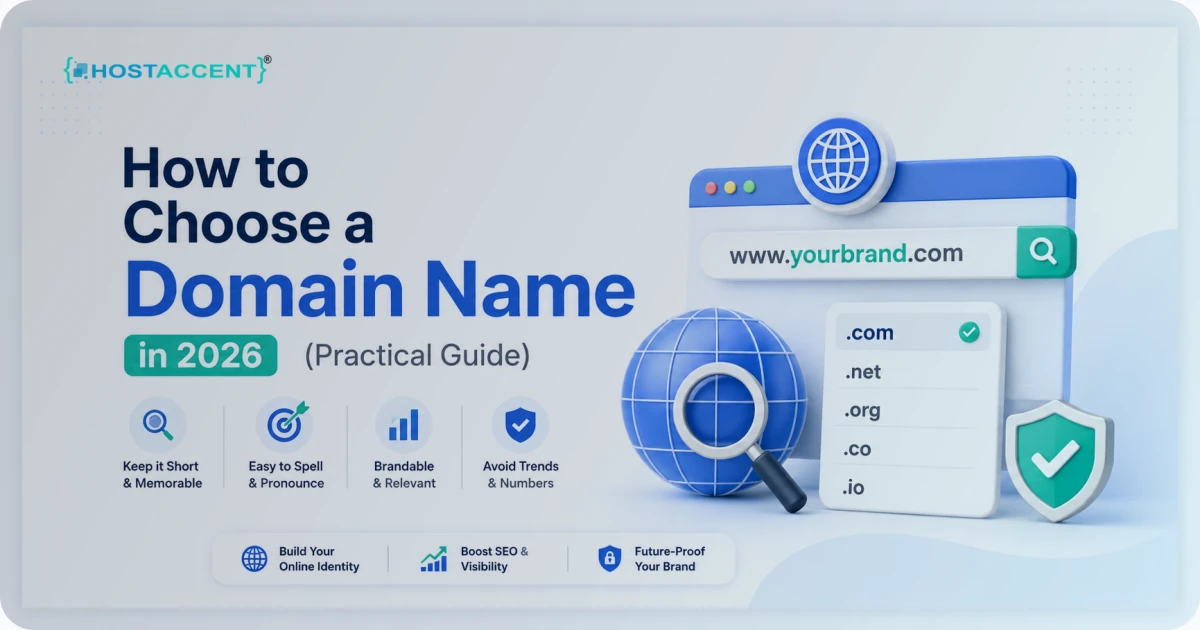
Your domain name is the one part of your website you can't quietly swap out later. Get it right and people remember you. Get it wrong and you spend years spelling it over the phone. Learning how to choose a domain name that's short and easy to type saves you that pain before it starts — this guide walks through the exact checks we use every day, with real examples and the pricing traps nobody warns first-timers about. Picking a domain is part branding and part strategy, and rushing it is the costly part.
Quick Answer: To choose a domain name in 2026, keep it short (under 15 characters), easy to say aloud, and free of hyphens or numbers. Grab the .com if it's open; otherwise secure a clean .net or .us. And always check the renewal price, not just the first-year promo, before you buy.
What Makes a Domain Name Actually Work
A domain name is your address on the internet — the thing people type to reach you. In the support tickets our team handles, the most common domain regret isn't a missed .com; it's a name nobody can spell. A host like Hostaccent sees this constantly — people pick something clever, then lose half their word-of-mouth traffic because customers guess the spelling wrong and land on an error page. Clever fades. Clear converts.
The best names pass the "radio test." If you said the name out loud, could a stranger type it correctly without asking you to repeat it? "swiftbakery.com" passes. "the-swift-bakery-shop-2026.net" does not. Behind the scenes the name points to a server through DNS, but to your visitors it's just something they either remember or forget.
Length matters more than people expect. Industry data consistently shows shorter domains get typed correctly far more often, and every extra word is another chance for a typo. Aim for one or two words. Three is a stretch. Four is a liability.
Memorability is the other half of the job. A name that tells a tiny story — or simply sounds good — sticks. You want something a customer can recall a week after hearing it once, not something they have to look up every time they want to visit. That recall is what turns a one-time visitor into repeat traffic, and it's worth far more than squeezing a keyword into the URL.
Keep the name in proportion, though. A domain is only the first item a site actually needs — hosting, an SSL certificate, something to build the pages with, content, email and backups all have to line up before anyone can visit. It's worth skimming the rest of what a website needs before you spend anything.
How to Choose a Domain Name, Step by Step
Here's the process in the order that actually works. Don't jump ahead to buying — the early steps are where you save yourself from a name you'll regret.
Step 1 — Brainstorm around your brand, not your keywords. In 2026, stuffing a domain with exact-match keywords (like "cheapseohosting.com") looks dated and rarely moves rankings. Google stopped rewarding keyword-rich domains years ago. Lead with a name that's brandable; let your content do the SEO.
Step 2 — Run the radio test. Say each candidate aloud to someone who's never seen it written. If they can't spell it back, cut it. This one check kills more bad domains than any tool.
Step 3 — Check length and characters. Keep it under 15 characters where you can. Skip hyphens and numbers — they cause confusion ("is that a 4 or the word four?") and look spammy. A single DNS label can technically run up to 63 characters, but nobody should ever use that.
Step 4 — Check availability across extensions. Before you fall in love, confirm the name is open on .com plus at least one backup. If only obscure extensions are left, the name is probably too generic.
Step 5 — Screen for trademarks and social handles. A quick search saves a legal headache later. If a big brand already owns the term, walk away. While you're at it, check whether the matching handles are free on the platforms you actually use.
Step 6 — Sanity-check the full URL. Read it as one string. "expertsexchange.com" is the classic warning — a fine name that reads badly run together. Look for accidental words hiding in the seams.
Here's a quick worked example. Say you're launching a coffee subscription. "premiumcoffeesubscriptionservice.com" fails on length and reads like spam, so it's out before you even check availability. "dailygrind.com" is short and memorable, but it's taken — and so is the .net. "morningpour.com" is short, brandable, passes the radio test, and the .com is open, so you register it and lock the .net as insurance. Total decision time: about ten minutes, and you've avoided a name you'd have outgrown in a year.
Pro Tip: Buy the singular and plural of your name if both are cheap, plus the obvious typo, and redirect the spares to your main site. It costs a few dollars a year and quietly captures traffic you'd otherwise lose to misspellings. We do exactly this for our own properties.
If you want a deeper checklist before you pay, our Domain and Hosting Buying Guide: What to Check Before You Pay breaks down every line item.
Which Domain Extension Should You Pick?
The extension — the part after the dot — still matters, even with hundreds of new options on the market.
.com is still king. It's the default people type when they're unsure, which means a .com quietly earns you direct traffic that other extensions leak. If your exact .com is available and affordable, take it. At Hostaccent a .com runs $12.99/year and renews at the same $12.99 — no first-year bait, no renewal jump.
.net is a solid backup. Originally meant for network and tech companies, it's now a clean general-purpose alternative when your .com is taken. Same price: $12.99/year, $12.99 renewal.
.us works for local and US-focused brands. A country-code extension like .us signals you're rooted in the United States, which can build trust with American customers. It's currently on promo at $3.99 for the first year, renewing at $11.99 — still reasonable for a country domain.
What about the newer extensions — .io, .shop, .dev and the rest? They can work for the right brand, but tread carefully. Some carry much higher renewal costs, and a few still read as unfamiliar to mainstream buyers. A developer tool on a .dev makes sense; a local bakery on a .dev mostly causes confusion. The honest trade-off: a cheaper or trendier extension is fine only if it fits your audience. A boutique .us for a US service business is smart. A random new extension nobody recognizes can quietly cost you credibility, and you'll spend years telling people "no, not dot-com."
One more thing buyers forget: the extension affects how forgiving your typos are. If your brand is on a rare extension and a competitor owns the .com, every customer who reflexively types ".com" lands on someone else's site. That's another reason the .com — or a close, common alternative — is usually worth a little extra.
How the name resolves to your server is handled by DNS — if you've ever wondered what that layer does, Cloudflare's plain-English DNS explainer is the clearest one out there. And if you hit a resolution error after setup, our guide to Fix dns_probe_finished_nxdomain Error Fast (2026 Guide) covers the usual culprits.
Domain Name Tips That Protect Your Wallet
This is where first-time buyers get burned, so read closely. The cheapest first-year price is almost never the real price.
The oldest trick in the registrar playbook is the $0.99 promo that renews at $25 or more. When we migrate customer sites, we repeatedly see people shocked at their second-year invoice — they budgeted for the promo and got hit with a renewal three or four times higher. A domain is a recurring cost. Judge it on the renewal, not the sticker — our breakdown of why domain renewal costs jump covers exactly what drives that second-year number.
Insider Insight: Always check the renewal row before you buy, and turn on auto-renew the day you register. A lapsed domain can be snapped up the moment it expires, and buying it back from a squatter costs far more than the renewal ever would. Those few minutes are the cheapest insurance you'll get.
Transparent pricing is one reason Hostaccent lists renewal rates right next to first-year rates — what you pay in year one is what you pay in year five. That's the bar to hold any registrar to. If the renewal price is buried or missing, treat that as your answer and move on.
A few more domain name tips that pay off later:
- Register for multiple years if you're committed — it's one less renewal to forget, and a longer registration is a small positive trust signal.
- Keep domain and hosting easy to manage, ideally in one dashboard, so DNS changes don't turn into a support maze.
- Add SSL from day one. Every domain needs HTTPS now; browsers flag sites without it. Our SSL Certificate Management Guide: Setup, Renewal, and SEO Impact covers setup and auto-renewal.
If you're mapping out total costs, How Much Does a Website Cost in 2026? Full Breakdown puts the domain line item in context with hosting and design.
The Domain Mistakes We See Most Often
Across the sites we host, the same handful of avoidable mistakes show up again and again. None of them are exotic — they're the ordinary slips that feel harmless on day one and turn into a rebrand on day four hundred. Dodge these and you're ahead of most.
Hyphens and numbers. They feel like a workaround when your first choice is taken, but they wreck the radio test. "my-shop-24.com" is a support ticket waiting to happen.
Trendy spellings. Dropping vowels worked for a few unicorns and fails for almost everyone else. If people have to remember which letters you dropped, you've lost them.
Going too niche, too early. "bostondogwalking.com" boxes you in the day you expand to cat-sitting or move cities. Leave room to grow unless you're certain you'll never widen your offering.
Buying the first idea on impulse. It's tempting to register the moment a name feels right. Sleep on it, run the radio test on a friend, and check the social handles first — an hour of patience beats a rebrand later.
Ignoring email. Your domain is also your professional email address. "[email protected]" beats a free webmail address for credibility every time — and it's free with most hosting. Here's How to Create Email With Own Domain (2026 Guide) when you're ready.
Skipping WHOIS privacy and your registrant rights. You should always be the listed owner of your own domain — never let a third party register it in their name "for" you. Turn on WHOIS privacy so your home address isn't public, and know your rights. ICANN, the body that governs domain names, publishes what you're entitled to as a registrant; it's a worthwhile two-minute read.
Pro Tip: Watch for accidental meanings across languages and when words run together. Reading "yourname.com" aloud and as one lowercase string catches the awkward ones — the kind that look fine in a logo but read badly in a browser bar. (For the curious, MDN's guide to URIs explains how the full web address is built.)
Wrapping Up: Choosing a Domain Name the Smart Way
Here's the short version of how to choose a domain name without regrets:
- Short, spellable, no hyphens or numbers — pass the radio test first.
- Lead with a brandable name, not keyword stuffing — Google stopped rewarding that.
- Take the .com if it's open; use .net or .us as clean backups that fit your audience.
- Judge on the renewal price, not the promo — and turn on auto-renew.
- Set up SSL and branded email from day one so the domain pulls its weight.
When you're ready to register, you can grab your name and put it online in the same place. A Linux shared hosting plan from Hostaccent pairs your domain with a Cloudflare → Nginx → Apache stack on NVMe SSD storage, free SSL, daily backups, and UK-based human support — handy if you'd rather not juggle DNS and hosting across two providers. Domains start at $12.99/year for a .com (renewing at the same $12.99, no surprise jump), with .us currently on promo at $3.99. It won't suit everyone — if you need root-level server control you'll want a VPS instead — but for a first site, registering the domain and hosting together is the simplest path. If a bundled domain is what you're after, our roundup of Free Domain With Hosting: 11 Providers That Deliver is worth a look too.
<!-- ha:inbound-repair:start -->Related guides: Website vs Facebook Page: What Your Business Needs (2026) · Why Is My Website Down? Diagnose It in 5 Minutes (2026)
<!-- ha:inbound-repair:end -->Frequently Asked Questions
How to Choose a Domain Name That's Good for SEO?
Focus on a short, brandable, memorable name rather than cramming in keywords. Modern search engines don't reward keyword-rich domains the way they did a decade ago. A clean name people remember earns more direct traffic and links over time, which matters far more for rankings than the words sitting in your URL.
Should I always buy a .com domain?
Not always, but it's the safe default since it's what people type instinctively. If your exact .com is taken or expensive, a .net or a country code like .us is a fine alternative — just pick one that matches your audience. Avoid obscure extensions nobody recognizes, as they can dent trust.
How much should a domain name cost per year?
Expect roughly $10 to $15 a year for a standard .com — Hostaccent lists .com at $12.99/year, for example. The number that matters is the renewal price, not the first-year promo. Country domains like .us can be cheaper on promo ($3.99) but always check what they renew at before committing.
Does the length of a domain name matter?
Yes. Shorter domains are easier to remember, type, and say aloud, and they suffer fewer typos. Aim for under 15 characters and one or two words where possible. While a domain label can technically reach 63 characters, anything that long is impractical and hurts recall.
Can I change my domain name later?
You can register a new one, but you can't simply rename an existing domain — and switching means redirects, lost link equity, and rebranding work. That's exactly why choosing carefully upfront matters. If you must move, set up 301 redirects from the old name to preserve as much SEO value as possible.
Do I need hosting to register a domain?
No, registration and hosting are separate services, though many people buy them together for convenience. You can own a domain without a live site. When you're ready to publish, you point the domain's DNS at your hosting, and a single-dashboard setup keeps that step simple.


Discussion
Have a question or tip about this topic? Share it below — your comment will appear after review.