
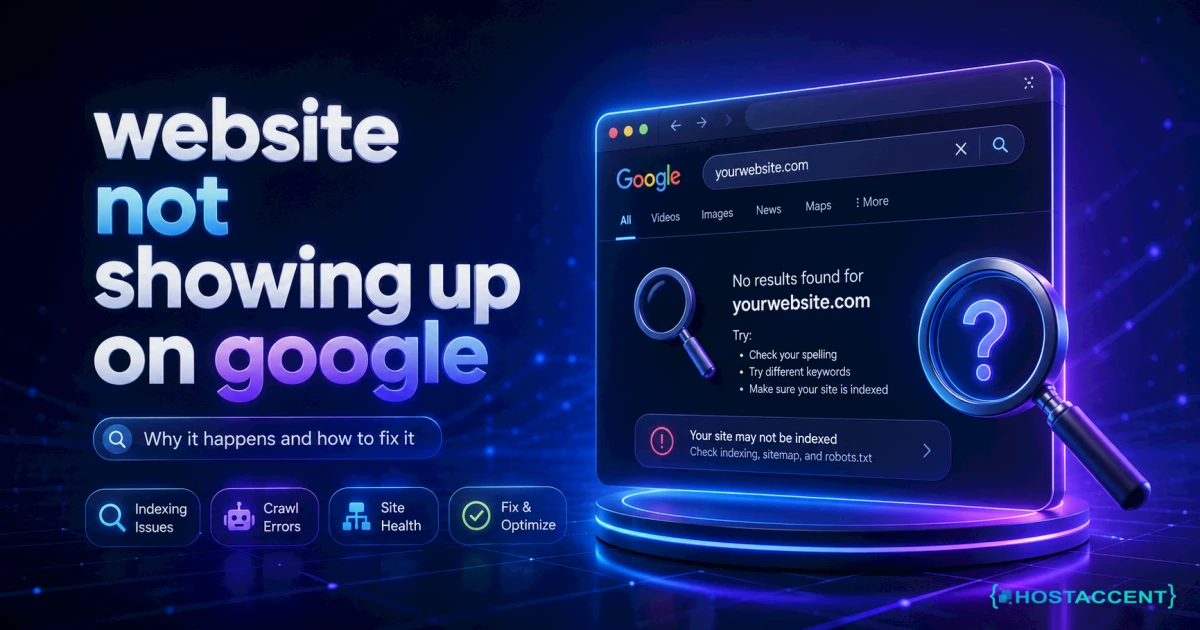
You typed your business name into Google, hit enter, and found... everyone except you. A website not showing up on Google feels personal, but it's almost never mysterious. As of July 2026, nine causes explain nearly every case — and most take minutes to check, not weeks.
Quick Answer: A site that isn't showing up on Google means one of three things: Google hasn't discovered it yet (new sites take anywhere from 3 days to 4 weeks to index), something is actively blocking it — a noindex tag, a robots.txt rule, or a DNS or hosting failure — or the site is indexed but ranked too low to find. Run a site:yourdomain.com search to see which group you're in, then apply the matching fix.
Here's the good news from the trenches: our team at Hostaccent resolves 20-30 client site issues every day, and "Google can't find my site" lands in that queue constantly. This guide is the exact checklist we run on those tickets, written so you can work through it yourself.
First, Run the 60-Second Visibility Check
Before fixing anything, find out whether the problem is indexing or ranking — the fixes are completely different.
Type this into Google, replacing the domain with yours: site:yourdomain.com. This special search shows every page of your site Google has stored in its index (its giant catalogue of the web). If pages appear, Google knows you exist — your problem is ranking, so skip to fix 9. If nothing appears, your site isn't indexed at all, and fixes 1-8 are for you.
Next, set up Google Search Console. It's free, it's official, and it's where Google tells you — in plain-ish English — exactly why pages aren't indexed. If you've been typing "google not indexing my site" into search at midnight, the honest answer is that this one dashboard usually ends the guessing. Verify your site, open the Pages report under Indexing, and read the reasons listed next to your excluded pages.
Pro Tip: Inside Search Console, paste any page's address into the URL Inspection bar and click "Request Indexing." In our experience it's the single fastest lever a new site owner has — freshly requested pages are often crawled within 48 hours instead of weeks.
The 9 Fixes for a Website Not Showing Up on Google
These are ordered by how often they turn out to be the culprit, most common first. Work down the list and stop when you find your match.
1. Your site is simply too new
Google discovers sites by following links and reading sitemaps, and a brand-new domain with zero links pointing at it can sit undiscovered for weeks. Indexing typically takes 3 days to 4 weeks; ranking well for competitive phrases can take 3-6 months, and no honest person can promise faster.
The fix: verify Search Console, request indexing (fix 2), and get one or two real links pointing at your site — your social profiles, a local directory, a partner's site. Each link is a road Googlebot can drive down to find you.
2. You never actually told Google you exist
There's a persistent myth that Google automatically finds every website. It usually does — eventually. But the unglamorous answer to "how to get my website on Google" is a two-step job you do once: verify your site in Search Console, then submit your sitemap.
A sitemap is a machine-readable list of your pages, normally at yourdomain.com/sitemap.xml. WordPress and most site builders generate one automatically. In Search Console, open Sitemaps, paste the address, submit. That's it — Google now has your full page list instead of hunting for it.
3. A noindex tag is telling Google to stay away
A noindex tag is one line of code that says "do not list this page." It's useful while a site is under construction — and catastrophic when someone forgets to remove it at launch.
WordPress users: this is the infamous "Discourage search engines from indexing this site" checkbox under Settings → Reading. It gets ticked during development and forgotten constantly — the WordPress documentation covers the setting, and unticking it takes five seconds. On any platform, the Search Console Pages report will list pages "Excluded by 'noindex' tag" so you know exactly where to look.
4. Robots.txt is locking Googlebot out
Robots.txt is a small text file at yourdomain.com/robots.txt that tells search crawlers which parts of your site they may visit. Two characters can make your entire site invisible:
bashUser-agent: * Disallow: /
That Disallow: / line means "no crawler may enter anywhere." Visit your own robots.txt in a browser. If you see that pattern, delete the slash (or the line), and your site opens back up. Development tools sometimes write this file automatically — another launch-day leftover we see all the time.
5. Your domain or DNS is broken
DNS is the internet's phone book: it translates your domain name into the address of the server hosting your site. If the records are wrong — or your domain registration quietly expired — Google can't reach you, and neither can anyone else. Some visitors will even see the dns_probe_finished_nxdomain error, which is browser-speak for "this name leads nowhere."
Check three things: your domain hasn't expired (look in your registrar dashboard), your A record points at your actual server, and the change has had time to spread — DNS updates can take up to 48 hours to propagate worldwide. The Cloudflare Learning Center explains the record types in plain terms if you want the fuller picture.
Don't want to touch DNS records or config files? Hostaccent's team sets up everything — domain, hosting, SSL, and your live website — start to finish. Tell us what you need and we'll handle the rest.
6. Your hosting keeps failing when Googlebot visits
Here's the layer the SEO blogs skip. Googlebot is a visitor like any other: if your server is down, throws errors, or answers painfully slowly, Google backs off. Repeated 5xx server errors during crawls cause pages to drop out of the index entirely, and a server that regularly takes more than 1-2 seconds to respond gets crawled less often — meaning new pages wait longer to appear.
Running client sites on our own stack — Cloudflare in front of Nginx and Apache, on NVMe SSD storage — we found the pattern is remarkably consistent: cheap, overloaded servers don't just feel slow to humans, they train Googlebot to visit less. Check Search Console's Crawl Stats report for spikes in server errors, and hold your host to a real uptime number — 99.9% or better, in writing.
7. No SSL certificate — or a security flag
SSL is the padlock in the browser bar; it means traffic between your visitor and your site is encrypted, and your address starts with https instead of http. Google has treated HTTPS as a ranking signal for years, and browsers now actively warn visitors away from plain-http sites. Certificates are free via Let's Encrypt, and any decent host installs them automatically.
The uglier version: if your site was hacked, Google may attach a "This site may be hacked" label or pull it from results to protect searchers. Search Console's Security Issues report tells you if that's happened — and cleanup, not SEO, becomes job one.
8. Your content is too thin for Google to bother ranking
Google indexes pages, not domains — and it increasingly declines to index pages that add nothing. A homepage with ~300 words, a stock photo, and a contact form often lands in the Search Console purgatory called "Crawled — currently not indexed" (its sibling status, "Discovered — currently not indexed", has its own separate fix).
The fix isn't more pages; it's more substance. One genuinely useful page — what you do, who it's for, where you work, real answers to real customer questions — outperforms ten empty ones. If you're still deciding what your site should even say, our guide on whether a small business needs a website walks through what actually earns a place in the index.
9. You're indexed — just buried (or penalized)
If the site: search shows your pages, congratulations: technically, nothing is broken. A website not appearing in Google search despite being indexed is a ranking problem — you're on page 5, competing against sites with more history and more links.
First, rule out the rare bad case: Search Console → Manual Actions. Empty report? No penalty. Then play the winnable game: target specific phrases ("emergency plumber in Leeds" beats "plumber"), earn a handful of legitimate links, and fix glaring speed problems — web.dev has free tools that grade your pages the way Google measures them.
Insider Insight: The most common false alarm in our ticket queue isn't technical at all. The owner searches a generic phrase like "accountant," sees strangers, and panics — but a search for their business name finds them instantly. Rank for your name first; generic phrases are a months-long campaign, not a fix.
Still working through this server issue?
Send the symptoms, error output, and what you have already tried. We can work with HostAccent services or infrastructure hosted with another provider.
The DIY Path: What It Really Takes
Being straight with you: everything above is doable yourself, and plenty of readers should.
The real costs, no padding. A .com domain runs $13.99/yr (flat at renewal). Solid shared hosting starts at $1.99/mo. SSL is free. Search Console is free. Total cash outlay for year one: roughly $38. Our full breakdown of how much a website costs in 2026 itemises the extras.
The real time. For someone comfortable following instructions: 2-4 hours to register, connect DNS, install SSL, verify Search Console, and submit a sitemap — then 1-4 weeks of waiting for Google to index. The skill ceiling is "careful," not "developer." Where DIY genuinely goes wrong, based on the migration tickets we handle across 4,000+ site moves: DNS records pointed at the wrong server, and the noindex checkbox left on. Now you know to check both.
The Done-for-You Path: What a Full A-to-Z Setup Includes
Some owners read the list above and think "great, a weekend project." Others think "I'd rather sell my product." Both are right — it depends on your hours' value.
That second reader is who Hostaccent's Full Package exists for: domain registration, hosting on the NVMe stack described above, SSL installed, your site built and launched live, plus Search Console verified and sitemap submitted — so the indexing work in this guide is done before you ever think about it. One dashboard, one renewal date, one support team, from a UK-registered company trading since 2012 (UK-incorporated 2018) that has launched 10,000+ websites. And the care continues after launch: updates, errors, and security are handled for you — the same way fully managed hosting works — so a 3 a.m. server error is our problem, not yours.
Every month, owners arrive from big-name providers with problems their own support wouldn't touch. We fix them anyway. That's the difference between a ticket number and an actual engineer — and it's worth comparing against typical rates for hiring a website builder before you decide.
Your Next Step: A Site People Can Actually Find
Quick recap of what matters most:
- Run
site:yourdomain.comfirst — it tells you whether you have an indexing problem or a ranking problem. - Search Console is free and answers "why" directly; verify it today regardless of which path you choose.
- The big four culprits: no sitemap, a leftover noindex setting, broken DNS, and unreliable hosting.
- Indexing takes days to weeks; ranking takes months. Anyone promising overnight page one is selling something.
A website not showing up on Google is a solvable problem — you now hold the same checklist we run daily. If you enjoy this stuff, do it yourself this weekend: start on the Economy plan at $1.99/mo (renews at $1.99/mo), register your .com at $13.99/yr, and work fixes 1-3. If you'd rather never think about DNS records again, tell us what you need — we'll set up everything from domain to live, indexed website, backed by a 30-day money-back guarantee on hosting and a 99.99% uptime guarantee. One honest caveat: if your site is already live and indexed and you only need higher rankings, that's an SEO project, not a setup project — say so in your message and we'll tell you straight.
Frequently Asked Questions About Websites Not Showing on Google
How long does it take for a new website to show up on Google?
Typically 3 days to 4 weeks for indexing, assuming nothing blocks the crawler. Verifying Search Console, submitting a sitemap, and requesting indexing usually lands you at the fast end — often within 48 hours per page. Ranking well for competitive phrases is a separate, longer journey of 3-6 months or more.
Why is my website not on Google even though it's live?
A live site and an indexed site are different things. Your server can happily show pages to visitors while a noindex tag, a robots.txt block, or a missing sitemap keeps Google away. Run a site:yourdomain.com search: if nothing appears, Google hasn't indexed you, and fixes 1-8 above apply.
Is a website not showing up on Google always an indexing problem?
No — roughly half the panicked cases we see are ranking problems in disguise. The site is indexed but sits on page 4+ for the phrase being searched. The site: operator settles it in seconds: pages listed means you need better content, links, and speed, not technical repairs.
Does it cost money to get my website listed on Google?
No. Indexing is completely free — Google never charges for organic listings, and Search Console costs nothing. Your only real costs are the infrastructure: a domain from $13.99/yr and hosting from $1.99/mo. Anyone charging a "Google submission fee" is selling you something you can do free in ten minutes.
How can I make Google index my site faster?
Three levers work: request indexing via URL Inspection in Search Console (fastest), submit a complete sitemap, and earn a few real links so crawlers find you through the web itself. Reliable, fast hosting quietly helps too — servers that answer quickly and never error get crawled more often.
Why did my website disappear from Google search results?
Sudden disappearance usually means something changed: an expired domain, a plugin that re-enabled noindex, a hosting outage during crawls, a hack, or — rarely — a manual penalty. Check Search Console's Pages, Security Issues, and Manual Actions reports in that order; one of them almost always names the cause.
What does a done-for-you website setup actually include?
Hostaccent's Full Package covers the entire chain: domain registration, hosting, SSL certificate, a live working website, Search Console verification, and sitemap submission — plus ongoing care for updates, errors, and security. You send one message describing what you need; the technical work, including everything in this guide, is handled for you.



Discussion
Have a question or tip about this topic? Share it below — your comment will appear after review.