
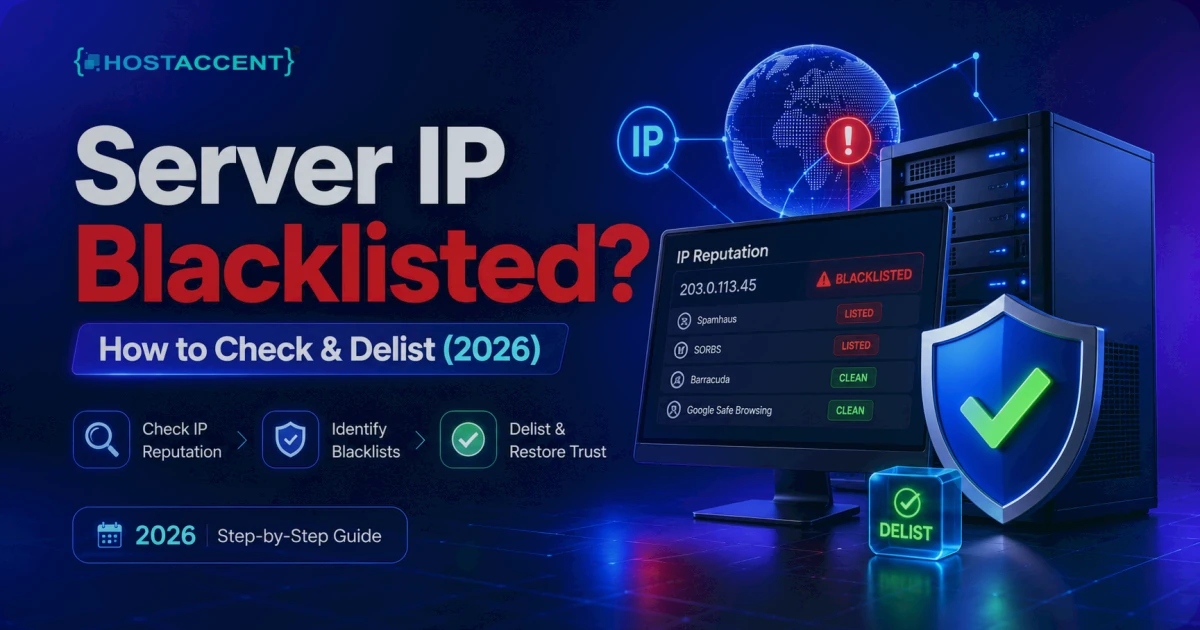
Your emails are bouncing. A customer says your invoice never arrived. Password-reset messages vanish. You open the mail log and find a cryptic line pointing at a blocklist you've never heard of. A server IP blacklisted on a list like Spamhaus is one of the most common — and most stressful — email problems out there, because suddenly every message you send is refused or dumped into spam.
Breathe. This is fixable, and usually faster than you'd think.
Quick Answer: A server IP blacklisted on a DNSBL like Spamhaus means receiving mail servers are rejecting or junking your email. Check your IP at MXToolbox or Spamhaus, find the cause (usually a compromised account or missing SPF/DKIM), fix it first, then submit a delisting request. Most lists clear a clean IP within 24–48 hours.
Here's the order that actually works: confirm the listing, find and kill the cause, then ask to be removed. Skip step two and you'll get relisted within hours. If you're on a managed host like Hostaccent, a lot of this is handled for you; if you're self-managing a VPS, the steps below are exactly what our team runs through on a deliverability ticket.
What a Server IP Blacklisted Warning Actually Means
A blacklist — more accurately a DNSBL (DNS-based blocklist) or RBL (real-time blocklist) — is a published list of IP addresses caught sending spam, hosting malware, or relaying junk mail. Receiving mail servers like Gmail, Outlook, and corporate filters query these lists the instant your message arrives. If your sending IP shows up, your mail gets a 5xx rejection or silently dies in a spam folder.
The listing is never random. Something on your IP — or something sharing it — sent mail that tripped a spam trap or generated complaints. Your bounce message usually names the culprit. Look for a line like 550 5.7.1 ... blocked using zen.spamhaus.org, or a URL pointing straight at a removal page. Read that line carefully; it tells you exactly which list to deal with.
Three things to understand before you panic:
- Not all blacklists matter equally. Spamhaus, Barracuda, and SpamCop carry real weight with the big mailbox providers. Plenty of others are quietly ignored by Gmail and Microsoft.
- A listing is a symptom, not the disease. The real problem is whatever sent the bad mail.
- Delisting is free on every legitimate list. Anyone charging to "remove your IP" is running a scam.
Insider Insight: Half the blacklist-removal guides online still tell you to check SORBS. Don't waste your time — Proofpoint decommissioned SORBS on June 5, 2024, and its zones now return nothing. If a checker still flags you on SORBS, that tool is reading stale data. Ignore it and focus on the lists that actually gate inboxes.
How to Check If Your IP Is Blacklisted (Fast)
First, find your real sending IP. On a Linux server:
bashcurl -s ifconfig.me
That's the public IP your mail leaves from (assuming you're not behind a separate mail gateway). Now check it three ways:
- Bulk checker. Run the IP through MXToolbox's blacklist tool — it queries 100+ DNSBLs in one shot and takes about 10 seconds.
- Spamhaus directly. Use the Spamhaus IP and Domain Reputation Checker to see exactly which Spamhaus zone (SBL, XBL, PBL, or CSS) lists you, and why.
- Command line. For a single list, reverse the IP octets and query the zone. To check
198.51.100.25against Spamhaus Zen:
bashdig +short 25.100.51.198.zen.spamhaus.org
A 127.0.0.x response means you're listed. An empty (NXDOMAIN) response means you're clean.
Pro Tip: Check both your IP and your sending domain. Domain-based lists like the Spamhaus DBL flag the domain in your "From" address separately from the server IP. A clean IP paired with a listed domain still lands in spam — and people miss this constantly.
If you've also started seeing site errors alongside the email trouble — a 500 Internal Server Error WordPress: Fix It Fast (2026) or a sudden 403 Forbidden Error: How to Fix It (Step-by-Step 2026) — that's a strong hint your server was compromised, which is often the same reason the IP got listed. Treat them as one incident, not two.
The Real Causes, Ranked by How Often We See Them
In the deliverability tickets our support team handles, the cause is rarely a mystery once you know where to look. Here's the honest frequency order:
- A compromised account or script (by far the most common). A hacked WordPress site, a vulnerable contact form, or a stolen email password lets an attacker pump spam through your server. A single compromised mailbox can fire off 5,000+ messages an hour before anyone notices.
- Missing email authentication. No SPF, DKIM, or DMARC means receivers can't verify you, so borderline mail gets treated as suspicious and complaints stack up.
- A "dirty" shared IP neighbour. On shared hosting, another site on the same IP spammed and the whole address got tagged. (This is rarer on hosts that properly isolate senders.)
- Missing or generic reverse DNS (PTR). Mail from an IP with no rDNS — or a generic
host-198-51-100-25.examplePTR — looks like a botnet and trips lists like the Spamhaus PBL. - A sudden volume spike. Blasting a newsletter to 20,000 cold addresses in ten minutes looks exactly like a spam run to rate-based filters.
- An open relay or misconfigured mail server. Older, hand-configured setups sometimes accept mail from anyone — spammers find these within hours.
Pro Tip: When we migrate customer sites onto Hostaccent's Nginx → Apache stack, the single most common reason a brand-new IP gets listed within a week is an outdated plugin from the old site that was already compromised before the move. Always scan and patch before you point mail at a fresh IP.
How to Delist Your IP — List by List
Fix the cause first. I mean it. Find the spam source before you touch a removal form, or you'll burn your one easy delisting — and some lists punish repeat requests with longer cooldowns.
Stop the bleeding (before anything else):
- Check your mail queue for a backlog of outbound junk:
exim -bp(cPanel/Exim) orpostqueue -p(Postfix). Thousands of queued messages to addresses you don't recognise = compromise confirmed. - Find the source. In cPanel, open Email Deliverability and Track Delivery to see what's actually sending. The official cPanel Email Deliverability documentation walks through repairing SPF and DKIM in a couple of clicks.
- Change every email password, scan for malware, update or remove the vulnerable app, then purge the bad queue.
Only now do you request removal.
Spamhaus delist
Head to the Spamhaus Blocklist Removal Center, enter your IP, and follow the self-service flow. PBL and CSS listings are usually self-remove and clear within an hour. An SBL listing is manual — you'll need to explain what you fixed. The golden rule for a clean spamhaus delist: only submit once the source is genuinely gone, because Spamhaus will recheck, and a relist looks worse than the original.
SpamCop and Barracuda
SpamCop listings typically auto-expire about 24 hours after the spam stops — often you just wait it out. Barracuda offers a removal request form where you enter the IP and a short reason. Both are free, and neither should take more than a few minutes of your time.
Everyone else
For smaller lists, find their removal page (usually linked right in your bounce message) and submit. Honestly? If a list isn't Spamhaus, Barracuda, or SpamCop, confirm Gmail and Outlook actually honour it before you sink an afternoon into the request. Many of them, nobody enforces.
Stop the Blacklist Coming Back
Delisting without prevention is a revolving door. Lock these down once and the problem rarely returns.
Set up the authentication trio. SPF, DKIM, and DMARC are non-negotiable in 2026. SPF declares who's allowed to send for your domain (see the IETF SPF specification, RFC 7208); DKIM cryptographically signs your mail; DMARC ties them together and tells receivers how to treat fakes. Cloudflare's primer on how DMARC works is a clean explainer if it's new to you. You can configure all three in about 15 minutes.
Fix reverse DNS. Your IP should have a PTR record matching your mail hostname (e.g. mail.yourdomain.com), and that hostname should resolve back to the same IP. Mismatched rDNS is a quiet, permanent deliverability tax.
Rate-limit and warm up. Don't send 20,000 emails from a cold IP on day one — ramp gradually. Keep lists clean; bounce rates under 4% keep you well clear of the complaint thresholds that trigger listings.
Patch relentlessly. Most "random" blacklistings trace back to an unpatched CMS. Auto-update WordPress core and plugins, enforce strong passwords, and add 2FA on every admin and email account.
Important: A residential or dynamic IP range may appear on a policy blocklist by design. Moving to a static commercial IP does not guarantee deliverability: verify the address history, configure reverse DNS and authentication, warm up sending carefully, and monitor complaints and blocklists.
Need a Clean IP Without the Headache?
If your server IP blacklisted itself because of one hacked site you've since cleaned up, sometimes the fastest cure is a fresh start on a clean IP with authentication already configured. That's exactly where moving to managed hosting earns its keep.
Hostaccent is a UK-registered host operating since 2018, running WHMCS billing, Cloudflare out front, an Nginx → Apache stack on NVMe SSD storage, and UK-based human support — and our team sets up the SPF/DKIM/DMARC records and handles the delisting paperwork for you. The Shared Hosting Economy plan starts at $1.99/yr, with Standard at $4.58/mo if you want more headroom and managed email. Honest caveat: if you send hundreds of thousands of marketing emails a month, you'll want a dedicated sending service rather than shared hosting — shared is built for transactional and normal business mail, not bulk campaigns.
Key takeaways:
- A server IP blacklisted on Spamhaus, Barracuda, or SpamCop is fixable, and delisting is always free.
- Find and remove the cause — usually a compromised account — before you request removal.
- Ignore dead lists like SORBS and low-trust lists that Gmail doesn't honour.
- Lock in SPF, DKIM, DMARC, and correct rDNS so it never recurs.
- Most clean IPs clear within 24–48 hours of a proper delisting request.
Frequently Asked Questions
How long does a server IP blacklisted listing take to clear?
After you fix the cause and submit a delisting request, most lists clear within 24–48 hours. Self-service lists like the Spamhaus PBL often remove within an hour. Auto-expiring lists like SpamCop can clear in about a day once the spam stops, with no form needed.
How do I check if my IP is blacklisted for free?
Run your IP through MXToolbox, which queries 100+ DNSBLs at once, or use the Spamhaus reputation checker for a detailed per-zone result. On the command line, a reversed-octet dig query against zen.spamhaus.org returns 127.0.0.x if you're listed and nothing if you're clean.
Will delisting my IP fix my email immediately?
Not always instantly. After removal, mailbox providers may take a few hours to re-query the list and rebuild your reputation. If you skipped fixing the root cause, you'll be relisted fast — so confirm the spam source is genuinely gone before you celebrate.
Can I remove my IP from a blacklist myself?
Yes. Every legitimate list offers free self-service removal — Spamhaus, Barracuda, and SpamCop all have public forms or auto-expiry. Never pay anyone claiming to "buy" your way off a list; that's a scam. On managed plans, Hostaccent's support team runs the delisting for you once the cause is cleared.
Why does my IP keep getting blacklisted again?
Repeat listings mean the source was never fixed. Usual suspects: a still-compromised script, a leaked email password, missing SPF/DKIM/DMARC, or sending to stale lists with high bounce rates. Patch the app, rotate passwords, add authentication, and clean your contact list.
Is SORBS still a blacklist I need to worry about?
No. Proofpoint decommissioned SORBS on June 5, 2024, and its zones return no data. Any tool still flagging you on SORBS is showing outdated results. Focus on Spamhaus, Barracuda, and SpamCop — the lists that actually decide whether Gmail and Outlook accept your mail.







Discussion
Have a question or tip about this topic? Share it below — your comment will appear after review.