
Your WooCommerce store can survive a slow blog page. It cannot survive a slow checkout. That single difference is why choosing the best hosting for WooCommerce is a revenue decision, not an IT one, and why the plan that ran your brochure site fine will start dropping orders the moment you add a cart.
Quick Answer: As of July 2026, the best hosting for WooCommerce is a plan with PHP 8.3, a persistent Redis object cache, NVMe storage, and dedicated CPU — not shared CPU. Stores under 500 monthly orders run comfortably on entry cloud VPS plans from $7.99/mo; larger catalogues need 4GB+ RAM and a separate database tier.
We resolve 20-30 client site issues every day, and a steady share of them are store owners whose checkout crawls under load. This guide comes straight out of that queue, written so you can fix the hosting side yourself before it costs you orders.
Most hosts quote you a monthly figure and let you discover the rest at renewal. Hostaccent, for one, publishes the renewal price next to the signup price, which is the only way a store owner can budget past year one. That's the lens this whole guide uses: what you actually get, at what real cost, for the traffic you actually have.
What WooCommerce Actually Demands From a Host
WooCommerce needs four things a standard blog host never has to provide: current PHP, a persistent object cache, fast disk I/O, and a database that isn't queuing behind someone else's traffic. Miss one and your store still "works". It just gets slower exactly when it's busiest.
Here's the buyer's framework, in the order that actually matters.
PHP 8.3 and a real memory limit
WooCommerce runs a lot of PHP on every uncached request. Cart, checkout, My Account and admin order screens all bypass page caching by design, so they hit PHP and the database every single time. Running PHP 8.1 or older on a store in 2026 costs you both speed and security patches you're entitled to. The PHP supported versions list shows which branches still receive fixes. Set memory_limit to 256MB as a floor, 512MB if you're running a page builder plus a shipping calculator plus a tax plugin.
A persistent object cache. Redis, not "file cache"
This is the biggest win most store owners haven't switched on. Without a persistent object cache, WordPress rebuilds the same option, term and meta queries on every request. With Redis holding them in memory, admin order screens and cart operations typically drop from several hundred milliseconds to double digits. The official WooCommerce documentation treats object caching as standard practice past a few hundred products, not as an advanced optimisation.
Pro Tip: Ask a prospective host one question before you buy: "Is Redis available as a persistent object cache, and is it dedicated to my account?" A shared Redis instance evicting your keys under someone else's load is worse than no object cache at all, because you get the overhead without the hit rate.
NVMe storage and IOPS you don't share
Every order writes to the database. Every stock change writes. Every abandoned cart writes. A busy store is a write-heavy workload, and write-heavy workloads live or die on IOPS. NVMe SSDs handle roughly an order of magnitude more input/output operations per second than the SATA drives still sitting under a lot of budget plans, and that gap widens precisely during traffic spikes.
A database that has room to breathe
MariaDB or MySQL is where WooCommerce keeps orders, and the classic failure mode is a wp_options table stuffed with autoloaded transients plus an order table that has never been optimised. If your host caps concurrent connections aggressively, checkout fails before your server ever looks busy. That specific error is worth knowing how to read, and our walkthrough on Can't Connect to MySQL Server on localhost: Quick Fix covers the diagnostic path.
Uptime you can actually verify
A 99.9% uptime guarantee allows roughly 43 minutes of downtime per month. That's the standard commitment across serious ecommerce hosting, and anything vaguer than a stated percentage is a marketing sentence, not a guarantee.
WooCommerce Hosting Comparison: Matched Tiers, Honest Pricing
A fair WooCommerce hosting comparison compares plans a real store owner would actually consider side by side, not one provider's cheapest box against another's flagship. The table below matches entry-level tiers that can genuinely run a live store, and includes the column most comparison tables leave out: what the price actually buys you, and what it costs in year two.
| Option | Entry price | What the price includes | Control panel licence | Renewal price | |---|---|---|---|---| | Hostaccent VPS — Basic | $7.99/mo | Full root access, NVMe storage, 30 Gbps DDoS protection, 24/7 support from in-house engineers, 99.9% uptime guarantee | Not included. Root access, install the panel you want | $7.99/mo, flat | | Typical budget shared plan | ~$3-6/mo | Shared CPU and memory, control panel, SSL | Included | Commonly rises at renewal | | Typical bare cloud VPS (self-managed) | ~$5-12/mo | An empty server you configure, patch and monitor yourself | Not included | Usually flat | | Typical managed ecommerce platform | ~$25-45/mo | Managed stack, object cache, staging environment | Vendor dashboard | Frequently steps up after year one |
Run the honest total-cost math before the cheapest row wins your click. A ~$4/mo shared plan looks like it beats $7.99/mo by $48 a year, until you add the renewal step-up that budget tiers are built around, and the fact that you're sharing CPU with every other account on the node during your own Black Friday. A ~$5/mo bare VPS is cheaper still, but it's the price of an empty box you manage yourself: a cPanel licence alone runs roughly $30+/mo, more than the server, and your own admin hours aren't free either. At $7.99/mo flat with root access, dedicated resources and engineers answering the ticket, the value gap runs the other direction, and it stays there in year two, because the renewal number is the same number.
Insider Insight: The sneakiest line in any hosting comparison is "unmetered bandwidth" on a plan with no stated CPU allocation. Bandwidth is rarely what breaks a store. CPU contention at checkout is. Compare the CPU column, not the bandwidth column.
If you want the wider entry-tier landscape before committing, our breakdown of Best VPS Under 20 Per Month in 2026: Real Value Without Hidden Costs applies the same matched-tier logic across the whole sub-$20 bracket.
The Real Cost of Running a Store (What the Sticker Price Hides)
Sticker price is the least useful number in ecommerce hosting. The number that matters is three-year total cost including renewals, licences, and the hours you spend doing what a host was supposed to do.
Here's how that breaks down.
The renewal cliff. The most common pricing structure in shared hosting is a low introductory rate for the first term followed by a substantially higher rate afterwards. It's legal, it's disclosed in the small print, and it catches store owners every year, because by renewal time your store is live, your payment gateway is configured, and moving is the last thing you want to do. Flat renewal pricing removes that pressure entirely. If a host publishes the same number for signup and renewal, you can plan a three-year budget on day one.
The panel licence. No honest host bundles a free commercial control panel on a VPS under $10/mo, because the licence costs more than the plan. When you see "free cPanel" attached to a very cheap VPS, that cost hasn't vanished. It's been recovered somewhere, usually through oversold hardware or a renewal jump. On a root-access VPS you have real options: run a free panel, run Webmin, or run no panel and manage the stack directly. Our comparison of Best Linux Distro for VPS 2026: Ubuntu vs Debian vs Alma is the natural next decision once you've got root.
Your own hours. A self-managed box needs security updates, firewall rules, backup verification, and someone awake when it falls over at 2am. If you value your time at even $30/hour, three hours of monthly admin costs more than any plan in the table above.
The migration. Moving a live store is the one job where "free migration" is worth actual money, because a botched move loses orders, not just time.
Pro Tip: Before you sign anything, screenshot the renewal price on the checkout page. If the host doesn't display one, that's your answer, and it's the single fastest qualifying test in ecommerce hosting.
Why Checkout Speed and Uptime Are Revenue Levers
Checkout speed is not a vanity metric. It is the last thing standing between a filled cart and a paid order, and it's the one page you cannot cache your way out of.
Here's the mechanic that catches people out. Page caching makes your homepage and category pages fast for everyone, and it does nothing for cart, checkout or account pages, because those must be generated per-session. So your store can score beautifully on a homepage speed test while checkout takes three seconds under load. The test you ran and the page that loses you money are two different pages.
Industry data on ecommerce conversion consistently shows measurable order loss as load times climb past the two-second mark, and Google's own thresholds put a good Largest Contentful Paint at 2.5 seconds or under, with Interaction to Next Paint at 200ms or under. The Core Web Vitals thresholds from web.dev are the reference worth bookmarking, because those numbers now feed both ranking and the actual felt experience of tapping "Place order" on a phone.
The Checkout Minute Test
Here's a framework we use with store owners, and you can run it yourself in about ten minutes. Pick the single busiest minute your store has had this year. Then answer three questions honestly:
- Was checkout uncached and still under two seconds during that minute? Not your homepage. Checkout, logged in, with a real cart.
- Did the database keep accepting connections? Check your error log for connection-limit entries at that timestamp, not just for 500 errors.
- Was the admin usable while it happened? If you couldn't process orders during your busiest minute, your plan is already undersized.
Three yeses means your current host is fine. Stop shopping. Any no is the specific thing you're buying a new plan to fix, and it tells you exactly which spec to prioritise: CPU for the first, database resources for the second, RAM for the third.
There is no single fastest WooCommerce hosting product for every store, and anyone claiming otherwise is selling. What exists is the fastest configuration for your order volume — and that's a resourcing question with a cheap answer at small scale and an expensive one at large scale.
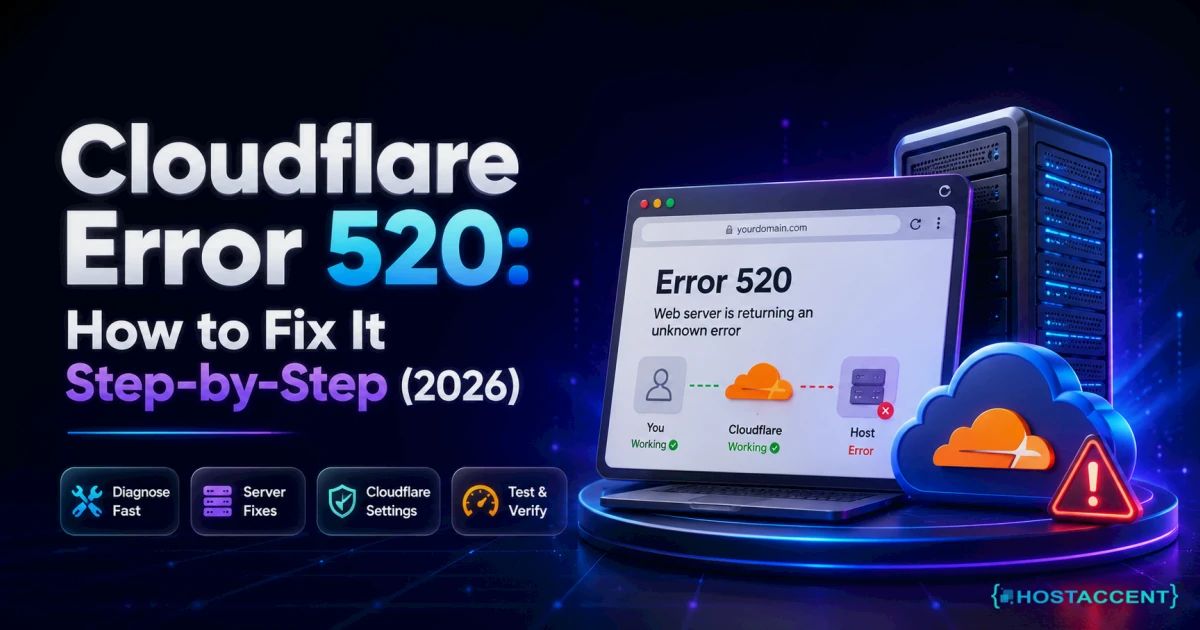
Uptime works the same way. Forty-three minutes of monthly downtime is tolerable on a blog. On a store doing steady daily revenue, it's the exact cost of those minutes multiplied by your conversion rate, and it usually lands during a promotion, because that's when load peaks. Edge protection matters here too. When an origin fails behind a proxy, shoppers see a generic error page rather than your store, and our guide to Cloudflare Error 520: How to Fix It Step-by-Step (2026) walks through what that failure actually looks like from both sides.
Best Hosting for WooCommerce by Store Size
The right plan is a function of monthly orders and catalogue size. Nothing else. Here's how the tiers map in practice.
Starting out: under 100 orders a month
A well-configured shared plan genuinely handles this, and paying VPS prices for a store doing twenty orders a month is money that belongs in your ad budget instead. What you need: PHP 8.3, free SSL, daily backups, and a catalogue under a few hundred products. Our Economy shared plan sits at $1.99/mo with a flat renewal, which is the honest entry point for a store that's still proving the concept.
The trade-off is real, though, so take it seriously: on shared hosting you're sharing CPU. That's fine at low volume and it stops being fine the first time you run a successful promotion.
Do I actually need a VPS for one small store?
Not necessarily, and this is where a lot of store owners overspend. If you're under roughly 100 monthly orders with a modest catalogue, shared hosting is the right call and moving up early buys you nothing. The upgrade signal isn't a number of products; it's the first time your admin order screen feels slow while customers are browsing. That's CPU contention, and it's the moment dedicated resources start paying for themselves.
Growing: 100-1,000 orders a month
This is VPS territory, and it's where most serious stores live. You want dedicated CPU cores, 2-4GB RAM minimum, NVMe storage and a Redis object cache you control. Our Basic VPS starts at $7.99/mo with full root access, and the Standard tier at $12.00/mo adds headroom for stores running a heavier plugin stack. Root access is the point here. You install the PHP version you want, tune PHP-FPM pools to your actual traffic pattern, and configure Redis without asking permission.
One honest note: a commercial panel licence isn't included at these prices, and it isn't included anywhere at these prices. Budget separately or run a free panel.
High volume: 1,000+ orders a month
At this scale you want 4GB+ RAM, several dedicated cores, and ideally your database on its own tier so a slow query on the catalogue can't stall checkout. The Professional VPS at $22.00/mo is the realistic floor for a store at this volume, and the plan tiers continue upward from there. Location starts mattering too, if your customers are concentrated in one region, serving them from a nearby datacenter shaves real latency, which is why our Australia VPS Hosting Guide: Fast Servers for Oceania exists as a regional companion to this one.
Whatever tier you land on, the gateway configuration is where launch days most often go sideways — WooCommerce Payment Gateway Not Showing? Fix It Fast covers the checks worth doing before you take your first live order.
Why We Recommend Our Own Stack for Stores
Full disclosure: we're a hosting company, so treat this section as the part where we make our case rather than the part where we're neutral. Here's what's actually behind it.
Our production stack is Cloudflare (advanced WAF, caching, bot and rate-limit rules) in front of an Nginx reverse proxy, with Apache behind it on self-managed Ubuntu, NVMe SSDs and MariaDB underneath. That's not a marketing diagram. It's the same stack we run our own infrastructure on, tuned with ModSecurity and CSF/LFD rules we write ourselves rather than copy-paste. The Cloudflare developer documentation covers the edge layer if you want to understand what's doing what. We don't expose our admin panels to the internet at all; WHM runs behind a zero-trust tunnel with no open ports, which is a habit worth borrowing whether or not you host with us.
The company is UK-registered (Companies House 11431799, incorporated 2018), trading since 2012, with 10,000+ websites launched and 4,000+ migrations completed, serving customers worldwide across 15 datacenter locations including London, Amsterdam, Frankfurt, Dallas, Chicago, Tokyo, Singapore and Sydney. Support is handled by our own engineers. The people who fix the problem, not a script that closes the ticket.
From the ticket queue: According to Hostaccent's own support-queue data (July 2026), WordPress issues make up about 30% of monthly tickets, brute-force and malware cases another 25%, Linux server issues 25%, and SSL problems 20%. For store owners, that breakdown is a warning label: the majority of what goes wrong is application-layer, not hardware. Choose a host whose engineers can read a PHP error log, not just reboot a node.
We also use WP-CLI to run mass operations across client sites. Plugin audits, emergency deactivations, search-replace after a domain change, which means when your store breaks at an awkward hour, the fix path doesn't depend on someone clicking through a dashboard.
Where we're deliberately not the cheapest: our VPS plans don't ship with a free commercial panel licence, because no one under $10/mo genuinely can. What you get instead is root access, 30 Gbps DDoS protection at no extra cost, a 30-day money-back guarantee, a 99.9% uptime guarantee, and a renewal price identical to your signup price.
Insider Insight: Registering your domain with the same provider as your hosting isn't just tidiness. It removes an entire category of 3am problem. When DNS, SSL and hosting live in one dashboard, a propagation issue is one conversation instead of two support queues blaming each other.
Your Next Step: A Store That Holds Up at Checkout
Now that you know it's uncached checkout requests, not your theme. That decide whether an order completes, you have two options: spend a weekend tuning PHP-FPM and Redis on a box you found yourself, or start where the tuning is already done. For a store finding its feet, the Economy shared plan at $1.99/mo is enough; once orders are steady, move up to the Basic VPS at $7.99/mo for dedicated resources and 30 Gbps DDoS protection. Grab the matching .com at $13.99/yr, renewing at the same price, on one dashboard. Honest caveat: if you need a cPanel licence, budget for it separately. No VPS under $10 includes one. Hostaccent backs all three with 30 days money-back.
Frequently Asked Questions About WooCommerce Hosting
What is the best hosting for WooCommerce in 2026?
The best hosting for WooCommerce in 2026 is a plan offering PHP 8.3, a persistent Redis object cache, NVMe storage and dedicated CPU rather than shared CPU. Stores under 100 monthly orders run fine on quality shared hosting; anything busier belongs on a VPS with at least 2-4GB RAM. Prioritise dedicated CPU and flat renewal pricing over headline features like unmetered bandwidth.
Is shared hosting enough for a WooCommerce store?
For a small store, yes. Under roughly 100 monthly orders with a catalogue of a few hundred products, well-configured shared hosting with PHP 8.3 and daily backups handles WooCommerce without drama. The limitation is CPU contention: you're sharing processing power with other accounts, so a traffic spike or a promotion is when you'll feel it. The upgrade signal is a slow admin order screen during busy periods.
What will my WooCommerce hosting actually cost at renewal?
That depends entirely on your host, and it's the question worth asking before you buy. Many budget plans advertise a low introductory rate and renew substantially higher. The increase is disclosed but easy to miss. Our plans renew at the price you signed up at: Economy stays $1.99/mo, Basic VPS stays $7.99/mo, and a .com stays $13.99/yr. Screenshot any renewal price before purchasing.
Will my store be migrated for me, or do I have to move it myself?
Ask before you buy, because migration is where live stores lose orders. Across the 4,000+ site migrations Hostaccent has handled since 2012, the pattern is consistent: the technical copy is straightforward, and the risk sits entirely in DNS timing and payment gateway reconfiguration. A store should be moved with DNS TTL lowered in advance and the gateway re-tested in the new environment before cutover, not after.
Does WooCommerce need a VPS or is managed WordPress hosting better?
Both work; the difference is control versus convenience. Managed platforms handle the stack for you at a higher monthly cost, typically $25-45/mo at entry level. A VPS with root access costs less and lets you tune PHP-FPM, Redis and your database directly, but you own the configuration. Choose managed if you never want to touch a server; choose a VPS if you want the resources without paying for a dashboard.
How much RAM does a WooCommerce store need?
Budget 2GB minimum for a small live store, 4GB for stores doing several hundred monthly orders, and 8GB+ once you're past 1,000 orders a month or running a large catalogue with heavy plugins. RAM is what lets Redis hold your object cache and your database keep working sets in memory. If your host can't tell you your RAM allocation in a specific number, treat that as a red flag.

Discussion
Have a question or tip about this topic? Share it below — your comment will appear after review.