
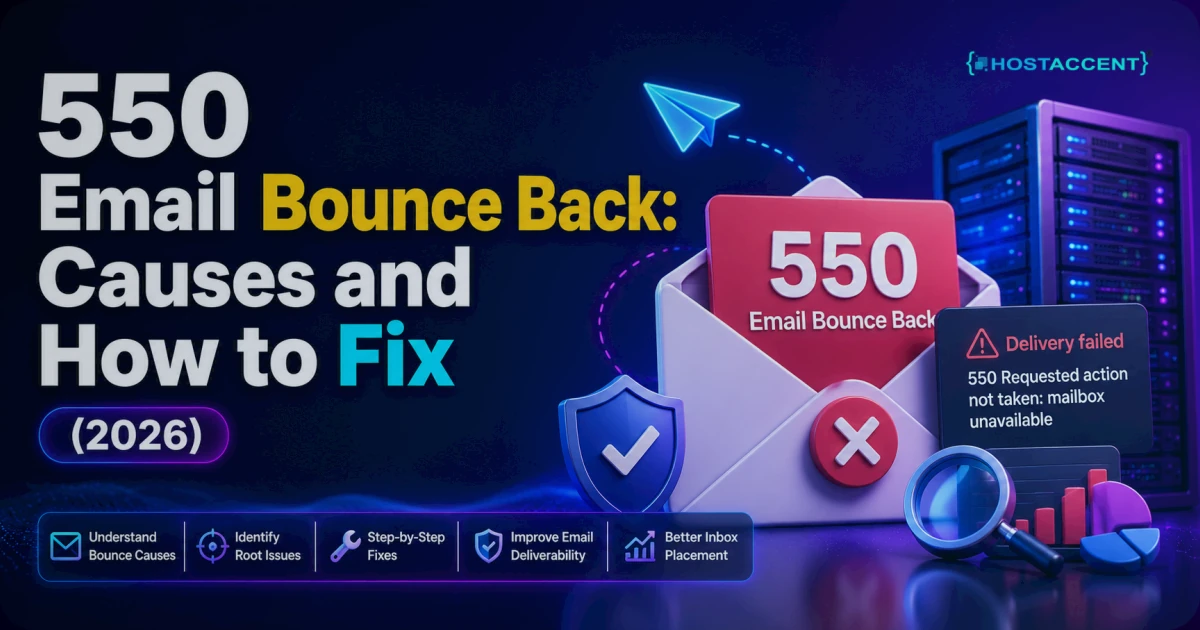
Quick Answer: A 550 email bounce back is a permanent rejection from the receiving mail server — it's telling you the message will never be delivered as-is. Most of the time it means the recipient address doesn't exist, your sending IP or domain has a reputation or authentication problem, or the server refused to relay your mail. Fixing it means finding which of those three applies, then correcting the address, the DNS records, or the sending setup.
You hit send. Seconds later a reply lands from something called "Mail Delivery Subsystem," and buried inside it is a line with the number 550. Your stomach drops — did the message go out or not? (Short answer: it didn't.)
The good news is that a 550 is one of the most diagnosable errors in email. It's blunt, but it's honest. This guide walks through what the code means, the causes ranked by how often they actually happen, and the exact fix for each — commands, DNS records, and file paths included. No filler.
In the deliverability tickets we handle at Hostaccent, roughly the same three culprits show up again and again — and only one of them is ever the recipient's fault.
What a 550 Email Bounce Back Actually Means
SMTP — the protocol that carries mail between servers — uses three-digit reply codes. Anything starting with a 2 means success. A 4xx code is a temporary "try again later." A 5xx code, 550 included, is a permanent failure. The receiving server is saying no, and a retry won't change its mind. (You can read the exact wording in the SMTP specification, RFC 5321.)
The number is almost always followed by an extended status code and a short human-readable note. A few you'll see constantly:
550 5.1.1 User unknown— the mailbox doesn't exist. This is the classic mailbox unavailable bounce.550 5.7.1 Relaying denied— the server won't send mail on your behalf.550 5.7.1 Message rejected— usually a spam-filter or blocklist decision.550 5.7.23 SPF check failed— your domain's authentication didn't line up.
That second line is the real diagnosis. The bare "550" only tells you it's fatal; the extended code tells you why.
Want the full picture? Open the original bounce and look for three headers: Final-Recipient (who it was going to), Action: failed, and Diagnostic-Code — that last one carries the receiving server's raw 550 text. Forwarded or app-generated bounces sometimes bury it, so view the raw message source if your mail client hides the details. Ninety-nine percent of the answer sits in that Diagnostic-Code line.
Pro Tip: Always read past the number. Two bounces can both say "550" and have completely different causes — one a simple typo, the other a blocklisted IP. The
5.x.xsub-code and the text after it are where the actual fix lives.
The Most Common Causes, Ranked by Frequency
Here's the honest breakdown — ordered by how often each is the real problem, not by how alarming it sounds.
- Wrong or dead recipient address (by far the most common). A typo, an old address, or a mailbox that's been deleted. This is the email 550 error most people panic over, and it's usually the easiest to fix.
- Sending IP or domain on a blocklist. Your server's IP landed on a DNSBL like Spamhaus — often because of a compromised script or a bad neighbour on shared infrastructure.
- Broken or missing SPF, DKIM, or DMARC. The receiving server can't verify you actually sent the mail, so it rejects it outright.
- Relaying denied / SMTP auth failure. You're sending through a server that doesn't trust the connection — common after a mail-client misconfiguration.
- Content or reputation rejection. The message tripped a spam filter on the receiving side.
- Full or over-quota recipient mailbox. Less common, but a stuffed mailbox can throw a 550 variant.
In our experience, the first three account for the overwhelming majority. Fix address accuracy and authentication, and most 550s simply vanish.
How to Fix a 550 Bounce, Cause by Cause
Work through these in order. Ninety percent of the time you'll stop at step two or three.
1. Verify the recipient address
Copy the exact address from the bounce — not from memory. Send a one-line test to a different provider you control (a Gmail or Outlook mailbox). If that test lands, the original recipient's mailbox is the problem, and no amount of DNS work on your end fixes a mailbox that doesn't exist. Ask the recipient for a current address.
2. Check whether your IP or domain is blocklisted
Look up your sending IP on the major blocklists. If Spamhaus or a similar list shows a hit, that's your 550. Delisting means fixing the root cause first — usually a compromised mailbox or a script pumping out spam — then requesting removal. On shared infrastructure a single bad neighbour can taint the whole IP, which is exactly why sending reputation matters so much.
To check, run your IP through a public blocklist lookup — Spamhaus publishes its own check tool, and multi-list scanners query dozens of lists at once. If you are listed, note which list flagged you: each one has its own delisting form and its own trigger. Fix the source before requesting removal, or you will be relisted within hours. Delisting usually clears within 24 hours once the cause is gone, and some lists auto-expire entries after a set window anyway.
Insider Insight: When we migrate customer sites to Hostaccent, a frequent misconfiguration we see is mail still routing through an old server's IP after the DNS moved. The website loads fine; email silently bounces. Always confirm your MX record and your actual sending IP point at the server now handling the mail.
3. Fix SPF, DKIM, and DMARC
These three DNS records prove you're allowed to send for your domain. Missing or wrong records are a top cause of 550 rejections from strict receivers like Google and Microsoft.
SPF is a single TXT record listing who may send for you:
bash## Example SPF record — published as a TXT record on your domain v=spf1 include:_spf.yourhost.com ~all
Publish one, and only one — multiple SPF records are invalid and will fail validation. (Cloudflare's SPF explainer breaks the syntax down clearly.)
DKIM adds a cryptographic signature. Your host or mail platform hands you a public key to publish (as a TXT or CNAME record); the server signs outgoing mail with the matching private key so receivers can confirm it wasn't forged.
DMARC tells receivers what to do when SPF or DKIM fails:
bash## Example DMARC record — TXT record at _dmarc.yourdomain.com v=DMARC1; p=none; rua=mailto:[email protected]
Start at p=none to monitor, then tighten to quarantine or reject once you've confirmed legitimate mail passes. (Cloudflare's DMARC guide covers the policy options.) DNS edits take anywhere from a few minutes to 24-48 hours to propagate, depending on your TTL — dropping the TTL to 300 seconds before a change speeds later updates up.
4. Fix relaying and SMTP authentication
A 550 relaying denied almost always means your mail client is sending without authenticating. Confirm SMTP authentication is switched on, you're using the right port (587 with STARTTLS, or 465 with SSL), and your username is the full email address. On our Nginx → Apache + NVMe stack, the bottleneck for this is nearly always a client still set to port 25 with no auth — move it to 587 and it clears.
5. Rule out content and quota issues
If the address is valid, you're not blocklisted, and authentication passes, the rejection is probably content- or quota-based. Trim heavy attachments, drop spam-trigger phrasing, and check the recipient mailbox isn't full. A mailbox capped at 2 GB and sitting at 100% will bounce new mail every time.
6. Confirm reverse DNS (PTR) is set
Strict receivers reject mail from an IP that has no reverse DNS or a mismatched PTR record. Your sending IP should resolve back to a hostname that matches your mail server's forward record. On managed hosting this is handled for you; on a raw VPS or dedicated IP you often have to request the PTR from your provider. A missing PTR will not always throw a 550 on its own, but combined with weak authentication it tips borderline mail straight into rejection.
How to Confirm the Fix and Stop It Coming Back
Send a fresh test to the same recipient (or a mailbox on the same provider). A clean delivery with no bounce is your confirmation. Then lock it in:
- Watch authentication with DMARC aggregate reports — they show exactly which senders pass and fail.
- Keep one clean SPF record and review it whenever you add a sending service (a CRM, a newsletter tool, a WordPress plugin).
- Monitor IP reputation if you send in volume. If transactional mail keeps hitting spam alongside bounces, our actual fix for WordPress emails going to spam covers the sender-reputation side in depth.
- Right-size mailboxes so a full inbox never triggers rejections. Hitting hosting limits more broadly? Shared hosting resource limits is worth a read.
Pro Tip: Turn on DMARC aggregate reports (
rua=) even while you sit atp=none. Within a week you'll have a full picture of every service sending as your domain — including the shadow ones you forgot about. That single move prevents most future bounces.
Prevention starts at the domain level, too. A clean, correctly configured domain is the foundation — if you're still choosing one, .com vs .net vs .io covers the trade-offs. And since slow, overloaded servers compound delivery problems, keeping hosting healthy — see fixing high TTFB in WordPress — helps everything, email included.
When Your Host Is the Real Problem
Sometimes you do everything right and mail still bounces, because the platform underneath is the issue: a shared IP with a wrecked reputation, no DKIM support, or blocked SMTP ports. That's when moving to hosting with proper email handling actually fixes the root cause of a 550 email bounce back.
Quick recap before you go:
- A 550 is permanent — diagnose the sub-code, don't just resend.
- Check the address first, then blocklists, then SPF/DKIM/DMARC. That order solves most cases.
- Lock in prevention with DMARC monitoring and right-sized mailboxes.
This is where a clean setup earns its keep. Hostaccent runs on a WHMCS-managed, Cloudflare-fronted, Nginx → Apache stack with NVMe SSD storage and UK-based human support, and email accounts ship with SPF and DKIM configured out of the box. The Shared Hosting Economy plan starts at $1.99/yr with authenticated email set up for you — which removes the two most common 550 causes before you ever hit send. Honest limitation: if you blast tens of thousands of marketing emails a month, a dedicated sending service will still beat any shared plan, ours included. For normal business and transactional mail, a properly configured host is usually all you need.
This guide is written and maintained by the Hostaccent Team — a UK-registered host operating since 2018, serving customers worldwide from the UK with a Bangladesh branch, and it reflects the 550s we clear on real accounts every week as of 2026.
Frequently Asked Questions
What does a 550 email bounce back mean in plain English?
It means the receiving mail server permanently refused your message, so delivery failed and won't be retried automatically. The usual reasons are a non-existent recipient address, a blocklisted sending IP, or failed SPF/DKIM/DMARC authentication. Read the text right after the "550" to find the specific cause.
Is a 550 error permanent or will it retry?
A 550 is permanent — the 5xx range signals a hard failure, so the sending server won't retry it. A 4xx code, by contrast, is temporary and does retry on its own. With a 550 you have to fix the underlying cause and resend manually. Nothing clears it automatically.
How do I fix "550 mailbox unavailable"?
First confirm the recipient address is spelled correctly and still active by testing a separate address you control. If that address is valid, the mailbox unavailable bounce usually points to a sending-side reputation or authentication problem — check your IP against blocklists and verify SPF and DKIM are published correctly.
Can wrong DNS records cause a 550 bounce?
Yes. Missing or misconfigured SPF, DKIM, or DMARC records are a leading cause of 550 rejections, especially from Gmail and Microsoft, which enforce authentication strictly as of 2026. Publish one valid SPF record, enable DKIM signing, and add a DMARC record — then allow up to 48 hours for DNS to propagate.
Why does my email work for some recipients but bounce for others?
That pattern usually points to reputation or authentication, not a broken mailbox. Stricter providers like Google and Microsoft reject unauthenticated or low-reputation mail with a 550, while more lenient servers accept it. Fixing SPF, DKIM, and DMARC normally resolves the inconsistency across every provider at once.
Does switching hosts fix a 550 email bounce back?
It can, if the root cause is your current platform — a blocklisted shared IP, missing DKIM support, or blocked SMTP ports. Moving to a host like Hostaccent that configures email authentication properly removes those causes. It won't help if the 550 is simply a wrong recipient address, so always diagnose before you migrate.

Discussion
Have a question or tip about this topic? Share it below — your comment will appear after review.