
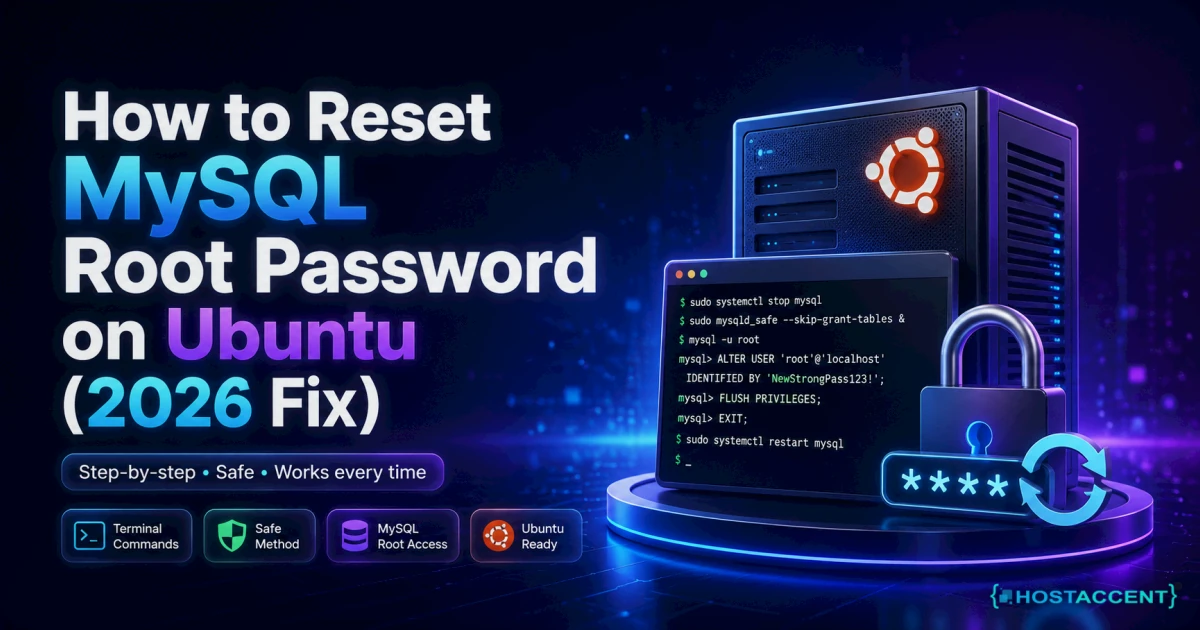
Your app is down and MySQL just told you access is denied for user 'root'@'localhost'. Nothing you type works.
Quick Answer: Here's how to reset MySQL root password on Ubuntu or any Linux server: stop the MySQL service, restart it with authentication checks disabled, connect as root with no password, run FLUSH PRIVILEGES; then ALTER USER 'root'@'localhost' IDENTIFIED BY 'your-new-password';, then restart normally. It takes about 5 minutes. On Debian and Ubuntu there's also a shortcut that skips the restart entirely — most guides never mention it.
Our engineers resolve 20-30 client issues every day, and a locked-out database account is one of the ones we see over and over — usually right after a server hand-over. This guide at Hostaccent is the exact procedure we run, written so you can do it yourself without waiting on anyone.
Before you touch anything: take a snapshot if you can. It costs 60 seconds and it has saved us more than once.
What's Actually Going On When Root Stops Working
Breathe. Your data is fine.
MySQL doesn't store passwords anywhere near your actual databases. Accounts live in a system table called mysql.user. Your databases live as files under /var/lib/mysql. Resetting a password rewrites one row in one table. It does not touch a single byte of your data.
The second thing to understand: the MySQL "root" account has nothing to do with the Linux root user. They're unrelated. Same name, different systems.
Third — and this is where people get stuck — a MySQL account is a pair: username and host. 'root'@'localhost' and 'root'@'127.0.0.1' are two different accounts that can have two different passwords. A mysql access denied root error (error 1045) means the server rejected the credentials for that specific pair. Sometimes you're not locked out at all; you're just knocking on the wrong door. (If instead the connection itself refuses — error 2002 or 2003 — the service isn't running at all, and that's a different fix: see can't connect to MySQL server on localhost.)
Finally, modern MySQL and MariaDB use authentication plugins. On a stock Ubuntu install, root is often set to auth_socket (MySQL) or unix_socket (MariaDB), which means the password is irrelevant — the server checks your Linux identity instead. The full plugin reference is in MySQL's official reference manual, and the packaging specifics are documented in the Ubuntu Server documentation.
Why You Lost the Root Password: Causes Ranked by Frequency
From what actually walks into our queue, in order:
- Nobody ever set one. MySQL was installed via
apt, root was left on socket authentication, and no password was ever created. There's nothing to remember. This is the single most common cause. - The server changed hands. A developer left, an agency handed over, the credentials lived in someone's head or a
.my.cnfthat got deleted. - The plugin was switched. Someone moved root from
auth_sockettomysql_native_passwordto make an old app work, set a password, and never wrote it down. - You're connecting over TCP, not the socket.
mysql -u root -p -h 127.0.0.1hits'root'@'127.0.0.1'on port 3306 — a different account entirely from'root'@'localhost'. - A botched upgrade. Rare, but a partially upgraded
mysqlschema can leave root with a plugin the server can't load.
Insider Insight: Before you reset anything, run
sudo mysqlon its own. No-u, no-p. If a prompt appears, you were never locked out — root is on socket auth and you're already in. Change the password from there and go get coffee. We'd estimate a solid quarter of "locked out" tickets end here.
From the Ticket Queue: across a typical month, Hostaccent support volume breaks down roughly as WordPress issues 30%, brute-force and malware 25%, Linux server issues 25%, and SSL problems 20% — database lockouts sit inside that Linux server slice, and they cluster hard around hand-over week. That's our own first-party support data, not an industry survey.
The Zero-Downtime Shortcut Most Guides Skip
On Debian and Ubuntu, the package maintainers create a maintenance account called debian-sys-maint. It has full privileges. Its credentials are sitting in plain text on your disk right now, readable by root:
bashsudo cat /etc/mysql/debian.cnf
You'll see a user and password under [client]. Now use it:
bashsudo mysql --defaults-file=/etc/mysql/debian.cnf
You're in. Set the password:
sqlALTER USER 'root'@'localhost' IDENTIFIED BY 'YourNewStrongPassword'; FLUSH PRIVILEGES;
No stop. No restart. No downtime. Every site on that box stays up.
This is the method we reach for first on any Ubuntu box, and it's the one almost no tutorial mentions. It doesn't work everywhere — if the file is missing, if the account was deleted during hardening, or if you're on a RHEL-family server or a container image, you're back to the standard route below.
Pro Tip: That file being world-readable-by-root is exactly why
/etc/mysql/debian.cnfshould be0600and why nobody except your ops team should have sudo. If you're not sure how your box is set up, our Linux VPS Security Baseline (Ubuntu 24.04) in 30 Min walks through the audit.
How to Reset MySQL Root Password on Ubuntu (MySQL 8.0+)
If the shortcut didn't work, this is the reliable path. It requires a brief restart, so schedule it if you can.
Step 1 — Stop the server.
bashsudo systemctl stop mysql sudo systemctl status mysql --no-pager
Confirm it's actually stopped before continuing. Two mysqld processes fighting over the same data directory is a bad afternoon.
Step 2 — Restart with authentication off. Rather than fighting mysqld_safe, use systemd's environment override — it respects AppArmor and the unit file:
bashsudo systemctl set-environment MYSQLD_OPTS="--skip-grant-tables --skip-networking" sudo systemctl start mysql
The --skip-networking flag matters. Without it, your database is briefly reachable on port 3306 with no authentication at all. That's the whole risk of the mysql skip-grant-tables approach in one sentence.
Step 3 — Connect and reset.
bashsudo mysql -u root
sqlFLUSH PRIVILEGES; ALTER USER 'root'@'localhost' IDENTIFIED BY 'YourNewStrongPassword'; FLUSH PRIVILEGES; EXIT;
That first FLUSH PRIVILEGES; is not optional and it's why the documented command fails for so many people. With grant tables skipped, MySQL 8 hasn't loaded the privilege system yet, so ALTER USER throws an error. Flushing loads it mid-session. Run it first, every time.
Step 4 — Put things back.
bashsudo systemctl stop mysql sudo systemctl unset-environment MYSQLD_OPTS sudo systemctl start mysql mysql -u root -p
If the new password gets you in, you're done. Total downtime is usually under 2 minutes.
Pro Tip: If
ALTER USERstill refuses, root may be onauth_socket. Force the plugin in the same statement:ALTER USER 'root'@'localhost' IDENTIFIED WITH mysql_native_password BY 'YourNewStrongPassword';— but only if an old app genuinely needs it.caching_sha2_passwordis the stronger default and worth keeping.
The Safer Route on a Busy Server: --init-file
There's a third method that removes the unauthenticated window completely. You write the reset statement into a file, then tell MySQL to execute it at startup — the grant tables stay loaded the entire time, so the server never accepts an unauthenticated connection.
Write the file:
bashsudo tee /var/lib/mysql-files/reset.sql > /dev/null <<'EOF' ALTER USER 'root'@'localhost' IDENTIFIED BY 'YourNewStrongPassword'; EOF sudo chown mysql:mysql /var/lib/mysql-files/reset.sql
Then start the server pointing at it:
bashsudo systemctl stop mysql sudo mysqld --init-file=/var/lib/mysql-files/reset.sql --user=mysql &
Give it a few seconds, stop that instance, delete the file, and start the service normally. On any box carrying live traffic, Hostaccent engineers default to this over skip-grant-tables — there's simply no moment where the database is open to whoever happens to find it.
The catch nobody warns you about: AppArmor confines mysqld to a small set of paths. Put the file in /tmp and the server exits with a permission error that never once mentions AppArmor. /var/lib/mysql-files/ is already in the profile, which is why it goes there.
How to Reset MariaDB Root Password (The Commands Are Different)
MariaDB looks like MySQL until it doesn't. On MariaDB 10.4 and up — including the 10.11 LTS shipping in current Ubuntu — root defaults to the unix_socket plugin. So sudo mysql almost always just works, and there's genuinely nothing to reset.
If it doesn't:
bashsudo systemctl stop mariadb sudo mysqld_safe --skip-grant-tables --skip-networking &
Give it a few seconds, then:
bashsudo mysql -u root
sqlFLUSH PRIVILEGES; ALTER USER 'root'@'localhost' IDENTIFIED BY 'YourNewStrongPassword'; EXIT;
Shut down the safe-mode instance cleanly and start the real service:
bashsudo mysqladmin -u root -p shutdown sudo systemctl start mariadb
One gotcha: on some MariaDB builds ALTER USER alone won't clear a stale plugin. If the new password is rejected, add IDENTIFIED VIA mysql_native_password USING PASSWORD('YourNewStrongPassword') — MariaDB's syntax diverges here, and MariaDB's own documentation is the authority, not the MySQL manual.
Running your database in a container? None of this applies — you reset via the entrypoint or an --init-file mount instead. Our Install Docker on Ubuntu VPS: Secure Production Setup guide covers that pattern.
Confirm the Fix and Stop It Happening Again
Verify properly. Three checks:
bashmysql -u root -p -e "SELECT user, host, plugin FROM mysql.user WHERE user='root';" sudo ss -tlnp | grep 3306 sudo journalctl -u mysql --since "10 minutes ago" --no-pager
The first confirms the account and plugin. The second confirms networking came back and you're not still sitting in skip-grant mode. The third catches anything that failed quietly.
One check people skip — run SHOW GRANTS FOR 'root'@'localhost'; too. If someone previously "fixed" this by editing the mysql.user table with a direct UPDATE, you can end up with a root account that logs in perfectly and can't do a thing. Direct writes to that table are why. Every command above uses ALTER USER for exactly that reason.
Then prevent the repeat:
- Stop using root for applications. WordPress, your API, your cron jobs — each gets its own user with privileges on its own database only. Root is for you, not for PHP.
- Store it properly. A password manager, not a wiki page. OWASP has the reasoning if you need to convince someone.
- Keep root socket-authenticated where nothing requires otherwise. A password you don't have can't be stolen.
- Back up the
mysqlsystem database, not just your app data. Our Linux VPS Backup Automation with Rsync + Cron guide covers the cron side. - Don't expose 3306. Bind to
127.0.0.1and firewall the rest. If you're seeing hammering, Nginx Rate Limiting: Basic DDoS & Bot Protection applies the same thinking at the web layer.
After 14 years running everything from bare root servers to cPanel/WHM and Plesk fleets, the pattern is consistent: lockouts aren't a MySQL problem. They're a documentation problem.
Key Takeaways
- Knowing how to reset mysql root password is a 5-minute job, not a reinstall. Your databases are never at risk.
- Try
sudo mysqlfirst, then/etc/mysql/debian.cnf— one of the two solves most lockouts with zero downtime. - On a live server, prefer
--init-fileover skip-grant-tables. Same result, no unauthenticated window. - If you must use skip-grant-tables, always pair it with
--skip-networking, and always runFLUSH PRIVILEGES;beforeALTER USERon MySQL 8. - MariaDB syntax diverges. Check its own docs, not the MySQL manual.
- Give every app its own database user. Root should be boring and rarely touched.
If You'd Rather Not Do This Mid-Incident
Some teams want the terminal. Others just want the site up. If you're on the second list, a managed VPS Hosting plan means our engineers handle the database layer — the Basic plan starts at $7.99/mo and renews at $7.99/mo, with a 30-day money-back guarantee and a 99.9% uptime guarantee behind it. Honest limitation: if you hit this once and fixed it in ten minutes, you don't need managed hosting for that alone — the case for it is ongoing tuning, backups and incident cover, not a single password reset. As of July 2026, Hostaccent Limited has been trading since 2012 and UK-incorporated since 2018 (Companies House 11431799), with 10,000+ websites launched and 4,000+ migrations behind us.
Frequently Asked Questions
How to reset MySQL root password if MySQL won't start at all?
Check the logs first with sudo journalctl -u mysql -n 50. A refusal to start usually means a disk-full, permissions, or corrupt-table problem — not a password problem. Fix that cause, then reset the password normally. Starting in skip-grant-tables mode won't help a server that can't boot its data directory.
Is skip-grant-tables safe to run on a production server?
Only briefly, and only with --skip-networking. In that mode every account has unrestricted access with no password. Without the networking flag, anyone who can reach port 3306 in that window owns your data. Use --init-file instead where you can — it avoids the window entirely.
Why does sudo mysql work when mysql -u root -p fails?
Because root is using socket authentication. The server checks your Linux user identity instead of a password, so sudo mysql succeeds and any password attempt fails — there isn't one. This is normal on Ubuntu. You're not locked out; the login method is just different from what you expected.
Do I need to reinstall MySQL if I forgot MySQL root password?
No. Never reinstall for this. Reinstalling risks your data and solves nothing that a two-minute reset doesn't. Every lockout scenario has a recovery path: socket auth, the debian-sys-maint account, an init file, or skip-grant-tables mode. Purging the package is the one action here that can genuinely lose data.
Will resetting the root password break my WordPress site?
No. WordPress connects with its own database user from wp-config.php, not root. Changing root's password doesn't touch it. If your site does break, someone configured WordPress to use root — fix that properly by creating a dedicated user rather than reverting.
Does this work on cPanel or Plesk servers?
Mostly, but panels manage root credentials themselves. On cPanel, /root/.my.cnf usually holds working credentials already. On Plesk, use plesk db instead. Hostaccent runs both panel types alongside self-managed stacks, and the rule is the same: let the panel's own tooling handle the reset where it offers one.
Should I tune MySQL after I get back in?
If you're already in there, yes — check slow_query_log and your InnoDB buffer pool size. Undersized buffers are a far more common performance drag than anything at the web layer. Our Nginx + PHP-FPM Performance Tuning on Linux VPS guide covers the application side of the same stack.




Discussion
Have a question or tip about this topic? Share it below — your comment will appear after review.