
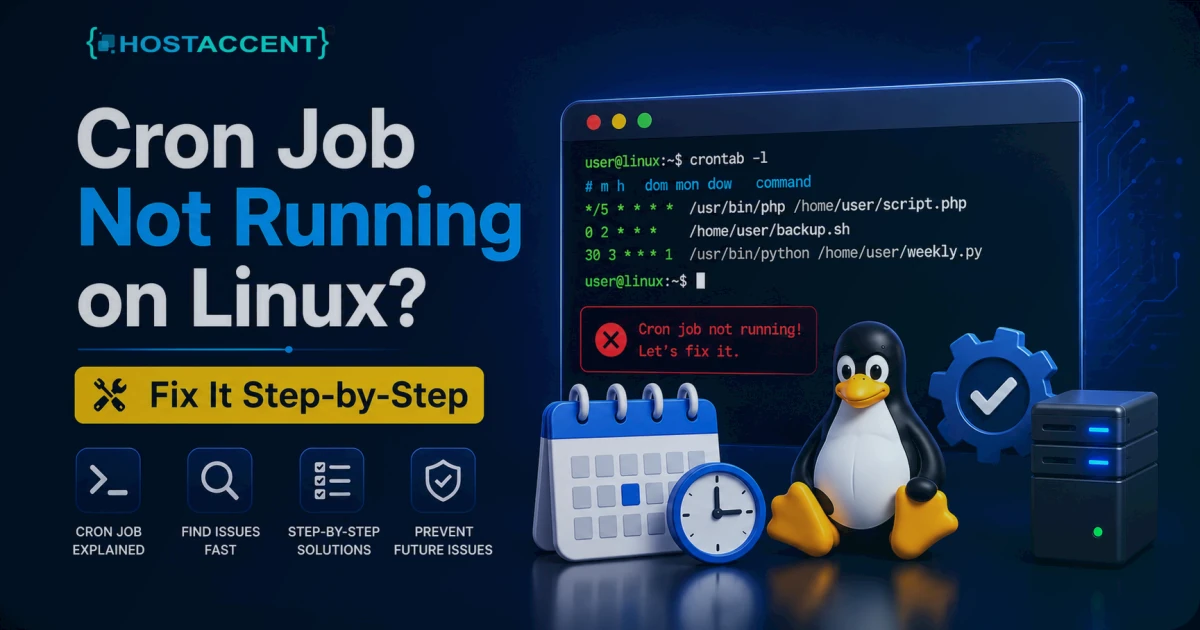
Quick Answer: A cron job not running almost always comes down to one of four things — a crontab syntax error, a wrong or missing PATH, a permissions problem, or a script that expects an environment your cron shell never loads. Start with crontab -l to confirm the job is actually saved, then check /var/log/syslog or /var/log/cron to see whether cron even tried to fire it.
That one log line settles the biggest question fast. If cron tried and the command failed, the problem is your script. If cron never logged an attempt at all, the problem is your schedule or your crontab itself.
Below is the exact order we work through these on production servers — fastest and most common fixes first, theory afterward. You're probably mid-incident, so let's skip the history of Vixie cron and get your scheduled task running again.
Most scheduled-task failures are boringly mechanical, and that's genuinely good news: boring means fast to fix. A managed host like Hostaccent runs into the same short list of root causes over and over, and that list barely changes from one Linux box to the next. Here's the whole list, in order.
What "Cron Job Not Running" Actually Means
When someone says their cron job not running, they almost always mean one of two very different situations — and telling them apart saves you an hour of guessing.
The first: cron never executed the command. The daemon (cron on Debian/Ubuntu, crond on RHEL/AlmaLinux/CentOS) wakes once a minute, reads every user's crontab, and runs whatever is due. If your schedule is malformed or the daemon is stopped, nothing fires and nothing useful lands in the log.
The second: cron did execute the command, but the command itself failed — wrong PATH, missing file, a permission denial. Cron will happily run a broken command on schedule and never tell you, because by default it mails output to the local user, which on most servers goes nowhere.
So the diagnostic order is always the same: prove cron fired, then prove the command succeeded. The crontab(5) manual is the canonical reference for the file format if you need to double-check a field.
Pro Tip: Before changing anything, capture output. Append
>> /tmp/cron-debug.log 2>&1to the command in your crontab. A huge share of "silent" failures aren't silent at all — the error was real, it just had nowhere to go because stdout and stderr were never redirected.
The Most Common Causes, Ranked by Frequency
In the cron-related tickets our support team handles, the frequency order is remarkably consistent. PATH problems top the list by a wide margin, and the "daemon is down" cause people panic about first is actually the rarest.
| Cause | How often we see it | Fastest check |
|-------|--------------------|----------------|
| Wrong or missing PATH | Most common | which <binary> vs cron's PATH |
| Crontab syntax error | Common | crontab -l, count the 5 time fields |
| Permissions / not executable | Common | ls -l /path/to/script.sh |
| Relative paths / missing env | Occasional | Replace with absolute paths |
| Daemon stopped | Rare | systemctl status cron |
The reason PATH wins is simple. Your interactive shell loads a rich PATH from /etc/profile and your .bashrc, but cron runs with a stripped-down PATH — usually just /usr/bin:/bin. A script that calls php, mysqldump, wp, or node by bare name works in your terminal and dies under cron, because cron can't find the binary.
Step-by-Step Fixes for Each Cause
Fix 1: Set an explicit PATH
Find where your binary actually lives:
bashwhich php
Then declare PATH at the top of your crontab (open it with crontab -e):
bashPATH=/usr/local/bin:/usr/bin:/bin 0 2 * * * /usr/local/bin/php /home/user/backup.php
Better yet, call every binary by its full path inside the command. It removes all ambiguity, and it's the single change that fixes most jobs.
Fix 2: Validate the crontab syntax
A standard crontab line has 5 time fields, then the command:
bash* * * * * command │ │ │ │ │ │ │ │ │ └── day of week (0-7) │ │ │ └──── month (1-12) │ │ └────── day of month (1-31) │ └──────── hour (0-23) └────────── minute (0-59)
The classic mistakes: a missing field (4 instead of 5), using a value out of range, or — a sneaky one — no trailing newline at the end of the file, which makes cron ignore the final entry. After editing, run crontab -l and count the fields out loud.
Pro Tip: Never put a literal
%in a cron command — cron treats it as a newline. If you're usingdate +%Y-%m-%dinside a filename, escape each percent as\%, or the whole line breaks in a way that's maddening to debug at 2am.
Fix 3: Fix permissions and ownership
Cron runs the job as the crontab's owner. Two things trip people up: the script isn't executable, or it's owned by the wrong user.
bashchmod +x /home/user/backup.sh chown user:user /home/user/backup.sh
Scripts holding credentials (a .env, a my.cnf) should be 600 so only the owner can read them; ordinary scripts are fine at 644 or 755. If you're also seeing web-facing permission errors on the same box, our walkthrough of the 403 Forbidden Error: How to Fix It (Step-by-Step 2026) covers the file-ownership side in detail.
Fix 4: Use absolute paths and load the environment
Cron does not run your .bashrc. Relative paths, aliases, and the environment variables you rely on interactively simply won't exist. Two fixes:
- Use absolute paths for every file and binary.
- If your script truly needs your shell environment, source it first:
0 * * * * . /home/user/.profile; /home/user/job.sh
For PHP scripts specifically, run them through the CLI binary, not the web SAPI — the PHP command-line documentation explains why php-cli behaves differently from PHP under your web server (different php.ini, different limits).
Fix 5: Confirm the cron daemon is actually running
Rare, but worth ruling out:
bashsystemctl status cron # Debian/Ubuntu systemctl status crond # RHEL/AlmaLinux/CentOS
If it's dead, start and enable it so it survives a reboot:
bashsystemctl enable --now cron
Why wp-cron Not Working Is a Different Problem
If you're on WordPress, "cron not executing" often points at WP-Cron, which isn't real cron at all. WordPress fakes a scheduler — WP-Cron only fires when someone loads a page. On a low-traffic site, scheduled posts, backups, and plugin tasks can sit undone for hours because no visitor triggered them. That's exactly why wp-cron not working feels so random. One of the most common symptoms is WordPress not sending emails — WP-Cron queues the delivery, but if it never fires, the mail never leaves.
The fix is to disable the fake cron and drive WordPress from a real system cron. Add this to wp-config.php:
bashdefine('DISABLE_WP_CRON', true);
Then add a real cron entry to hit wp-cron.php on a fixed schedule:
bash*/15 * * * * /usr/local/bin/php /home/user/public_html/wp-cron.php
The official WordPress WP-Cron documentation covers the scheduling functions if you're building this into a plugin. A stalled scheduler can also let failed jobs pile up until a request times out and surfaces as a 500 Internal Server Error WordPress: Fix It Fast (2026) — so fixing cron often clears a 500 you didn't realise was related. Hostaccent customers on WordPress plans hit this constantly, and switching to a real cron resolves it almost every time.
How to Confirm the Fix and Stop It Recurring
Don't trust silence. After a change, force the job to run and watch it:
bash/usr/local/bin/php /home/user/backup.php # run the command directly grep CRON /var/log/syslog | tail -20 # confirm cron logged it
If the manual run works but cron's run doesn't, you're straight back to PATH or environment — that gap between the two is the tell.
On the Hostaccent stack — Cloudflare at the edge, Nginx proxying to Apache, NVMe SSD storage underneath — we standardise the cron PATH and use absolute paths in every templated job, which kills the most common failure before it can happen. When we migrate customer sites, we repeatedly find crontab entries that assumed a binary path from the old server. The schedule is perfect; the binary just isn't where it used to be.
For long-term reliability, redirect output to a log and add a heartbeat so silence becomes an alert instead of a surprise. For backup jobs, the Linux VPS backup automation guide covers logging, rotation, and failure notifications. If a runaway job is consuming memory, use the Linux OOM investigation guide alongside the cron logs. For tasks that need dependency ordering or tighter scheduling, systemd timers may be a better fit.
When Managed Hosting Takes Cron Off Your Plate
If you'd rather not babysit PATH variables and log redirection, a managed environment handles the boring parts for you. Hostaccent's Linux VPS plans start at $7.99/mo for the Basic plan, run on the same Cloudflare → Nginx → Apache → NVMe stack described above, and ship with UK-based human support. As a UK-registered host running production Linux servers since 2018, we've debugged a cron job not running more times than we can count. Honest limitation: a VPS still expects you to manage your own crontab — if you want zero server administration at all, fully managed WordPress hosting is the better fit. Either way, you get a tuned environment where the usual cron traps are already closed.
Frequently Asked Questions
Why is my cron job not running even though the syntax looks correct?
A cron job not running with correct-looking syntax usually means a PATH or environment issue, not a schedule error. Cron uses a minimal PATH, so a binary you call by name (like php) isn't found. Use absolute paths and declare PATH at the top of your crontab.
How do I check if cron actually executed my job?
Check the cron log: grep CRON /var/log/syslog | tail -20 on Debian/Ubuntu, or read /var/log/cron on RHEL-based systems. If you see a log line for your job, cron fired it and the problem is your command. If there's no line, cron never ran it — check your schedule and the daemon.
Why does my script work manually but fail under cron?
Because cron doesn't load your shell environment. Your .bashrc, aliases, and full PATH are missing, so the script runs fine in your terminal and dies under cron. Fix it by using absolute paths for every binary and file, and source your profile inside the command if the script truly needs it.
What does crontab not working usually point to?
Crontab not working most often means a syntax slip: a missing time field, an unescaped %, or no trailing newline on the file. Run crontab -l, count the five time fields on each line, and confirm every entry ends on its own line. Re-save with crontab -e to be safe.
Can I run a cron job more often than once a minute?
No — standard cron's smallest interval is 60 seconds. For sub-minute scheduling, use a sleep loop inside a single per-minute job, or switch to systemd timers, which support finer resolution. Most workloads genuinely don't need anything faster than once a minute anyway.
Does wp-cron not working break my whole WordPress site?
Not the front end, but scheduled posts, backups, and plugin tasks silently stall. On low-traffic sites this is common because WP-Cron only fires on page loads. Disabling WP-Cron and using a real system cron is the standard fix and makes scheduling reliable again.
How do I see cron error output on Linux?
By default cron mails output to the local user, which usually goes unread. Redirect it instead: append >> /var/log/myjob.log 2>&1 to the command. On the servers Hostaccent runs, every templated cron job logs this way, so failures show up immediately instead of vanishing.









Discussion
Have a question or tip about this topic? Share it below — your comment will appear after review.