
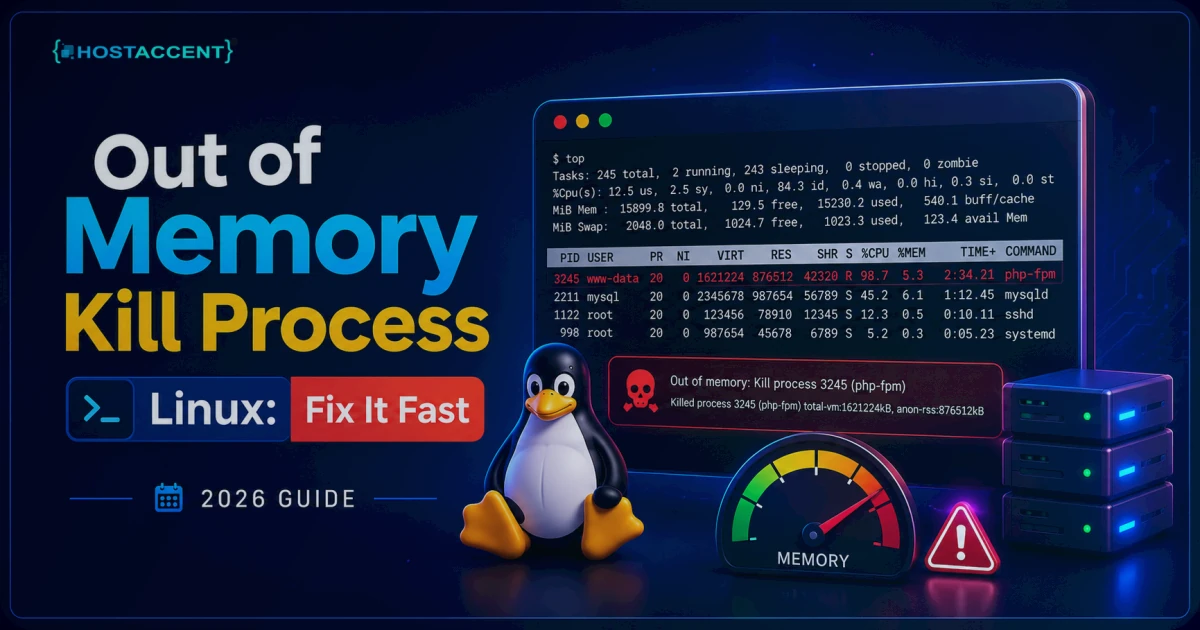
Your site just went down, the logs are screaming, and buried in dmesg is the line every sysadmin dreads: Out of memory: Kill process. If you're staring at an out of memory kill process Linux error right now, here's the good news — your server isn't broken, and you can usually fix this in minutes. The kernel did exactly what it was built to do: it ran low on RAM and killed something to keep the whole box from locking up. Your job is to find what got killed, figure out why, and stop it from happening again.
Quick Answer: "Out of memory: Kill process" means the Linux kernel ran out of usable RAM and the OOM (Out-Of-Memory) killer terminated a process — usually MySQL, PHP-FPM, or Apache — to save the system. Run
dmesg -T | grep -i oomto see the victim, then free up RAM, add swap, or cap the memory-hungry service so the kernel stops killing your apps.
What "Out of Memory: Kill Process" Actually Means
On the lower-RAM VPS plans we run at Hostaccent, this message turns up constantly — and it's almost never a sign of a broken server. Linux lets programs request more memory than physically exists, a behaviour called overcommit. Most of the time that's harmless, because apps rarely use everything they ask for. But when real demand outruns available RAM and swap, the kernel hits a wall. It can't just freeze. So it calls in the OOM killer.
The OOM killer scores every running process and kills the one with the highest oom_score — normally whatever is eating the most memory. On a typical web server, that's MySQL/MariaDB or a stack of PHP workers. The kernel logs the kill, reclaims the RAM, and the system keeps running. Annoying? Yes. A disaster? Usually not. If MySQL was the victim and won't come back, can't connect to MySQL server on localhost covers the socket and service fixes.
Here's the part nobody tells you. A single OOM kill doesn't mean your server is failing. It means one workload briefly asked for more than the box could give. In our experience, the kernel is rarely the villain — the RAM ceiling is. Fix the ceiling or the workload, and it goes quiet.
What Triggers the Out of Memory Kill Process Linux Behavior
Across the servers we manage, the causes cluster into a short list. Here they are, ranked by how often they're the real root cause.
1. The server simply has too little RAM for the workload. A 1GB or 2GB VPS running WordPress, MySQL, and a caching layer can tip over under modest traffic. This is the number-one cause, full stop.
2. MySQL/MariaDB is set to use more memory than exists. An innodb_buffer_pool_size of 2GB on a 2GB server leaves nothing for PHP, the web server, or the OS. The database becomes the biggest target — and the first to die.
3. Too many PHP-FPM or Apache workers. Each PHP-FPM child can hold 64–256MB. Spawn 30 of them on a 2GB box and you've promised 6GB of RAM you don't have. When the OOM killer reaps those workers, Nginx loses its upstream and every page turns into a 502 Bad Gateway.
4. A memory leak or runaway process. A buggy plugin, a stuck cron job, or a looping script slowly climbs until the kernel steps in.
5. No swap configured. Without swap there's no shock absorber. A brief spike that swap could have caught instead becomes an instant kill.
Pro Tip: If the OOM killer keeps targeting MySQL but MySQL isn't the thing leaking, that's a clue. MySQL is just the biggest single process, so it draws the highest
oom_score. The real hog is often elsewhere — a PHP pool or a runaway script — pushing total usage over the edge.
How to Read the OOM Logs in dmesg and journalctl
Before you change anything, find out exactly what got killed and when. The kernel records every OOM event. These commands are current as of 2026 and work across the major systemd-based distros.
Run this first:
bashdmesg -T | grep -i "out of memory"
The -T flag gives human-readable timestamps. You'll see a line naming the killed process and its PID. On systemd hosts this works too:
bashjournalctl -k | grep -i oom
You can also check /var/log/syslog (Debian/Ubuntu) or /var/log/messages (RHEL/CentOS). Look for the summary block the kernel prints — it lists every process, its memory use, and the final Killed process 1234 (mysqld) line. That name is your starting point.
The kernel even prints each process's oom_score_adj, so you can see why it picked the victim it did. Read that table once — it's the first thing our team checks — and the whole event stops being mysterious. For the deeper mechanics of overcommit and scoring, the Linux kernel virtual-memory documentation is the canonical reference.
Step-by-Step Fixes for Each Cause
Now the part you came for. Work top to bottom — most incidents are solved by the first two fixes.
Fix 1: Free RAM right now (the 60-second triage)
Find what's eating memory:
bashfree -h ps aux --sort=-%mem | head -n 10
free -h shows total, used, and available RAM. The ps command lists your top ten memory consumers. If one process is clearly bloated and safe to restart — say, a stuck PHP worker pool — restart that service:
bashsystemctl restart php8.2-fpm
That alone clears many incidents. But it's a band-aid, so keep going. If the same process balloons again within minutes, you've likely got a leak (see Fix 6), not a one-off spike.
Fix 2: Add or resize swap (your safety net)
Swap won't make a slow server fast, but it absorbs spikes that would otherwise trigger a kill. A 2GB box should usually have 1–2GB of swap. Create a 2GB swap file:
bashfallocate -l 2G /swapfile chmod 600 /swapfile mkswap /swapfile swapon /swapfile
Make it permanent by adding /swapfile none swap sw 0 0 to /etc/fstab. We found that simply adding swap resolves a large share of one-off OOM kills on small VPS plans — it's the cheapest fix there is.
Fix 3: Cap MySQL/MariaDB memory
This is the big one for database kills. Open /etc/mysql/my.cnf (or the MariaDB equivalent) and set the buffer pool to a sane fraction of total RAM — roughly 25–40% on a shared web server, not the 70–80% you'd use on a dedicated database box:
bash[mysqld] innodb_buffer_pool_size = 512M
On a 2GB server, 512MB leaves room for PHP, the web server, and the OS. MariaDB's own InnoDB buffer pool documentation explains how to size it for your dataset. Restart MySQL after the change. Across the sites we host on Hostaccent's stack, an oversized buffer pool is the single most common reason a database gets killed on a small box.
Fix 4: Limit PHP-FPM and Apache workers
If PHP or Apache is the culprit, the math is simple: max workers × memory per worker must be less than your free RAM. In your PHP-FPM pool config (/etc/php/8.2/fpm/pool.d/www.conf):
bashpm = dynamic pm.max_children = 6 pm.max_requests = 500
Six children at ~150MB each is about 900MB — safe on a 2GB box. For Apache, lower MaxRequestWorkers; the Apache MPM documentation shows the exact directive for your MPM. PHP's own memory_limit setting also caps how much a single script can grab — set it to 128M or 256M, not 1G.
Fix 5: Protect a critical process from the OOM killer
You can tell the kernel to spare a specific process by lowering its oom_score_adj (range -1000 to 1000, where -1000 means "never kill"):
bashecho -500 > /proc/$(pgrep -o mysqld)/oom_score_adj
Use this sparingly. If you shield MySQL, the kernel just kills something else — so it's a stopgap while you fix the real RAM shortage, not a cure.
Fix 6: Contain the worst offender with systemd or cgroup limits
If one service keeps leaking, cap it at the kernel level so it can never drag the whole box down. On a systemd host:
bashsystemctl set-property mysql.service MemoryMax=1G
That hard-limits the service to 1GB. When it tries to exceed that, only that service is constrained — the rest of the system stays alive. It's a cleaner blast radius than waiting for the OOM killer to pick a random victim, and it's the gotcha most content-mill guides skip entirely.
How to Confirm the Fix and Stop It Recurring
A fix isn't done until it holds under load. Watch memory live for a few minutes:
bashwatch -n 2 free -h
Or use htop for a colour view of per-process usage. If available memory stays comfortably above zero during peak traffic, you're in good shape.
To prevent repeats, do three things. Set vm.swappiness to a moderate value (10–60) in /etc/sysctl.conf so the kernel leans on swap before it panics. Keep every service capped to fit real RAM. And monitor — a simple alert when free memory drops below 10% buys you time to act before the kernel does.
Insider Insight: The number-one prevention mistake we see at Hostaccent is "set and forget" tuning. A config that fits a 2GB box today will OOM the moment traffic doubles or you install a heavier plugin. Re-check your worker math whenever the workload changes.
To visitors, an OOM-killed PHP worker may surface as a 500 response even though the real failure is memory pressure. Correlate the web-server timestamp with the kernel log before changing PHP. If an unclean shutdown leaves the disk read-only, use the read-only filesystem repair guide; for recurring pressure without a crash, follow the VPS RAM diagnosis guide to build a memory budget and identify the process responsible.
When More RAM Is the Real Fix
Tuning gets you a long way, but it has a ceiling. If your workload genuinely needs the RAM — a busy WooCommerce store, a high-traffic WordPress site, several databases on one box — no amount of clever config will conjure memory that isn't there. At that point, upgrading is the fix, not a failure.
Here are the takeaways:
Out of memory: Kill processmeans the kernel reclaimed RAM by killing something — not that your server is broken.- Read
dmesg -T | grep -i oomfirst to find the victim. - Most incidents are solved by adding swap and capping MySQL's buffer pool.
- Protecting one process just moves the target — fix the RAM shortage, not the symptom.
- The next time an out of memory kill process Linux alert appears, you'll know exactly where to look.
If you do not want to manage worker limits and memory budgets yourself, compare managed VPS plans by their documented support scope. Give the provider the process list, OOM log, traffic pattern, and database footprint; a larger plan without root-cause analysis can postpone the next OOM event rather than prevent it.
Frequently Asked Questions
What does "out of memory kill process linux" mean in dmesg?
It means the kernel's OOM killer ran out of available RAM and terminated a process to keep the system alive. The dmesg line names the killed process and its PID. It's a protective action, not a crash — the server stays up while one workload is sacrificed.
How do I find which process the OOM killer killed?
Run dmesg -T | grep -i "out of memory" or journalctl -k | grep -i oom. Look for the "Killed process" line, which shows the PID and name (often mysqld or php-fpm). The kernel also prints a memory table showing what each process was using at the time.
Can I stop the OOM killer from killing MySQL specifically?
Yes, by lowering MySQL's oom_score_adj toward -1000 — but it's a stopgap. The kernel will just kill the next-largest process instead. The real fix is capping innodb_buffer_pool_size so total memory demand fits your RAM and the killer never fires in the first place.
Does adding swap fix out of memory errors?
Swap absorbs short memory spikes that would otherwise trigger a kill, so it fixes many one-off events. But swap is slower than RAM, so if your server swaps constantly, that's a sign you need more actual memory. Treat swap as a safety net, not a substitute for RAM.
How much RAM does a Linux VPS need to avoid OOM kills?
It depends on the workload, but a single WordPress site with MySQL is comfortable on 2GB once tuned, while WooCommerce or multiple sites often want 4GB or more. A managed host like Hostaccent sizes RAM and swap for you, which removes most of the guesswork on smaller plans.
Is the OOM killer a sign my server is hacked?
Usually not. The OOM killer fires whenever demand outruns RAM — a traffic spike, a heavy plugin, or undersized config. That said, if memory use climbs for no clear reason, check for a runaway process or unexpected traffic, since both compromised sites and buggy code can look the same in dmesg.









Discussion
Have a question or tip about this topic? Share it below — your comment will appear after review.