
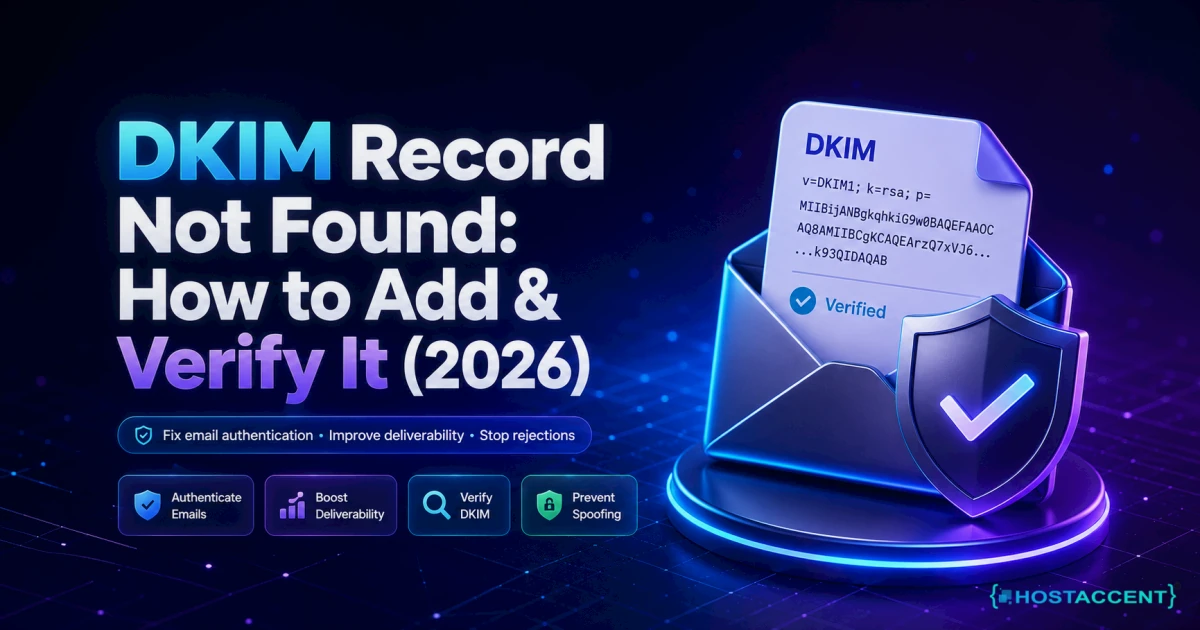
Quick answer: A DKIM record not found result simply means the DNS lookup for your selector._domainkey.yourdomain.com TXT record came back empty. Usually the record was never published, sits at the wrong hostname, uses the wrong selector, or has not propagated yet. Publish the correct TXT record from your mail provider, wait up to an hour, then re-check. As of July 2026, that fixes the large majority of cases.
Few email problems feel as confusing as this one. You published the record, the checker still says it isn't there, and your messages are sliding into spam. Take a breath: this is one of the most fixable errors in email authentication, and you almost certainly do not need to rebuild anything.
We resolve 20 to 30 client issues every day, and email authentication trips people up constantly, so this guide comes straight from that hands-on work, laid out so you can fix it yourself in one sitting. What follows walks through what the error means, the causes ranked by how often they actually bite, the exact steps to publish and verify the record, and how to stop it recurring. On a managed stack like Hostaccent's, this error usually traces back to one small detail in the DNS record, not a broken mail server.
What "DKIM Record Not Found" Actually Means
A DKIM record not found result simply means a receiving mail server (or a checker tool) asked DNS for your DKIM public key at a specific address and got nothing back. It is a discovery failure, not a signature failure. DKIM (DomainKeys Identified Mail) works by publishing a public key as a DNS TXT record; the receiver fetches that key to confirm your mail was not tampered with. No key at the expected address, no verification.
That expected address is the part people miss. Your key does not live at your bare domain. It lives at a subdomain built from two pieces: a selector, plus the fixed label _domainkey. So a mailbox provider looks up selector._domainkey.yourdomain.com, reads the v=DKIM1; k=rsa; p=... value, and uses that public key. If the selector is wrong or the record isn't there, the lookup returns empty and you get the "not found" message. The formal rules for all of this live in the DKIM specification, RFC 6376, and Cloudflare has a plain-English breakdown of what a DKIM record contains.
Why do some tools say "contact your domain provider"?
If you use Zoho Mail, you have probably seen the exact phrasing: "dkim record not found contact your domain provider." That message is not a bug and it is not blaming you. It means Zoho queried DNS for the selector it expects, found nothing, and is telling you the fix lives in your DNS settings (at whoever runs your nameservers), not inside Zoho. Same root cause, friendlier wording. The record needs publishing or correcting where your DNS is hosted.
DKIM Record Not Found: Causes Ranked by How Often We See Them
Here are the real culprits, ordered by how often they land in front of us, not in textbook order. In our own support queue, roughly three out of four "not found" reports turn out to be a hostname or selector mistake rather than a genuinely missing record. That single insight saves most people an hour of guessing.
1. The record was never actually published. You generated the key in your mail provider but never pasted the TXT record into DNS, or you saved it in the wrong DNS zone. This is the top cause for first-time setups.
2. The hostname is wrong (usually double-appended). This is our number-one cause overall. Many DNS panels auto-add your domain to whatever you type. So you enter selector._domainkey.example.com and the panel silently stores it as selector._domainkey.example.com.example.com. The lookup then fails because the record sits one domain too deep.
3. DNS has not propagated yet. You added the record correctly two minutes ago and checked immediately. DNS updates spread gradually and can take up to 48 hours in the worst case, though most records appear within an hour once the record's TTL (often 3600 seconds) allows it.
4. Wrong or mismatched selector. Your mail is signed with selector s1, but you (or a tool) are checking default or google. A "not found" here means you are looking in the right domain but the wrong drawer. This is also why a "not found" is the most common way people first notice DKIM not working at all.
5. The TXT value is broken. A 2048-bit RSA key is a long string. DNS TXT records split anything over 255 characters into chunks, and some panels mangle the split, add stray quotes, or drop characters on paste. The record exists but returns garbage or nothing usable.
6. CNAME vs TXT confusion. Some providers (and some hosts) publish DKIM as a CNAME that points to a TXT record elsewhere. Both are valid, but if the CNAME target is wrong, the chase ends in a dead end.
From the ticket queue: According to Hostaccent's support-queue data (as of July 2026), SSL and email-authentication problems make up about 20% of the tickets we handle in a typical month, and DKIM sits near the top of that slice.
Pro Tip: Before you touch anything, find out which selector your mail is actually signed with. Send yourself one email, open the raw source, and look for the
DKIM-Signatureheader and itss=value. That two-word tag tells you the exact selector to check, and it instantly rules out cause #4.
How to Add a DKIM Record (Step by Step)
Here is how to add a DKIM record correctly the first time, whether you are setting it up fresh or repairing a broken one. The whole job is publishing one TXT record in the right place with the right name.
Step 1: Get the record from your mail provider. Whoever sends your mail (Google Workspace, Microsoft 365, Zoho, a transactional service, or your own server) generates the key pair and shows you the public key to publish. You copy their value; you never invent your own. It will look like v=DKIM1; k=rsa; p=MIGfMA0...AQAB and it may be long.
Step 2: Confirm your selector. The provider tells you the selector, or you read it from the s= tag in a sent email's header as described above. Common defaults include google, selector1, selector2, s1, k1, default, and mail. Note it exactly.
Step 3: Create the TXT record in DNS. In your DNS panel, add a new TXT record:
- Type: TXT
- Name/Host:
selector._domainkey(for examplegoogle._domainkey) - Value: the full
v=DKIM1;...string from your provider - TTL: leave the default (3600 seconds is fine)
Step 4: Handle the two gotchas. First, the hostname. If your panel already shows your domain beside the name field, enter only selector._domainkey and let it append the domain once. If you enter the full name and it appends again, you get the double-domain failure from cause #2. Second, the long key. If your panel rejects the value or splits it oddly, paste it as a single string and let the panel chunk it; do not manually add quotes between the pieces.
Where do I actually put the DKIM record: my host or my domain registrar?
You add it wherever your nameservers point. If your domain uses your registrar's default nameservers, add it at the registrar. If it uses your web host's nameservers or Cloudflare, add it there instead. One place, not both. Adding the same record in two zones that aren't authoritative just wastes time, and it is a frequent reason a correct-looking record still returns "not found."
Live site and no time to experiment? Our engineers fix this exact error for a small one-time fee, and you see the exact quote before anyone touches your DNS. Hosted with Hostaccent? Then an error like this is simply covered by support, at no charge. Have an engineer fix it.
How to Verify DKIM Is Actually Signing Your Email
Publishing the record is half the job. Verifying it does two things: confirms the record is visible in DNS, and confirms your mail is genuinely being signed with it. Do both. A record that exists but isn't signing your outbound mail still leaves you failing DMARC.
Check the record directly. The fastest way is a DKIM selector lookup from your own machine. Open a terminal and run:
bash## replace 'google' and 'example.com' with your selector and domain dig TXT google._domainkey.example.com +short
If the record is published and propagated, you'll see the v=DKIM1; k=rsa; p=... string in the answer. If you get nothing, the record is missing, misnamed, or still propagating. On Windows, nslookup -type=txt google._domainkey.example.com does the same job.
Check with a browser tool. If the command line isn't your thing, any reputable DKIM checker will query the selector and domain for you and flag syntax problems. Whichever you use, feed it the correct selector, or it will report "not found" purely because it guessed the wrong one.
Confirm real signing. Send a test email to a personal inbox, open the message, and view the original or headers. Look for dkim=pass in the authentication results. Pass there means the whole chain works end to end. This same header discipline is what separates a genuinely fixed setup from one that only looks fixed, and it's closely tied to broader inbox placement, which we cover in our guide to WordPress emails going to spam.
Insider Insight: When
digreturns nothing but your DNS panel clearly shows the record, run the lookup again with the full trailing dot:dig TXT google._domainkey.example.com. +short. Nine times out of ten the panel appended your domain a second time, and querying the exact stored name exposes the extra.example.comon the end. Fix the host field, and the record appears.
How to Stop This Error From Coming Back
Fixing it once is easy. Keeping it fixed takes three small habits, and they matter more than the fix itself if you send mail for a living.
Document your selector. Write down the selector and where the record lives (which DNS zone, which provider). Most repeat incidents happen when someone rotates keys or migrates providers and cannot remember the original setup.
Do not delete the old selector too soon. When you rotate DKIM keys, both the old and new selectors should coexist for a while so in-flight mail still verifies. Removing the old record the same day is a classic self-inflicted "not found." Let it overlap for at least a few days.
Monitor with DMARC. A DMARC record with reporting turned on emails you when authentication starts failing, so you catch a broken DKIM before your customers do. DKIM, SPF, and DMARC are a team; Cloudflare has a clear explainer on how DMARC, DKIM and SPF work together that is worth ten minutes.
The wider point: email authentication is one part of a site that stays healthy on its own. The same server-side attention that keeps DNS clean is what prevents surprises like a shared hosting resource limit exceeded warning or the slowdowns we walk through in our WordPress site slow diagnosis guide. Across the 10,000+ sites launched and 4,000+ migrations we have handled since 2012, the accounts that never see this error are the ones where DNS is managed deliberately, not touched once and forgotten. If your site's speed is also wobbling, our notes on Core Web Vitals and hosting round out the picture.
Your Next Step After Fixing DKIM
Now that you know the DKIM record not found error is almost always a hostname, selector, or propagation issue rather than a broken mail server, you have two honest paths.
You fixed it? Good. Keep the selector documented, let key rotations overlap, and turn on DMARC reporting so the next break emails you first. On a well-managed host, this whole class of problem is support's job, not yours: DNS is watched, records are sane, and mail keeps signing. If you would rather your hosting simply handle this layer, our Economy Shared Hosting plan at $1.99/mo includes NVMe storage, free SSL, and a 99.9% uptime guarantee, backed by a UK-registered company operating since 2012 (incorporated 2018) with a 30-day money-back guarantee. One honest caveat: Economy is sized for a single site, so if you run several client domains, Standard fits better. That flat, predictable support is the whole point of hosting with Hostaccent.
Still stuck? Open a ticket and have an engineer fix it. You get the exact quote before any work starts, and if you are already a hosting client, an issue like this is covered.
Frequently Asked Questions About DKIM Record Not Found
Why does it say "DKIM record not found" when I already added the record?
Almost always one of three things: the record hasn't propagated yet (wait up to an hour, sometimes 48), the hostname is wrong because your DNS panel double-appended your domain (turning selector._domainkey into selector._domainkey.example.com.example.com), or the tool is checking a different selector than the one signing your mail. Run dig TXT selector._domainkey.yourdomain.com +short to see exactly what DNS is actually returning at that name.
What does "DKIM record not found, contact your domain provider" mean?
That is Zoho Mail's wording, and it means Zoho queried DNS for its expected DKIM selector and got nothing back. It is pointing you to fix the record where your DNS is hosted, at your registrar, web host, or Cloudflare, rather than inside Zoho. Publish the exact TXT record Zoho gives you at the correct selector._domainkey hostname, wait for propagation, then re-verify. The wording sounds alarming but the fix is a single DNS record.
How long does a DKIM record take to work after I add it?
Often within a few minutes, but plan for up to 48 hours in the worst case. Propagation depends on your record's TTL and how aggressively resolvers cache. If you added it correctly and a dig lookup from your own machine returns the v=DKIM1 value, it is live for you; remaining delays are just other resolvers catching up. If nothing appears after an hour, recheck the hostname rather than waiting longer.
How do I find my DKIM selector if I don't know it?
Send yourself one email from the domain, open the message, and view the original or raw headers. Find the DKIM-Signature line and read the s= tag: that value is your selector. If you send through a provider, their docs also list the default (Google uses google, Microsoft uses selector1 and selector2). A DKIM selector lookup tool can sweep common selectors too, but reading the header is the definitive answer.
Can I have more than one DKIM record on the same domain?
Yes, and it is normal. Each mail stream (your website, a newsletter tool, a CRM) can sign with its own selector, so you publish one TXT record per selector at its own selector._domainkey name. They do not conflict because receivers only look up the specific selector named in each message's signature. Just keep them documented so a future "not found" is easy to trace back to the right stream.
Is DKIM record not found the same as DKIM failing?
No, and the difference matters. A DKIM record not found result is a discovery problem: the receiver could not locate any key at the queried address. A DKIM failure means the key was found but the signature did not validate (often a content or alignment issue). Not found points you at DNS and hostnames; a hard fail points you at signing configuration. Continuous DMARC reporting tells the two apart automatically, which is exactly the sort of monitoring our team at Hostaccent builds into managed plans.



Discussion
Have a question or tip about this topic? Share it below — your comment will appear after review.