
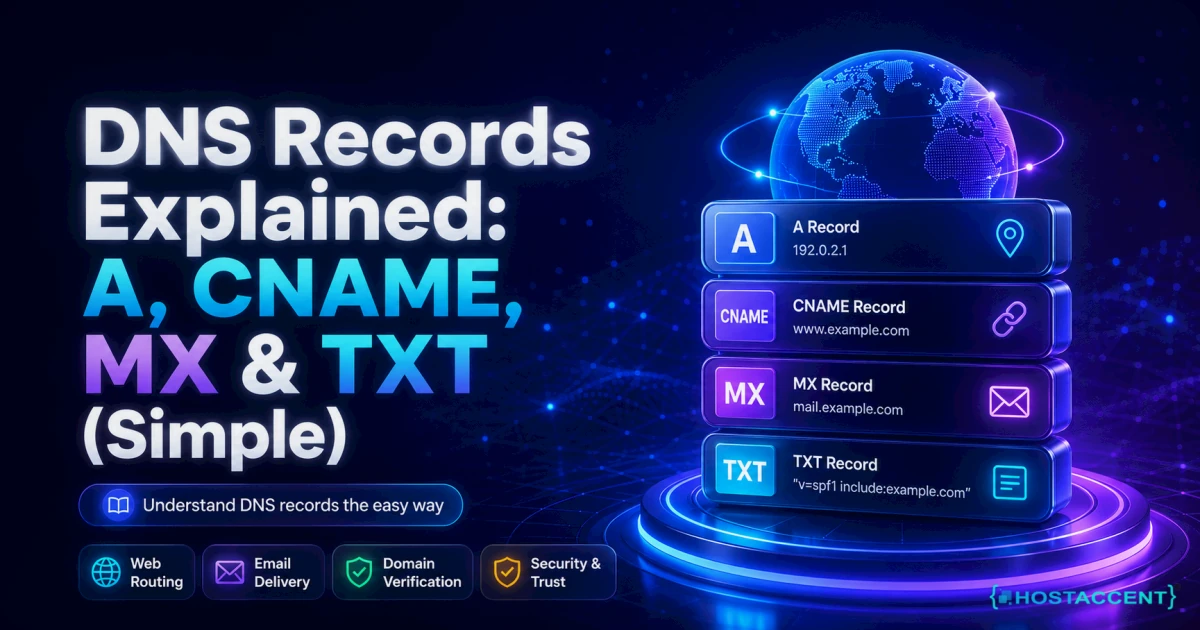
Quick Answer: DNS records explained simply — they're the instructions that tell the internet where to find your website and email. The four you'll touch most are the A record (points your domain to a server's IP address), CNAME (makes one name an alias for another), MX (routes your email), and TXT (proves ownership and secures mail with SPF and DKIM). Get these four right, as of 2026, and most DNS headaches disappear.
You changed one setting in your domain panel, clicked save, and now the site won't load — or email stopped arriving. That's DNS biting back. The good news? You don't need a networking degree to sort it out. This guide breaks down every record type in plain English, with the exact settings that break sites most often.
Our team resolves 20-30 client issues every day, and a surprising number trace back to one mistyped record. So this isn't theory — it's the same walkthrough we'd give you on a support call, written so you can do it yourself.
Think of DNS (the Domain Name System) as the internet's phone book. People remember names like yourbusiness.com; computers need numbers like 203.0.113.10. DNS bridges the two. On a stack like Hostaccent's, a wrong A record shows up almost instantly as a domain pointing at the wrong server — which is why these four record types are worth ten minutes of your time.
DNS Records Explained: The Four Types That Actually Matter
Most domains run on just four record types. Learn these and you've covered the overwhelming majority of real setups — everything else is an edge case you can look up when it comes up.
Every provider labels the fields a little differently; in Hostaccent's control panel they live under the DNS Zone Editor, but the four types themselves are universal across the internet.
| Record | What it does | Points to | You'll set it when | |--------|-------------|-----------|-------------------| | A | Maps a domain to a server | An IPv4 address | Launching a site or switching hosts | | CNAME | Makes one name an alias | Another hostname | Setting up www, subdomains, a CDN | | MX | Routes incoming email | A mail-server hostname | Turning on email for your domain | | TXT | Stores text and verification | Plain text (SPF, DKIM) | Proving ownership, securing mail |
When you type a domain, your computer asks a recursive resolver, which walks a chain: the root servers point it to the .com servers, those point to your domain's authoritative nameservers (your NS records), and those finally hand back the A, CNAME, MX or TXT answer. All of that happens in well under a second when it's configured right. The original DNS specification (RFC 1035) still defines how this works.
Two settings sit on top of all four: TTL (time to live — how long the record is cached, often 3600 seconds) and propagation (the 24-48 hours a change can take to reach every resolver worldwide). Ignore those two and even a correct record can look "broken" for a day.
Pro Tip: A day before you migrate hosts, drop your A record's TTL to 300 seconds. When you flip the switch, resolvers re-check every 5 minutes instead of every hour — turning potential hours of downtime into a few minutes.
A Records: Pointing Your Domain to a Server
An A record maps your domain to a server's IPv4 address — the numeric location, like 203.0.113.10, where your website actually lives. When someone types your domain, this record is what sends their browser to the right machine.
The host field decides which name you're pointing. Use @ for the bare domain (example.com) and www for the www version — yes, you usually want both. If your server runs on IPv6, the equivalent is an AAAA record, which does the same job for longer 128-bit addresses.
Switching hosts? Updating the A record to the new server's IP is the single change that moves your site. A real migration looks like this: grab the new server's IP, open the DNS editor, point the @ and www records at it, save, and wait for the TTL to expire. Prep the TTL the day before and the cutover is often live in under 10 minutes. Skip that prep and the same move can drag on for an hour as old cached answers slowly expire.
You can even add several A records for the same name — DNS hands them out in rotation, a poor-man's load balancer some setups still use. On modern NVMe SSD servers the destination is faster, but DNS doesn't decide performance; it only cares that the IP is correct.
When a browser can't resolve your A record, you'll often see a blunt error like dns_probe_finished_nxdomain. Our step-by-step fix for that error covers the usual culprits, and nine times out of ten it's a typo in this exact record.
CNAME vs A Record: Aliases Without the Confusion
A CNAME points one hostname at another name; an A record points straight at an IP address. Reach for a CNAME when you want a name to always follow wherever another name goes — change the target once and every alias updates automatically.
The classic use: point www as a CNAME to your root domain, so you only ever manage the IP in one place. CDNs and app platforms hand you a CNAME target for the same reason.
Subdomains are where CNAMEs shine. Pointing shop.example.com or blog.example.com at a hosted platform is a one-line CNAME each, and if that platform ever changes its underlying IP, you don't lift a finger — the alias follows. Set it once, forget it.
Here's the trap. A CNAME can't live at the root (apex) of your domain, because the root already carries NS and SOA records, and the spec won't allow a CNAME to sit beside them. Hostaccent's DNS editor flattens root CNAMEs automatically so you don't hit that wall, but many panels simply reject the entry.
Insider Insight: The most-repeated CNAME ticket we see is someone aliasing their bare domain (example.com) to a platform hostname — and watching the whole zone go dark. The root can't be a CNAME. Use an A record there, or your provider's ALIAS/flattening feature instead.
Cloudflare's plain-English DNS record reference is a solid bookmark if you want the deeper detail.
Still seeing the mail error?
Share the bounce message, affected domain, and sending route. We can investigate DNS, authentication, reputation, and server configuration across providers.
MX Records: How Your Email Actually Gets Delivered
An MX (Mail Exchanger) record tells the internet which server accepts email for your domain. Without a correct MX record, email won't arrive — no matter how perfect your website's A record is.
MX records use priority numbers: the lower the number, the more preferred the server. A primary at priority 10 and a backup at priority 20 is a common pattern; mail tries 10 first and falls back to 20 only if the first is unreachable.
A typical setup from an email provider is two lines — priority 1 to a primary host, priority 5 to a secondary — or sometimes five separate MX lines you paste in exactly as given. Copy them verbatim, including any trailing dots your panel expects; a single missing character sends mail into a black hole.
Two rules people break constantly. An MX record must point to a hostname (like mail.example.com), never a raw IP address. And it must never point to a CNAME — the mail spec forbids it, and some servers will reject your domain outright for it. Getting MX record email routing right is what stands between you and a silent, empty inbox.
One thing MX does not control: your outbound mail. Sending is governed by your mail server and SPF — MX only tells the world where to deliver incoming messages. Want a proper mailbox on your own name instead of a free address? Our guide to creating email with your own domain walks through the MX and TXT setup end to end.
TXT Records: SPF, DKIM and Domain Verification
A TXT record stores plain text that other services read back — most importantly the anti-spoofing records that stop scammers forging email as you, plus the verification strings Google, Microsoft and others use to confirm you own a domain.
Three jobs matter here:
- SPF lists the servers allowed to send mail for your domain, in a single line starting v=spf1. Critical rule: you may have only one SPF record — a second one causes a "permerror" and can break delivery entirely.
- DKIM adds a cryptographic signature so receivers can verify a message really came from you.
- DMARC, published at _dmarc.yourdomain.com, tells receivers what to do when SPF or DKIM fails.
A basic SPF line might read v=spf1 include:_spf.yourprovider.com ~all — the include names the authorised servers, and ~all softly fails everything else. Layer DKIM and a DMARC policy on top, and forged mail claiming to be from you gets flagged or dropped before it lands.
Verification records are the simplest of the bunch: a service gives you a random string, you paste it into a TXT record, and it checks the string is live to confirm you control the domain. Once verified you can usually delete it — though leaving it does no harm.
Setting up TXT record SPF verification takes about two minutes and blocks the most common form of email spoofing. The official SPF specification (RFC 7208) is the authoritative source for exact syntax — and with email, exact is the only setting that works.
Common DNS Mistakes That Take Sites Offline
Most DNS outages aren't mysterious — they're the same handful of errors on repeat. Here are the ones we untangle most often:
- A CNAME at the root domain. Covered above, and still the number-one zone-breaker.
- An MX record pointing to an IP or a CNAME. Both are invalid; mail silently fails.
- Two SPF records. Only one is allowed — merge them into a single v=spf1 line.
- Not lowering TTL before a migration. You're then stuck waiting out the old cache, sometimes a full hour per lookup.
- Forgetting the www (or non-www) version. Set both an @ and a www record, or half your visitors hit a dead end.
- Panicking during propagation. A change can take 24-48 hours to reach everyone. It's usually not broken — just not everywhere yet.
From the Ticket Queue: Linux-server and DNS-layer problems make up roughly 25% of the issues we log each month, and a single mistyped record is the most common trigger of all.
A little planning removes most of this. If you're still choosing where to buy, our domain and hosting buying guide and our breakdown of .com vs .net vs .io cover what to check first. Brand-new to all of this? Start with what you actually need to make a website.
Your Next Step: A Domain and Host That Just Work
Now that you can tell an A record from a CNAME — and know why one bad MX line silences your inbox — you've got two paths: wire up DNS by hand across separate providers, or run your domain and hosting from one place where the records are set correctly from day one. That's the practical side of keeping DNS records explained and pre-configured together. Point a fresh .com — $13.99/yr, WHOIS privacy included — at the Economy shared hosting plan — $1.99/mo, with NVMe storage and free SSL — and your A, MX and TXT records line up out of the box, backed by a 99.99% uptime guarantee and real engineers on support. One honest caveat: Economy is sized for a single site — running several client projects? Standard fits better. When you're ready, register your domain and let Hostaccent handle the DNS plumbing.
Frequently Asked Questions About DNS Records
What is an A record in DNS?
An A record maps a domain name to a server's IPv4 address, like 203.0.113.10. It's the record that actually sends visitors to your website. When you launch a site or change hosts, updating the A record is what points your domain at the right server.
How long do DNS records take to update?
Changes can take anywhere from a few minutes to 24-48 hours to fully propagate, depending on the record's TTL and how aggressively resolvers cache it. Lowering the TTL to 300 seconds a day before a change makes updates appear far faster.
Can I use a CNAME on my root domain?
No. The root (apex) of your domain already holds NS and SOA records, and the DNS spec won't allow a CNAME beside them. Use an A record at the root instead, or a provider feature like ALIAS or CNAME flattening that mimics the behaviour safely.
Why is my email not working after a DNS change?
Almost always it's the MX record — either missing, pointing at an IP or CNAME instead of a hostname, or overwritten during the change. Check your MX priority values and confirm your SPF TXT record still lists the correct sending servers.
What is a TXT record used for?
A TXT record stores plain text that services read, most commonly SPF and DKIM for email security and the verification strings that prove domain ownership to platforms like Google and Microsoft. You can have many TXT records, but only one SPF entry.
Do I need to change nameservers or just DNS records?
It depends on where your DNS is managed. Nameservers (NS records) decide which provider answers for your domain; individual A, CNAME, MX and TXT records live inside that provider's zone. If your host manages DNS, you only edit the records — leave the nameservers alone unless you're moving DNS providers entirely.
Where can I find DNS records explained for my specific host?
Your host's control panel is the fastest place to see them live. In Hostaccent's DNS Zone Editor, every A, CNAME, MX and TXT record for your domain sits on one screen, with edits going live within minutes — no command line or third-party tool required.




Discussion
Have a question or tip about this topic? Share it below — your comment will appear after review.