
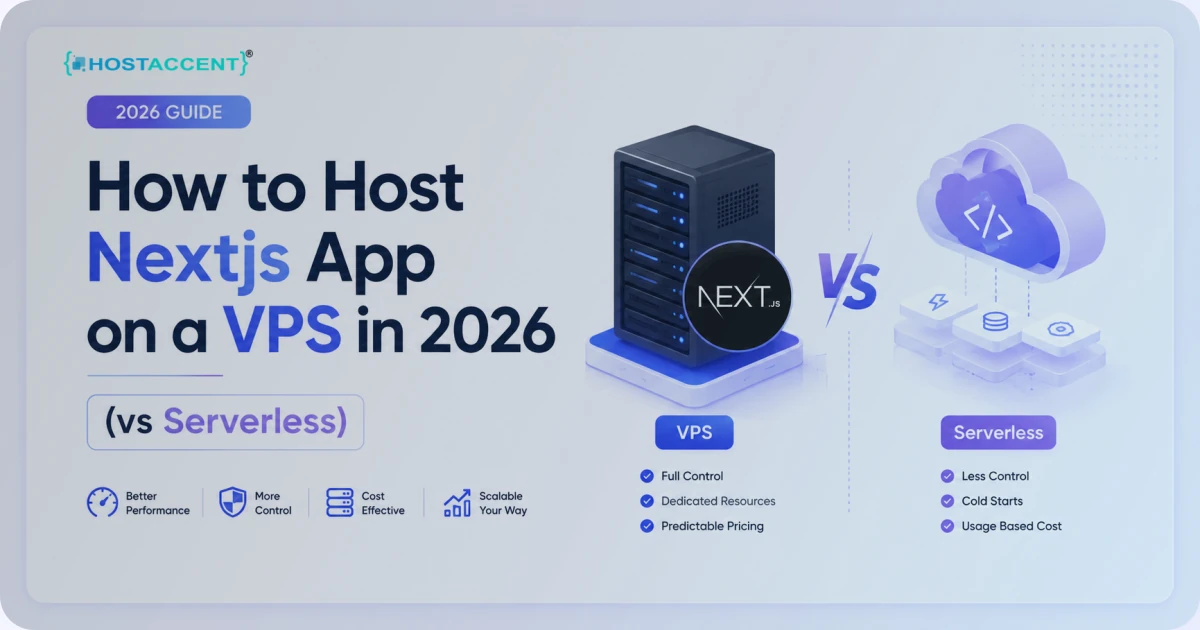
You've built something in Next.js. Now you have to ship it. Figuring out how to host nextjs app deployments trips up more developers than the framework ever does — and the loudest advice ("just push it to a managed platform") quietly skips over cost and control. This guide walks the self-hosted path on a VPS, end to end, with real commands.
Quick Answer: There are two realistic ways to run Next.js in production: a managed serverless platform (zero-config, usage-based billing) or a self-managed VPS running Node behind an Nginx reverse proxy with PM2 keeping the process alive. A VPS gives you a fixed monthly bill, full root access, and no per-request surprises — the trade is that you handle the ops yourself.
Updated June 2026 by The Hostaccent Team. We run our own Next.js blog this way, so everything below is the pipeline we actually use — including the parts that broke at 2 a.m.
Here's the honest version most "deploy in 5 minutes" tutorials won't tell you: managed platforms are genuinely convenient, but for a predictable monthly cost and root-level control, a host like Hostaccent on a plain Ubuntu VPS is hard to beat. The setup takes an afternoon. After that, it just runs.
Next.js Hosting Options: Managed vs Self-Hosted
Before any commands, get the lay of the land — the first half of how to host nextjs app deployments is just picking the right shape. Next.js can run in three broad shapes, and the right one depends on whether your app uses server features.
If your site is fully static — no server-side rendering, no API routes, no incremental regeneration — you can run output: 'export' and drop the files on any static host or CDN. Cheap, fast, but limited. The moment you need SSR, ISR, middleware, or API routes, you need a live Node runtime — and a VPS to run it on. If budget is the deciding factor, our guide to the best cheap VPS for Node.js compares providers on price, specs, and support.
That leaves two real production options for a dynamic app:
| Option | Type | Pricing model | Root access | SSR / ISR support | Best for | |---|---|---|---|---|---| | Hostaccent VPS | Self-managed VPS | Fixed monthly | Full root | Yes | Cost control + full control (recommended) | | Serverless platform | Managed / hosted | Per-usage / per-request | None | Yes | Zero-ops prototyping | | Static host (export) | Static files only | Cheap to free | None | No (static only) | Purely static marketing sites |
A managed serverless platform is one valid option — it abstracts the server away entirely. The trade-off is that pricing scales with traffic and function invocations, and you give up shell access. For a hobby project that's fine. For a business app where you want the bill to be the same in January and December, a VPS changes the math.
Pro Tip: Check whether your app actually needs a Node server before paying for one. Run
next buildand look for the route table — routes marked○ (Static)are prerendered, whileƒ (Dynamic)routes need a running server. If everything is○, a static export is cheaper.
The official Next.js deployment docs confirm the requirement plainly: any app using server features needs a Node.js process. That's the whole reason a VPS is in this conversation.
When Self-Hosting Next.js on a VPS Makes Sense
Self-hosting isn't always the answer. It makes sense when at least one of these is true.
You want predictable cost. A VPS bills a flat rate whether you serve 10 requests or 10 million. Serverless billing is elastic — great until a traffic spike (or a bot storm) turns into a surprise invoice.
You want control. Root access means you choose the Node version, tune Nginx, add a cron job, run a second service on the same box, or self-host analytics. You're not boxed into a platform's supported features.
You're already running infrastructure. If you operate a VPS for other sites, adding a Next.js app costs you nothing extra in hosting — just another Nginx server block and another PM2 process.
In our experience, the break-even point comes fast. A single $22/mo box comfortably runs a Next.js app, a database, and a reverse proxy side by side — where the equivalent managed setup with a separate database add-on costs more once traffic is real. A Professional-tier VPS ($22.00/mo) with NVMe SSD storage handles next build without choking, which matters more than you'd think (you'll see why in the pitfalls section). We've operated production VPS infrastructure since 2018, and on our own box a clean production build of a mid-sized Next.js blog finishes in roughly 40–70 seconds, with the running process idling around 90–130 MB of RAM. Those are numbers a 2 GB plan absorbs without breaking a sweat — and they don't change month to month, which is the whole appeal.
Location matters too. Put the box near your audience: an EU location for European traffic or a US Southeast location for regional American apps shaves real milliseconds off time-to-first-byte.
Insider Insight: The number-one reason developers regret self-hosting is reboots. If your VPS restarts and you haven't configured the process manager to relaunch on boot, your site goes dark and you find out from an angry user. We cover the one-line fix below — don't skip it.
How to Host Nextjs App on a VPS: The Full Walkthrough
This is the core of how to host nextjs app deployments yourself. We'll assume a fresh Ubuntu 24.04 VPS with SSH access. The stack is Node → PM2 → Nginx reverse proxy → SSL, the exact chain we run in production.
Step 1 — Install Node.js (the right version)
Next.js 16 requires Node.js 20.9 or newer. We recommend the current LTS, Node 22, for stability. Install it via NodeSource:
bashcurl -fsSL https://deb.nodesource.com/setup_22.x | sudo -E bash - sudo apt install -y nodejs node -v # should print v22.x
The Node.js downloads page lists the current LTS line if you want to verify before installing. Avoid the version in Ubuntu's default repos — it's usually too old for modern Next.js.
Step 2 — Pull your code and build
Clone your repo, install dependencies with a clean, lockfile-faithful install, and produce the production build:
bashgit clone https://github.com/you/your-app.git cd your-app npm ci npm run build
npm ci is deliberate — it installs exactly what's in your lockfile, so the server matches your local machine. The build step compiles your app and prints the route table. Read it. If a route you expected to be static shows up as dynamic, that's a config issue to fix now, not after launch.
Step 3 — Start it under PM2
Running npm run start works, but the moment your SSH session closes, the process dies. PM2 keeps it alive, restarts it on crashes, and relaunches it on reboot.
bashsudo npm install -g pm2 pm2 start npm --name "nextapp" -- start pm2 save pm2 startup # run the command it prints, then pm2 save again
Next.js listens on port 3000 by default. PM2 now supervises it. Check status with pm2 list and tail logs with pm2 logs nextapp. That pm2 startup line is the reboot insurance from the callout above — it generates a systemd service so your app comes back after any restart.
Step 4 — Put Nginx in front as a reverse proxy
You don't expose port 3000 to the world. Nginx sits in front, handles the public port 80/443, and forwards traffic to Node. Create /etc/nginx/sites-available/your-app:
nginxserver { listen 80; server_name yourdomain.com; location / { proxy_pass http://127.0.0.1:3000; proxy_http_version 1.1; proxy_set_header Upgrade $http_upgrade; proxy_set_header Connection 'upgrade'; proxy_set_header Host $host; proxy_set_header X-Real-IP $remote_addr; proxy_set_header X-Forwarded-For $proxy_add_x_forwarded_for; proxy_set_header X-Forwarded-Proto $scheme; proxy_cache_bypass $http_upgrade; } }
Enable it and reload:
bashsudo ln -s /etc/nginx/sites-available/your-app /etc/nginx/sites-enabled/ sudo nginx -t && sudo systemctl reload nginx
Those X-Forwarded-* headers aren't optional. Skip X-Forwarded-Proto and Next.js can't tell HTTPS from HTTP behind the proxy, which causes redirect loops and broken absolute URLs. The Nginx reverse proxy documentation explains each directive if you want to go deeper.
Pro Tip: If Nginx returns a 403 Forbidden error right after setup, it's almost always a permissions or
try_filesissue — not your Next.js app. And a 500 from the upstream usually means the Node process crashed;pm2 logswill show you the stack trace.
Step 5 — Add SSL with Let's Encrypt
Free, automatic, auto-renewing certificates via Certbot:
bashsudo apt install -y certbot python3-certbot-nginx sudo certbot --nginx -d yourdomain.com
Certbot edits your Nginx config to handle HTTPS and sets up auto-renewal. Confirm renewal works with sudo certbot renew --dry-run. The Let's Encrypt project documents the renewal cron if you ever need to debug it. That's the full chain — your Next.js app is now live on HTTPS, supervised, and reboot-proof.
Common Next.js VPS Pitfalls: Env Vars, Ports, and Memory
Knowing how to host nextjs app builds is half the job; keeping them running is the other half. Most "it works locally but not on the server" tickets we handle come down to three things. Learn them once and save yourself hours.
Environment variables baked at build time. This is the big one. Any variable prefixed NEXT_PUBLIC_ is inlined into the JavaScript bundle during next build — not read at runtime. So if you change a NEXT_PUBLIC_ value, you must rebuild, not just restart. Server-only secrets (no prefix) are read at runtime, so those only need a restart. Mixing these up is the most common cause of "my new API key isn't working."
Port conflicts. Something else already on 3000? Change it. With PM2:
bashpm2 start npm --name nextapp -- start -- -p 3001
Then point your Nginx proxy_pass at the new port. One app per port — running two Next.js apps on the same port silently fails.
Memory during the build. next build is hungry. On a 512 MB or 1 GB box it can hit out-of-memory and get killed mid-build, often with a cryptic exit. Two fixes: add swap, or cap Node's heap. A 2 GB+ plan avoids the problem entirely — one reason we point people at the Professional tier rather than the smallest box.
If you're stuck on a small box, add a 2 GB swap file before building:
bashsudo fallocate -l 2G /swapfile && sudo chmod 600 /swapfile # create 2 GB swap sudo mkswap /swapfile && sudo swapon /swapfile
Insider Insight: Build on the box, or build in CI and ship the
.nextfolder — but never half-build. We've seen deploys where an OOM-killed build left a stale.next, so the server happily served the old version while the developer swore they'd shipped the fix. If a deploy "didn't take," check the build exit code first.
A few smaller gotchas worth knowing: the .next/cache folder should persist across deploys for ISR to stay fast; Next.js 16 renamed middleware.ts to proxy.ts, so update old configs; and if you front everything with a CDN, make sure it forwards the Host header so Nginx routes correctly.
How to Host Nextjs App Without Vercel: Is It Worth It?
So, learning how to host nextjs app deployments on your own server — worth the effort? For a throwaway demo, probably not; a managed platform is faster to start. For anything you'll run for a year or more, yes. You trade one afternoon of setup for predictable billing, root control, and the ability to run your whole stack on one box.
The self-host path isn't harder than it looks — it's just unfamiliar. Node, a build, a process manager, a reverse proxy, a cert. Five steps. Once it's running, your maintenance is occasional git pull && npm ci && npm run build && pm2 restart nextapp, and that's it.
Here's what that looks like in practice on our side. We run Next.js 16.2 on Node 22 LTS and Ubuntu 24.04, with PM2 supervising the process and Nginx terminating SSL — the exact five-step chain above. After every deploy we watch three signals: the PM2 restart count (a climbing number means a crash loop), memory headroom (ISR caching can grow over days), and the build exit code in CI. None of that needs a per-seat dashboard — pm2 monit and a one-line health check cover it. That's the quiet advantage of owning the box: when something breaks at 2 a.m., you have the logs, the shell, and the power to fix it yourself instead of filing a ticket and waiting on someone else's queue.
Ready to Deploy Your Next.js App?
If you want the control of self-hosting without fighting the underlying box, that's exactly what Hostaccent VPS is built for. You get full root on NVMe-backed Ubuntu, a real London-based support team that speaks server (not script), and a Cloudflare → Nginx → Apache-friendly stack that's ready for the Node + PM2 setup above. Plans run from Basic ($7.99/mo) up to Premium ($95.00/mo), with the Professional plan ($22.00/mo) sized right for production Next.js builds — enough memory to compile without swap gymnastics. Spin up a box, follow the five steps above, and you'll be live on HTTPS today.
Frequently Asked Questions
Is learning how to host nextjs app on a VPS hard?
Not really — it's five steps: install Node, build the app, run it under PM2, put Nginx in front as a reverse proxy, and add SSL with Certbot. Each step is a couple of commands. The whole first-time setup takes about an afternoon, and updates afterward are a single rebuild-and-restart.
Do I need a Node server, or can I use a static export?
It depends on your features. If your app has no SSR, ISR, API routes, or middleware, output: 'export' produces static files you can host anywhere cheaply. The moment you use any server-rendered feature, you need a live Node.js runtime — which means a VPS or a managed platform.
How do I keep my Next.js app running after I close SSH?
Use a process manager. PM2 keeps the Node process alive, restarts it if it crashes, and — with pm2 startup plus pm2 save — relaunches it automatically after a server reboot. Without this, your app stops the moment your terminal session ends.
Why do my environment variable changes not take effect?
Variables prefixed NEXT_PUBLIC_ are baked into the bundle at build time, not read at runtime. If you change one, you must run next build again — a restart alone won't pick it up. Server-only variables (no prefix) are read at runtime and only need a restart.
What VPS specs do I need to host nextjs app builds smoothly?
At least 2 GB of RAM is the practical floor, because next build is memory-heavy and can be killed by the OOM handler on 512 MB–1 GB boxes. Hostaccent's Professional VPS at $22.00/mo gives you comfortable headroom to build and run without adding swap.
Can I run Next.js without Vercel or any managed platform?
Yes — that's the entire point of self-hosting. A Next.js app is a standard Node.js process, so any VPS with Node, a process manager, and a reverse proxy runs it identically to a managed platform. You get the same SSR and ISR features with a fixed monthly cost and full root access.






Discussion
Have a question or tip about this topic? Share it below — your comment will appear after review.