
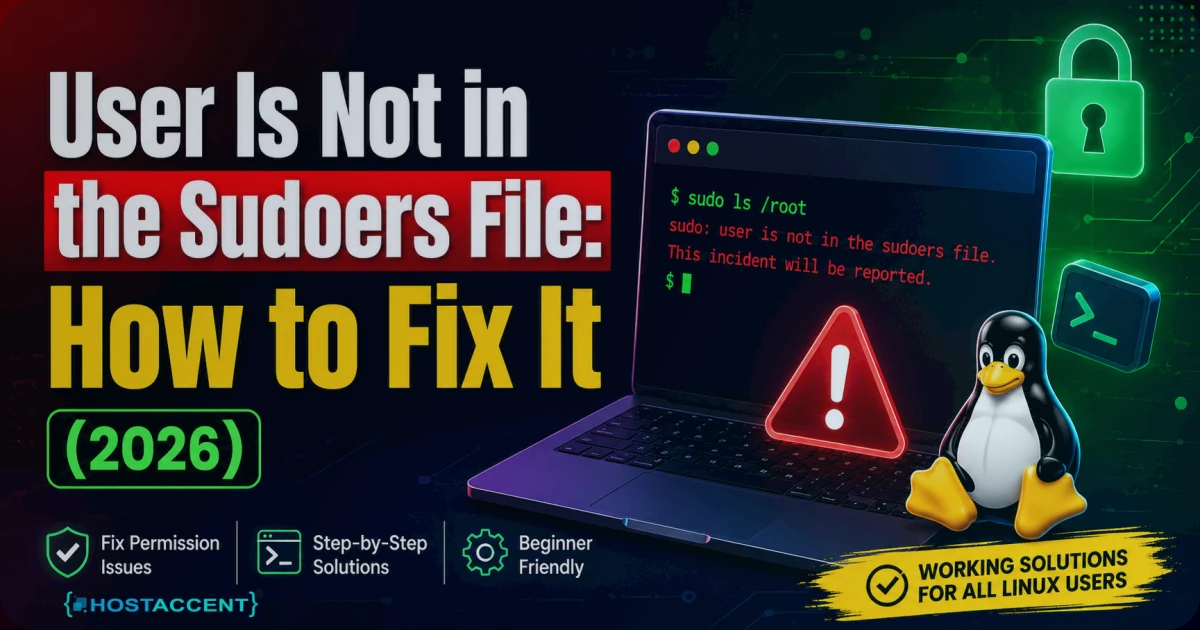
You spun up a fresh server, created a shiny new user, typed your first sudo command — and got this:
bashdeploy is not in the sudoers file. This incident will be reported.
Your stomach drops. You just made that account. Now the box is treating you like a trespasser on your own machine. Breathe. You're not permanently locked out, nothing has been shipped off to any authority, and this is usually a two-minute repair. The message "user is not in the sudoers file" means exactly one thing: your account hasn't been granted permission to act as root yet. That's the whole problem.
Here's the fastest path back.
Quick Fix (you already have root): Become root with
su -(or log in asroot), then runusermod -aG sudo deployon Ubuntu/Debian — orusermod -aG wheel deployon CentOS, Rocky, or AlmaLinux. Log out, log back in, done. Everything below covers the harder case (no root access), the exact commands, and how to make sure this never bites you again.
In the VPS support tickets the Hostaccent team handles, this "incident will be reported" panic is one of the most common first-day messages new server owners hit. It looks like a security lockout. It almost never is. Nine times out of ten, a user got created and someone forgot the single command that grants admin rights.
What "User Is Not in the Sudoers File" Actually Means
Every time you run sudo, Linux checks whether you're allowed to borrow root's powers. It looks in two places: the /etc/sudoers file (plus any drop-in files in /etc/sudoers.d/), and your group memberships. On Debian and Ubuntu, being in the sudo group grants access. On Red Hat-family systems — CentOS, Rocky, AlmaLinux, Fedora — it's the wheel group instead.
If your username shows up in none of those, sudo refuses and prints the error. You haven't broken anything. You're just not on the guest list. For the full rules of how this lookup works, the official sudo project documents it in detail.
The behaviour hasn't changed in years — as of 2026, the same two-command fix applies across every current Debian and RHEL release. And here's the reassuring part: root itself never needs sudo. So the moment you can reach a root shell by any route, you can hand yourself sudo access in seconds.
Why "This Incident Will Be Reported" Isn't as Scary as It Sounds
That second sentence spooks everyone. "Reported" — to whom, exactly? The authorities? Your host? Relax. Sudo writes a line to the local system log (usually /var/log/auth.log or /var/log/secure) and, on default setups, drops a note in the local root mailbox on that same server. That's the entire "report." Nothing leaves the machine. Nobody is alerted unless you wired up something to alert them.
It's a deterrent aimed at real intruders, not a citation with your name on it. So when you see "this incident will be reported," read it as "sudo logged a failed attempt locally" — and move straight on to the fix.
The 3 Most Common Causes (Ranked by How Often We See Them)
When we migrate customer sites onto our own Nginx → Apache and NVMe SSD stack, the same three culprits show up again and again, in this order.
1. The user was created but never added to the admin group. This is the runaway #1. Running adduser deploy creates the account — it does not grant sudo. People make the user, start working, and walk straight into the wall.
2. The user was added to the wrong group for the distro. Drop someone into the sudo group on Rocky Linux and nothing happens, because Rocky uses wheel. The reverse trips people moving the other way. (For the record: the sudo group is GID 27 on Debian/Ubuntu, while wheel is GID 10 on RHEL-family systems — a quick getent group tells you which one exists.)
3. The group is right, but the session is stale. Linux only loads your group memberships at login. If you ran the fix in the same shell and never logged out, id still won't show the new group — and sudo still says no.
A distant fourth: a hand-edited /etc/sudoers with a syntax slip or wrong permissions. Rare, but ugly — we'll handle that safely below.
How to Add User to Sudoers: The Step-by-Step Fix
Here's the clean sequence. To give user sudo access on Linux, the group method is almost always the right call.
Step 1 — Get a root shell. If you know the root password:
bashsu -
No root password, or root SSH login disabled? Use your provider's web console (VNC or serial console) from the control panel — it logs you in out-of-band as root even when SSH won't let you.
Step 2 — Add the user to the correct admin group.
Ubuntu / Debian:
bashusermod -aG sudo deploy ## -a APPENDS to existing groups
CentOS / Rocky / AlmaLinux / Fedora:
bashusermod -aG wheel deploy ## wheel is the RHEL-family admin group
Pro Tip: Never drop the
-a. Runningusermod -G sudo deployreplaces every one of the user's secondary groups with justsudo— silently kicking them out ofdocker,www-data, and anything else they belonged to. The-aGcombo (append + group) is the difference between a fix and a brand-new outage. The usermod manual spells this out.
Step 3 — Reload the session. Group changes only take effect at next login. Log out and back in, or force it in place:
bashnewgrp sudo
Step 4 — Confirm. id deploy should now list the group, and sudo whoami should print root.
Want to grant sudo to one specific user without touching groups? Use visudo, never a plain text editor:
bashvisudo -f /etc/sudoers.d/deploy
In that file, add exactly one line: deploy ALL=(ALL:ALL) ALL. The whole point of visudo is that it syntax-checks before saving — so a typo can't lock everyone out — and it keeps the file at its required 0440 permissions. The visudo manual covers the rest of the flags.
What to Do If You're Fully Locked Out
Here's the honest worst case: no sudo, no root password, and root SSH disabled. No command run from inside can save you — you're shut out.
The way back is out-of-band. Nearly every VPS control panel offers a recovery or rescue console (VNC or serial) that drops you to a root prompt, bypassing SSH entirely. Boot into it, run the usermod -aG sudo fix above, reboot, and you're back in business. Some setups also let you edit the GRUB line to enter single-user mode for the same result.
This is exactly the kind of lockout the Hostaccent support team resolves through the provider console — but that console is your safety net on almost any host, so find out where yours lives before you need it. If you're still deciding where to run your server, our guide to Amsterdam VPS hosting walks through what to look for in a European region.
How to Confirm the Fix and Stop It Happening Again
Once you're back in, verify it properly:
sudo whoami→ should returnrootid→ should showsudo(orwheel)sudo -l→ lists exactly what you're allowed to run
Now stop the repeat. Debian's own sudo documentation is worth a bookmark, but the habits matter more than the reading.
Insider Insight: Always keep a second admin user with sudo on every server you own. It costs nothing and it's the cheapest insurance in system administration — the day one account breaks, has its groups mangled, or loses its key, the backup admin walks you straight back in. We set this up on every Hostaccent server as standard, and it has turned dozens of would-be 2 a.m. emergencies into a 30-second login.
Three more rules that pay off fast: create sudo users in one motion (adduser deploy && usermod -aG sudo deploy); edit /etc/sudoers only through visudo; and if you're spinning up a brand-new site alongside the server, sort the domain early — our breakdown of .com vs .net vs .io helps you pick before you commit.
While you're hardening a fresh VPS, two other errors love to show up in the first week. Bookmark our fixes for the 403 Forbidden error and the 500 Internal Server Error in WordPress so neither one catches you cold.
When a Managed VPS Saves You the Headache
Key takeaways: The "user is not in the sudoers file" error means your account lacks admin rights — not that you've been banned. "This incident will be reported" is only a local log entry. The fix is usermod -aG sudo (or wheel) run as root, followed by a fresh login. And a backup admin user plus a known console route keeps you from ever being truly stuck.
If you'd rather not babysit root access, group files, and recovery consoles yourself, that's the job managed hosting does for you. Hostaccent's Managed VPS starts at $7.99/mo on the Basic plan. As a UK-registered host operating since 2018, we run a UK-based support team that can restore sudo and root access for you when a permissions change goes sideways — the kind of 2 a.m. save that's hard to put a price on. Honest caveat: if you specifically want full, unrestricted low-level control and enjoy owning every misconfiguration yourself, an unmanaged box is the cheaper, more hands-on route. Pick the trade-off that fits how you actually like to work.
Frequently Asked Questions
Why does it say "user is not in the sudoers file. This incident will be reported"?
Because your account isn't in the sudo group (Debian/Ubuntu) or wheel group (RHEL-family), and has no entry in /etc/sudoers. Sudo blocks the command and logs the attempt locally. Adding the user to the right group with usermod -aG clears it the moment you log back in.
How do I add a user to sudoers without root access?
You can't from a normal shell — you need root by some route first. Use su - if you know the root password, or your provider's web/recovery console, which logs you in as root out-of-band. From there run usermod -aG sudo username and reload the session. With no root path at all, the rescue console is your only way in.
What's the difference between the sudo group and the wheel group?
They do the same job — grant admin rights — but on different distributions. Debian and Ubuntu use the sudo group (GID 27). Red Hat-family systems like CentOS, Rocky, and AlmaLinux use wheel (GID 10). Adding a user to the wrong one for your distro is a top-three cause of this exact error.
Does "this incident will be reported" mean I'm in trouble?
No. Sudo writes a line to the local log and, by default, emails the server's own root mailbox. Nothing is sent off the machine and no outside party is notified. It's a generic warning aimed at intruders, not a report to your host or anyone else. Ignore the drama and apply the fix.
How do I give a user sudo access on Linux?
The cleanest method is group-based: as root, run usermod -aG sudo username on Ubuntu/Debian or usermod -aG wheel username on RHEL-family, then have the user log out and back in. For a single-user rule without groups, use visudo -f /etc/sudoers.d/username and add username ALL=(ALL:ALL) ALL.
Can I break my server by editing the sudoers file?
Yes — a syntax error in /etc/sudoers can lock out sudo for everyone. That's why you should only edit it with visudo, which validates the file before saving and refuses to write a broken one. It also enforces the required 0440 permissions. Editing the file directly with nano or vim is how people brick their own access.
What if I don't have the root password either?
Then use your provider's recovery or rescue console, which grants root out-of-band without SSH. Boot into it and run the usermod fix. On a managed plan such as Hostaccent's, the support team can do this step for you — turning a full lockout into a quick support ticket instead of a lost weekend.






Discussion
Have a question or tip about this topic? Share it below — your comment will appear after review.