
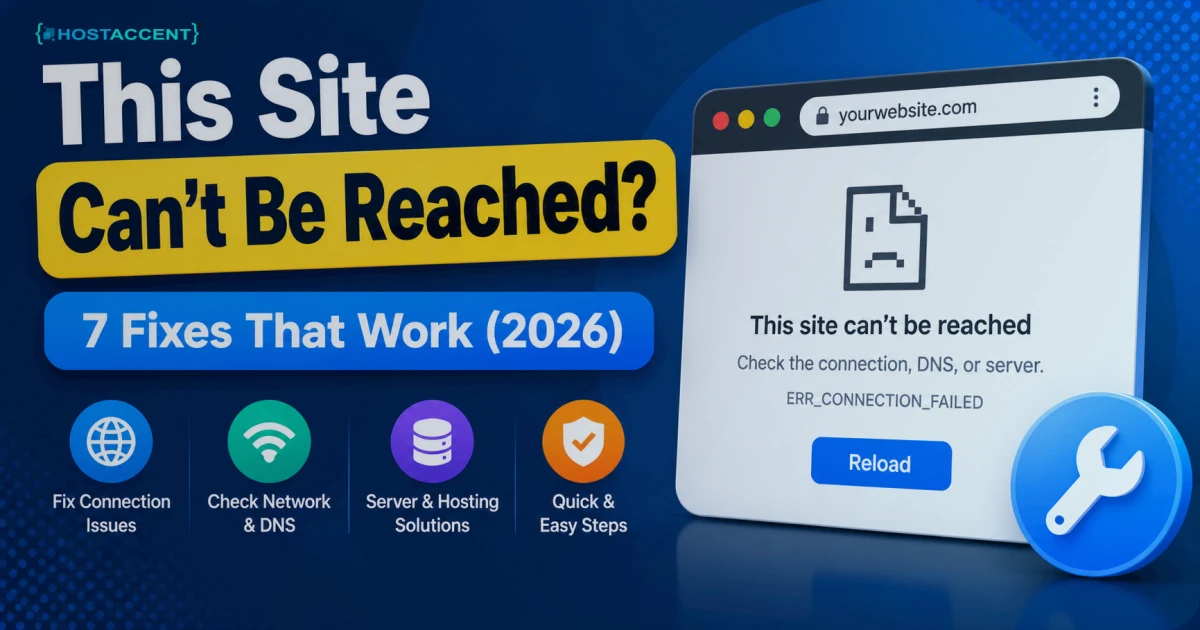
You clicked a link, hit enter, and Chrome threw back a blank grey wall: this site can't be reached. No page — just an error code and a reload button that does nothing. Annoying, especially when the site loaded fine ten minutes ago. Here's the reassuring part: most of the time, this is something you can clear yourself in a couple of minutes, and it's rarely as serious as it looks. Below are the 7 fixes that actually work, ordered by how often they solve it on real sites.
Quick Answer: "This site can't be reached" means your browser couldn't open a connection to the server behind that web address. The usual culprits are a DNS lookup failure, a dropped internet connection, a blocking firewall or VPN, or a server that's down. The fastest fix: flush your DNS, switch your resolver to 1.1.1.1 or 8.8.8.8, and reload the page.
This Site Can't Be Reached: The 60-Second Fix
Before you troubleshoot anything deeply, run these four steps — the same quick checklist a host like Hostaccent walks visitors through first, because they clear the majority of cases in under a minute:
- Hard-refresh the page — press Ctrl+Shift+R (Cmd+Shift+R on Mac). This bypasses your local cache.
- Flush your DNS. On Windows, open Command Prompt and run
ipconfig /flushdns. On Mac:sudo dscacheutil -flushcache; sudo killall -HUP mDNSResponder. - Try the site in Incognito (Ctrl+Shift+N). If it loads there, a browser extension or cached data is the problem — and if the normal window shows 400 Bad Request rather than an unreachable wall, an oversized cookie is the culprit.
- Switch your DNS resolver to Cloudflare's 1.1.1.1 or Google's 8.8.8.8, then reload.
If the page comes back, you're done. If not, keep reading — the real fix depends on which error code Chrome shows under the message.
Pro Tip: Read the exact error code under the message before doing anything else.
DNS_PROBE_FINISHED_NXDOMAINpoints at DNS.ERR_CONNECTION_TIMED_OUTpoints at the network or a firewall.ERR_CONNECTION_REFUSEDusually means the server is up but rejecting the port. That one line tells you which of the 7 fixes to jump straight to.
What "This Site Can't Be Reached" Actually Means
Chrome shows this message when it can't complete the handshake with the web server. It is not "page not found" — a 404 comes from a working server that couldn't find one file. This is a connection that never got established at all.
Three things sit between you and any website: your device, the network path (DNS, your ISP, routers), and the server itself. The error just means the chain broke somewhere. Your only job is to find which link.
In the support tickets our team handles, roughly four out of five "unreachable" reports trace back to the visitor's side — stale DNS, a browser extension, or a VPN — not the website itself. The site is usually fine; the local resolver is just out of date. That's why flushing DNS is the first move, not the last.
The DNS resolution process is where most of these failures start. In plain terms: your browser asks a resolver "what's the IP address for this domain?" — and if that answer is missing, wrong, or slow, you get an unreachable wall instead of a website.
The 7 Fixes, Ranked by How Often They Work
The steps below are current as of 2026, and they're ordered by how frequently each one is the actual cause. Work top to bottom and you'll rarely need to reach the end.
Fix 1 — Flush DNS and change your resolver (fixes the most cases)
Stale or broken DNS is the number-one cause, full stop. Your computer caches domain-to-IP mappings, and when one goes bad, every visit to that address fails while everything else works.
Flush the cache (ipconfig /flushdns on Windows, the dscacheutil command from earlier on Mac), then point your DNS at a fast public resolver. In your network adapter settings, set the DNS servers to 1.1.1.1 and 1.0.0.1, or 8.8.8.8 and 8.8.4.4. Reload.
Insider Insight: If a site loads on mobile data but not home Wi-Fi, that's almost always your router's DNS cache, not your PC's. Rebooting the router clears it — pull the power for 30 seconds, don't just tap "restart," because a soft restart often keeps the bad cache.
Fix 2 — Check your own connection
Obvious, but skipped constantly. Open a second, unrelated site. If nothing loads, the problem is your connection, not the target site.
Restart your router (unplug 30 seconds, plug back in). Toggle Wi-Fi off and on. Then split the difference: ping 8.8.8.8 tests raw connectivity, and ping google.com tests DNS on top of it. Get replies to the first but not the second? Your internet works and DNS is the culprit — jump back to Fix 1. Timeouts on both mean it's your local network.
Fix 3 — Clear the browser cache and test extensions
A corrupted cache or a misbehaving extension — ad blockers and privacy tools are the usual offenders — can kill a connection before it even starts.
Open Incognito. Loads there? Then disable extensions one at a time in chrome://extensions until the culprit reveals itself. After that, clear "cached images and files" in Chrome settings. This is the fix for a stubborn site cannot be reached error in Chrome that works everywhere except your main browser window.
Fix 4 — Disable VPN, proxy, or firewall temporarily
VPNs and proxies reroute your traffic and can silently drop connections to specific hosts. Turn the VPN off and reload. If that fixes it, switch VPN servers or add the site to your split-tunnel allow list.
Firewalls and antivirus "web shields" do the same thing. Temporarily disable the web-protection module — then re-enable it the moment you've tested. If the site loads with protection off, add an exception rather than leaving your firewall down.
Fix 5 — Reset the network stack
If DNS and connection checks both pass but the error refuses to budge, your machine's network stack may be corrupted. On Windows, open Command Prompt as Administrator and run these in order:
bash## reset the Windows sockets and TCP/IP stack, then renew the connection netsh winsock reset netsh int ip reset ipconfig /release ipconfig /renew ipconfig /flushdns
Reboot afterward. This clears a whole class of "worked yesterday, dead today" failures that no amount of cache-clearing will touch.
Fix 6 — Confirm whether the site is down for everyone
Sometimes it genuinely is the site. Check a "down for everyone or just me" service, or open the address on your phone using mobile data instead of Wi-Fi. If it's down globally, you can't fix it from your end — but you've ruled out your own setup, which is progress. If you're the site owner and it's confirmed down for everyone, our guide to diagnosing why your website is down picks up from here — DNS, hosting, and server checks in order.
For a domain that recently moved hosts or changed records, allow time for DNS propagation — changes can take anywhere from a few minutes to 24-48 hours to reach every resolver worldwide. During that window some visitors see the site and others get the unreachable website error. That's expected behaviour, not a bug.
Fix 7 — If you own the site: check the server and SSL
Here's where it stops being a browser problem — and where most guides quietly stop. If your own website is unreachable for everyone, the server or its configuration is the suspect. Walk it in order:
- Is the web service running? SSH in and run
systemctl status nginx(orapache2). If it's stopped, start it:systemctl restart nginx. - Is the SSL certificate valid? An expired certificate can trigger connection failures on HTTPS. With Let's Encrypt and Certbot,
certbot renewhandles it. - Are ports 80 and 443 open? A firewall rule blocking port 443 makes an HTTPS site unreachable while the server itself looks perfectly "up."
- Is the server overloaded? A maxed-out CPU or exhausted memory quietly drops connections. Check with
toporhtop.
On Hostaccent's own Nginx → Apache stack with NVMe SSD storage, the most common owner-side cause we see isn't the code — it's an expired SSL cert or a firewall rule that quietly blocked 443 after a config change. Both look identical to the visitor: an unreachable site with no obvious reason.
Pro Tip: A single misconfigured line can take a whole site offline. When we migrate customer sites, we repeatedly see a leftover
deny all;in an Nginx block or a wrong document root. Check your most recent config change first — that's almost always the thing that broke it.
If your site throws a specific status code instead of an unreachable error, the fix is different. See our walkthroughs of the 403 Forbidden error and the 500 Internal Server Error in WordPress, which cover those cases step by step.
How to Confirm the Fix Held (and Stop It Coming Back)
Once the page loads, confirm it's genuinely fixed and not just cached:
- Hard-refresh again (Ctrl+Shift+R) and reload it in Incognito.
- Test from a second device or on mobile data — that proves the fix is at the source, not just on your machine.
- Run
ping yourdomain.comand confirm it resolves to the correct IP.
To stop it recurring: set your DNS to a reliable public resolver permanently, keep your SSL certificate on auto-renew, and — if you run the site — add uptime monitoring so you hear about downtime before your visitors do. Stable uptime, the 99.9% kind that keeps a site reachable, comes down to three things: a healthy server, current certificates, and DNS that doesn't flake.
When the Problem Is Your Host, Not You
If you've worked through all seven fixes and your own site still goes unreachable — especially under traffic, or at seemingly random times — the pattern points at the hosting.
Overloaded shared servers, no NVMe storage, weak DNS, and slow support turn a two-minute fix into a recurring outage. It's the most frustrating category of all: nothing is wrong with your site, yet it keeps dropping, with first-byte times crawling past 800ms right before it goes dark. Hostaccent runs sites on a Cloudflare → Nginx → Apache stack with NVMe SSD storage specifically to keep that connection layer solid, backed by UK-based support for the moments something does break.
Picking a domain while you're at it? Our breakdown of .com vs .net vs .io is worth a read. And if you're outgrowing shared hosting and need real headroom, the Amsterdam VPS hosting guide covers high-performance EU options.
Still Unreachable? Reliable Hosting Fixes the Root Cause
Most "this site can't be reached" errors live on the visitor's side and clear in minutes with the steps above. But if you own the site and it keeps going dark — timeouts under load, random drops, an SSL cert that lapses at the worst possible moment — the hosting is usually the real cause. That's the gap Hostaccent's Linux shared hosting is built to close: the Economy plan at $1.99/yr runs on a Cloudflare → Nginx → Apache stack with NVMe SSD storage, free SSL, and support from a UK-registered host operating since 2018, and the range scales up (Standard at $4.58/mo, Ultimate at $6.50/mo) as you grow. Honest limit: shared hosting isn't sized for huge traffic spikes — if you're pushing heavy, sustained load, move up to a VPS. For most small sites, it simply keeps the door open.
Frequently Asked Questions
What does "this site can't be reached" mean?
It means your browser couldn't open a connection to the server behind that web address — not that the page is missing (that's a 404), but that the connection never completed at all. The break is usually in DNS, your local network, a firewall or VPN, or the server itself being down.
How do I fix "this site can't be reached" in Chrome?
Start fast: hard-refresh with Ctrl+Shift+R, flush your DNS (ipconfig /flushdns on Windows), switch your resolver to 1.1.1.1 or 8.8.8.8, and open Incognito to rule out extensions. Those four steps clear this site can't be reached in Chrome for most people in under a minute.
Why does one website say it's unreachable but others load fine?
If other sites work, your internet is fine and the issue is specific to that one address — usually a stale DNS entry on your device, a block inside a VPN or firewall, or that site's server being down. Flushing DNS and testing on mobile data quickly shows you which one it is.
Does "this site can't be reached" mean the website was hacked?
Almost never. It's a connection failure, not a security breach. A hacked site usually still loads — it just shows the wrong content. An unreachable website points at DNS, network, or server problems far more often than anything malicious.
How long does DNS take to fix an unreachable website?
A local flush is instant. But if a domain recently changed hosts or DNS records, full DNS propagation can take from a few minutes up to 24-48 hours to reach every resolver globally. During that window the site may load for some visitors and stay unreachable for others.
Can my hosting cause "this site can't be reached"?
Yes. An overloaded server, an expired SSL certificate, a stopped web service, or a firewall blocking port 443 all produce an unreachable site for every visitor. Reliable hosting with NVMe storage, auto-renewing SSL, and real human support — the setup Hostaccent runs — removes most server-side causes of this error.



Discussion
Have a question or tip about this topic? Share it below — your comment will appear after review.