
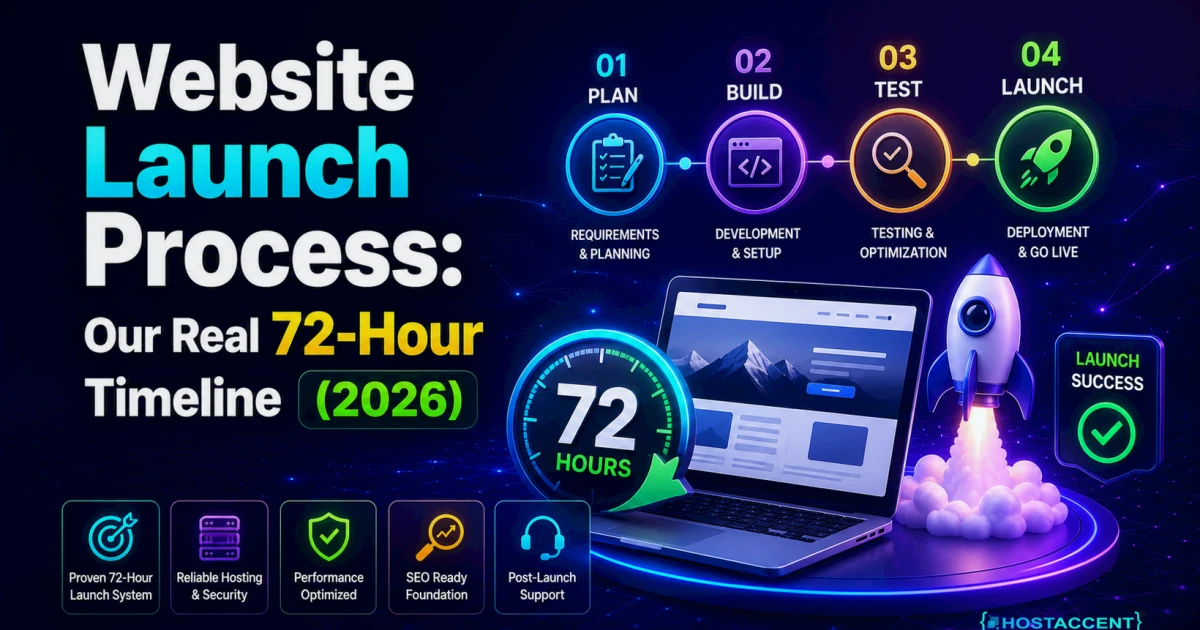
Quick Answer: A complete website launch process — from no domain to a live, secure website — takes about 72 hours when the steps run in the right order: register the domain (hour 0), activate hosting and point DNS (hours 0–12), install SSL and set up email (hours 12–36), build and test the site (hours 36–60), then run final checks and go live (hours 60–72). Infrastructure cost: from $13.99/yr for a .com domain plus $1.99/mo for hosting.
Most launch guides assume your site is already built and you just need to flip a switch. This one doesn't. Below is the hour-by-hour process our team follows when a host like Hostaccent takes someone from "I have nothing" to "my site is live" — plus everything you'd do yourself on the DIY route.
No jargon without a plain-English translation, and no fake simplicity either. Some steps are genuinely easy. One or two aren't. You'll know which is which by the end.
What the Website Launch Process Actually Involves
Here's how a website gets built and launched when nothing is left to guesswork. Every launch — ours or yours — moves through the same five phases:
| Phase | Hours | What happens | Typical cost | |---|---|---|---| | 1. Domain | 0–1 | Pick and register your web address | $13.99/yr (.com) | | 2. Hosting + DNS | 0–12 | Activate the server, connect it to the domain | from $1.99/mo | | 3. SSL + email | 12–36 | Secure the site, create [email protected] | $0 (included) | | 4. Build + test | 36–60 | Install the site software, add pages, test everything | $0 (DIY) | | 5. Go-live checks | 60–72 | Backups, speed, search visibility, publish | $0 |
The order matters more than the speed. In our experience, the launches that stall for weeks aren't slowed by hard work — they're slowed by doing phase 4 before phase 2, then waiting on DNS at the worst possible moment. Run the phases in sequence and the 72-hour clock mostly runs itself.
As of July 2026, the total first-year infrastructure bill for a standard business site is about $37.87: $13.99 for the domain and $23.88 for twelve months of entry-level hosting. Everything else in this guide costs time, not money.
Hours 0–12: Domain, Hosting, and DNS
The domain (hour 0). Your domain is your address on the internet — yourbusiness.com. A .com, .net, or .org registers for $13.99/yr. A .xyz looks tempting at $3.99 for the first year, but it renews at $12.99/yr — always check renewal pricing before you commit. If you're stuck on naming, our guide on how to choose a domain name covers the practical rules. When you're ready, you can register your domain in about five minutes.
The hosting (hour 1). Hosting is the computer (a server) where your website's files physically live. For a standard business site, an entry-level shared hosting Economy plan at $1.99/mo is genuinely enough — you don't need more until you have real traffic. Activation is instant, and your welcome email includes your control panel login.
DNS (hours 1–12). DNS is the internet's phone book: it tells browsers which server answers for your domain. You connect the two by setting your domain's nameservers to the ones in your hosting welcome email — two copy-paste fields, thirty seconds of work. (Cloudflare's learning center has a good plain-English DNS explainer if you're curious.)
Then you wait — sort of. DNS changes "propagate" across the internet, which usually completes within 4 hours but can take up to 48. In the support tickets our team handles, the single most common cause of a "broken" new site is nameservers copied incorrectly, not a server fault. Copy the values exactly, character for character.
Pro Tip: Do the DNS step first, before you build anything. Propagation runs in the background while you work on everything else, so by the time your site is ready, the address already points to it. Doing it last is how a 72-hour launch becomes a 5-day launch.
Hours 12–36: SSL, Email, and the Site Software
SSL (hour 12). SSL is the padlock in the browser bar — it encrypts traffic between your visitors and your site, and browsers mark sites without it as "Not secure." Certificates from Let's Encrypt are free, issue in minutes once DNS resolves, and renew automatically every 90 days. On our Nginx-based stack this is one click in the control panel, and honestly, no site should launch without HTTPS in 2026.
Email (hours 12–24). An address like [email protected] signals legitimacy in a way a free webmail address never will, and it's included with most hosting plans at no extra cost. Creating the mailbox takes minutes; connecting it to your phone takes a few more. Full walkthrough here: how to create email with your own domain.
The site software (hours 24–36). Most business sites run on WordPress — free, open-source software that powers roughly 43% of the web. Your hosting control panel installs it in one click (about 60 seconds), and a sensible first setup — theme chosen, sample content deleted, PHP 8.3 confirmed — takes 30–60 minutes. Going this route? Skim the WordPress hosting requirements first so your versions match.
Don't want to do any of this yourself? Hostaccent's team sets up everything — domain, hosting, SSL, email, and your live website — start to finish, in the same 72 hours. Tell us what you need and we handle the rest while you run your business.
Hours 36–60: Building and Testing the Site
This is the longest phase, and the only one where "it depends" is the honest answer. A five-page business site (Home, About, Services, Contact, Privacy) built on a quality pre-made theme takes a focused 8–12 hours for a first-timer. The official WordPress documentation explains every button you'll meet along the way.
The website setup process step by step, condensed:
- Pick one theme and stop browsing — theme-shopping quietly eats entire days.
- Write your five core pages in a plain document first, then paste them in.
- Add only three plugins to start: a contact form, an SEO plugin, and a caching plugin.
- Set your homepage, your menu, and a footer with your business name and contact details.
- Test everything — see below.
Testing is where DIY launches quietly fail. When we migrate customer sites, we repeatedly see the same silent problem: a contact form that hasn't delivered an email in months, and an owner who assumed business was just slow. Test by actually submitting your own form and confirming the message arrives in your inbox.
Insider Insight: Check your site on a phone using mobile data, not your home Wi-Fi — that's how most visitors will actually experience it. Aim for pages that load in under 2 seconds; web.dev offers free tools that grade your real-world speed and tell you what to fix.
Hours 60–72: Go-Live Checks and Launch
The final new website launch steps take one evening, and skipping them is the difference between "live" and "actually working." Run the list in order:
- Back up first. Take a full backup before launch so any mistake becomes a 10-minute restore instead of a rebuild. Then confirm automatic backups are switched on.
- Uptime and speed. Confirm your host commits to a 99.9% uptime service level, and re-run your speed test on the live domain.
- Search visibility. In WordPress, untick "Discourage search engines" — it's often enabled during building, and we found this forgotten switch on a surprising share of the sites we take over. Then submit your sitemap in Google Search Console.
- Click every link, submit every form — once each, on the live site.
- Launch early in the week. If something odd surfaces, you want it on a Tuesday morning, not a Friday night.
Your site is now live. Google typically starts showing brand-new sites in results within a few days to a few weeks — that delay is normal, not a fault. If the business behind the site needs to show up in local search and maps too, that's a separate step — see how to get your business on Google.
DIY or Done-for-You: Time, Cost, and How to Decide
Here's the honest comparison. The money difference is small; the time difference isn't.
| | DIY launch | Done-for-you launch | |---|---|---| | Your hands-on time | 15–25 hours (first-timer) | ~15 minutes (one message + a review) | | Infrastructure cost | ~$37.87 first year | Same infrastructure; setup quoted per project | | Skills needed | Patience + willingness to search for answers | None | | Risk points | DNS, email, silent form failures | Handled and tested for you | | Best for | Tight budget, free time, curiosity | Owners whose hours earn more elsewhere |
DIY is a legitimate choice. Everything above is the real process, not a scare tactic, and a careful first-timer can absolutely pull it off. For the full cost picture beyond infrastructure, see how much a website costs in 2026.
The done-for-you path covers the whole chain: domain registered in your name, hosting configured, SSL and email working, your content built into a tested live site, and ongoing care afterward — updates, errors, and security handled so a broken site never lands on your desk. One honest limitation: Hostaccent's setup service is designed for standard business and portfolio sites; if you need a complex custom web application, we'll say so upfront rather than overpromise.
Choose DIY if you have a free weekend, a tight budget, and some curiosity. Choose done-for-you if your next 20 working hours are worth more than a setup fee — for most business owners, they are.
Three takeaways worth keeping:
- The 72-hour timeline works because of order — domain and DNS first, build last.
- Real infrastructure cost is small: $13.99/yr plus $1.99/mo. Time is the true price of DIY.
- Whichever path you pick, test your forms and take a backup before you call it launched.
Want the Whole Website Launch Process Handled for You?
If you'd rather skip every step above, that's exactly what our Full Package is for. You send one message describing your business; Hostaccent handles the rest — domain, hosting, SSL, professional email, and a live, tested website, typically within 72 hours of receiving your content. There's no technical work on your side at any point, and we keep managing updates, errors, and security after launch too. Because every site is different, we quote each project individually instead of publishing a one-size price. Tell us what you need — a two-line message is enough to start.
FAQ: Website Launch Process
How long does the website launch process take?
About 72 hours when the steps run in the right order: domain and DNS first, then SSL and email, then the build. First-time DIY launches usually stretch to 1–3 weeks — almost always because DNS or email problems surface at the end instead of resolving in the background from hour one.
How much does launching a basic website cost in 2026?
Infrastructure comes to about $37.87 for the first year: $13.99 for a .com domain plus $1.99/mo hosting. SSL and email are included free. Beyond that, DIY costs only your time, while a done-for-you setup adds a one-off service fee quoted per project based on what your site needs.
Can I launch a website with no technical skills?
Yes, if you have patience and 15–25 hours to spend. Registration, installation, and page building are genuinely beginner-friendly now. The two steps most likely to trip you up are DNS (copy the nameservers exactly) and email configuration — budget extra time for those, or hand exactly those parts off.
Do I need to buy my domain and hosting from the same company?
No — any registrar's domain can point to any host. But buying both together removes the trickiest DIY step entirely, because the nameservers arrive pre-connected and DNS works from minute one. For a first launch, that single simplification prevents the most common category of setup problems.
Why isn't my new website showing up yet?
Two different waits get confused here. DNS propagation (your site loading at all) finishes within 48 hours, usually under 4. Google indexing (appearing in search results) takes days to weeks for a brand-new domain — submit your sitemap in Search Console to speed it up, then be patient.
What happens after my website goes live?
Ongoing care: software updates, backups, security monitoring, and yearly domain and hosting renewals. Hostaccent setup clients keep us on hand for all of it, so errors and updates never become your problem. And if traffic grows later, upgrading — even to fully managed VPS hosting — needs no rebuild.




Discussion
Have a question or tip about this topic? Share it below — your comment will appear after review.