
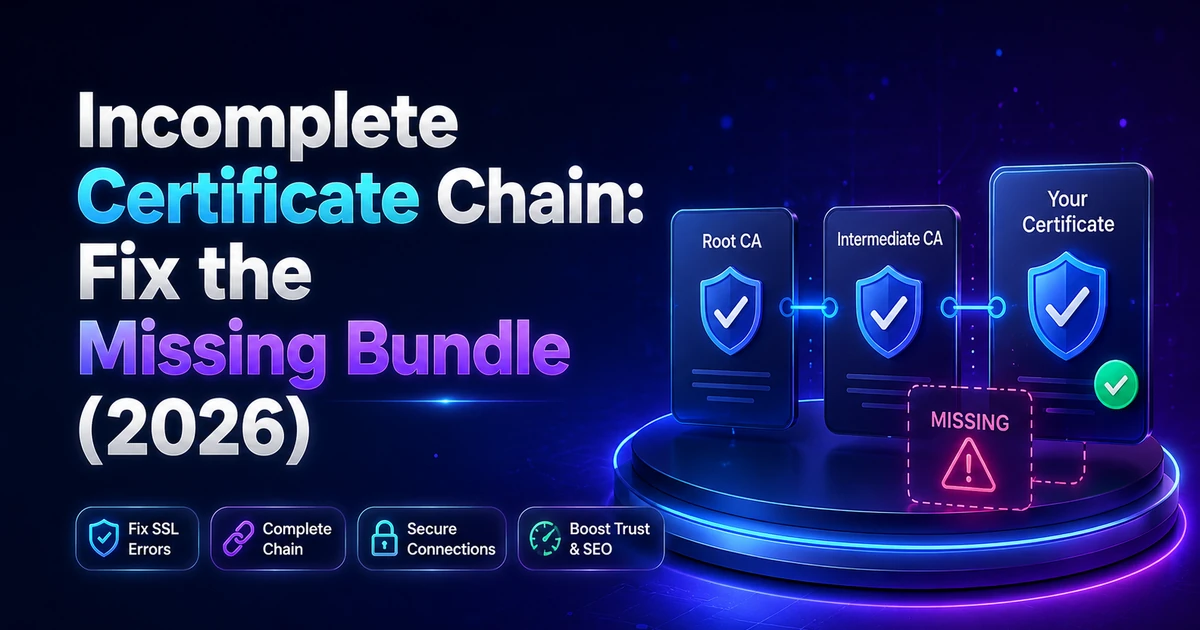
Your certificate is valid. Your laptop shows the padlock. Then a customer sends you a screenshot from their phone with a security warning on it, and your payment callbacks start failing at 2am while your own browser looks perfectly fine.
Quick answer (August 2026): An incomplete certificate chain means your server sends its own certificate but not the intermediate that links it to a trusted root. Desktop browsers often hide the gap by fetching that missing link themselves. Phones, curl and payment APIs will not. Install the CA bundle on whatever terminates TLS, reload, and the error clears.
Nothing is wrong with the certificate itself. Something is missing next to it.
This guide comes out of real support work: the engineers at Hostaccent work through 20-30 client site issues on any given day, and broken trust chains are a steady, unglamorous share of them. What follows is the same sequence we run internally. Confirm the fault, find which of five causes you have, apply the fix for your platform, then prove it is gone from a device that has never visited your site. No theory first. The theory is at the bottom, where it belongs.
What an Incomplete Certificate Chain Actually Means
Every public certificate sits in a chain of three links: your domain certificate at the bottom, one or two intermediate certificates in the middle, and a root certificate that browsers and operating systems already trust. Roots are kept offline for security, so the intermediate is the piece that proves your certificate came from a real authority. Your server has to send it.
Browsers ship with hundreds of root certificates baked in. They do not ship with intermediates. So when a client connects and receives only your leaf certificate, it has no path back to anything it trusts, and it fails with the message every sysadmin recognises: unable to get local issuer certificate. Cloudflare's explainer on how SSL certificates work covers the trust model in more depth, and Let's Encrypt's Chains of Trust page lists exactly which intermediates are live right now.
The certificate is not expired. It is not misconfigured for the domain. It is orphaned.
Why does my site work on my laptop but fail on my phone?
Because desktop browsers cheat on your behalf. Chrome and Edge on Windows perform AIA fetching, which means they read a URL embedded in your certificate and download the missing intermediate themselves. Firefox caches intermediates it has seen on other sites and reuses them. If you installed the certificate on that machine, your browser almost certainly already holds the intermediate in cache.
Which makes the computer you installed the certificate on the single worst device to test from.
Mobile browsers start with smaller caches. Android WebViews, older devices, curl, Java clients, cron jobs, webhook senders and payment gateways do no fetching at all. They see a broken chain and they stop. Monitoring tools log it as an SSL chain incomplete error, SSL Labs reports the site with chain issues and caps the grade, and your visitors just see a certificate chain error in the browser and leave.
The pattern we see most often looks like this: a store owner tests checkout on their own Mac, everything passes, and a slice of mobile buyers quietly bounces for days before anyone connects the two events. Nobody reports a bug. Revenue just softens.
The 60-Second Chain Check: Prove It Before You Change Anything
Three commands settle this in under a minute, and running them first stops you from rebuilding a certificate that was never broken. If openssl returns a single certificate and verify return code 21, your chain is incomplete. If it returns two or more certificates and code 0, the fault is somewhere else and you should stop reading here.
Start with the handshake itself:
bashopenssl s_client -connect example.com:443 -servername example.com -showcerts < /dev/null
Look at the block headed "Certificate chain" near the top. A healthy chain lists at least two entries: 0 s: is your domain certificate, 1 s: is the intermediate that signed it. One entry only means the intermediate is missing. Then read the last line of the output. Code 0 is a clean verification, 21 means the first certificate could not be verified, 20 means the local issuer could not be found, and 10 means expiry, which is a different problem entirely.
Second, ask curl, which does no AIA fetching and lies to nobody:
bashcurl -sSI https://example.com
A broken chain returns error 60 with the phrase "unable to get local issuer certificate". Third, run any external SSL checker and look specifically for the words "chain issues" rather than the overall grade.
| Symptom | What it means | Where to fix it | |---|---|---| | One certificate listed, verify code 21 | Intermediate not being sent | The server that terminates TLS | | Two certificates, verify code 0 | Chain is fine, look elsewhere | Nowhere, check DNS or app layer | | Verify code 10 | Certificate expired | Renew, then recheck the chain | | Verify code 18 | Self-signed certificate in use | Replace with a CA-issued certificate |
Pro Tip: The
-servernameflag is not optional on shared IPs. Without it, openssl skips SNI and you get the server's default virtual host, which is often a completely different site with a completely different certificate. We have watched engineers chase a phantom chain problem for an hour because they were testing someone else's vhost.
Five Causes, Ranked by How Often They Actually Bite
Almost every incomplete certificate chain we work through traces to one of five causes, and the first one accounts for more of them than the other four combined. Work down the list in order. Roughly nine times in ten you will stop at cause one or two, and neither requires reissuing anything.
Cause 1: the server points at cert.pem instead of fullchain.pem. Certbot writes both files. Only fullchain.pem contains the leaf plus the intermediate. Anyone who hand-edits a virtual host, copies a config between servers, or follows a half-remembered tutorial eventually points ssl_certificate at the wrong one. The site works, the padlock appears on the machine that did the install, and the chain is broken for everyone else.
Cause 2: CA bundle not installed. In cPanel the CABUNDLE box is technically optional, so people leave it empty and click Install. The certificate installs cleanly. The chain does not exist. Commercial certificates from any CA ship the bundle as a separate .ca-bundle or ca-bundle-client.crt file that has to be pasted in deliberately.
Cause 3: a missing intermediate certificate after a CA rotation. Authorities rotate intermediates on a schedule, and anything that pinned an old one breaks the moment issuance moves. This is live right now: Let's Encrypt introduced its Generation Y hierarchy (ISRG Root YR and YE) in late 2025, and configurations that hardcoded an older intermediate rather than deploying whatever the client hands them are the ones failing in 2026.
Cause 4: copy-paste damage. A truncated file, a missing newline between -----END CERTIFICATE----- and the next -----BEGIN CERTIFICATE-----, the intermediate pasted above the leaf instead of below it, or the root pasted where the intermediate should be. Any of these produce a file that looks right in a text editor and parses as one certificate.
Cause 5: fixed in one place only. Two web nodes behind a balancer and only one updated. Or the website fixed while mail and FTPS still reference the old file, which is why a chain problem sometimes surfaces first as 554 Message Rejected: Why It Happens and How to Fix It or as FTP 530 Login Authentication Failed: How to Fix It rather than as a browser warning.
From the ticket queue: According to Hostaccent's support-queue data (2026), SSL problems account for about 20% of the tickets we handle each month, behind WordPress issues at 30% and brute-force or malware cleanups at 25%. Chain faults are not the largest category. They are the one that takes longest to be reported, because the person who owns the site is usually the last person on earth to see it.
Fix It: cPanel, Nginx, and Apache
The fix is the same everywhere once you strip the platform away: get the correct intermediate, put it in the same file or field as your certificate with the leaf first, and reload the service that terminates TLS. Budget ten minutes. No certificate reissue is required, no DNS change, and no downtime beyond a graceful reload.
Step 1: get the right intermediate. Download the CA bundle from your certificate authority's dashboard, or take fullchain.pem from /etc/letsencrypt/live/yourdomain.com/ if you use certbot. Do not grab an intermediate that merely looks similar from a search result. It must be the one that signed your specific certificate.
Step 2: build and verify the file. Order matters. Leaf first, intermediate second, root omitted:
bashcat example_com.crt intermediate.crt > fullchain.crt openssl crl2pkcs7 -nocrl -certfile fullchain.crt | openssl pkcs7 -print_certs -noout
The second command prints subject and issuer for each certificate in sequence. Certificate one's issuer must equal certificate two's subject. If it does not, your order is wrong or you have the wrong intermediate.
Pro Tip: Check that a newline separates every
-----END CERTIFICATE-----from the-----BEGIN CERTIFICATE-----under it. Without that break, OpenSSL silently reads the file as a single certificate, your chain stays broken, and every visual inspection tells you the file is fine. This one costs people entire evenings.
Step 3, cPanel: open Security, then SSL/TLS, then Manage SSL Sites. Pick the domain, paste your certificate into the CRT box, and click Autofill by Certificate to pull the private key. Then paste the full bundle contents into the Certificate Authority Bundle (CABUNDLE) box, overwriting whatever is there, and click Install Certificate. On cPanel 134 and later this lives under SSL/TLS Certificates, then Installation.
Step 4, Nginx: point the directive at the combined file and reload. There is no separate chain directive in Nginx, which is why this trips people coming from Apache. The Nginx ssl_certificate documentation is explicit that the file must hold the chain.
nginxssl_certificate /etc/letsencrypt/live/example.com/fullchain.pem; ssl_certificate_key /etc/letsencrypt/live/example.com/privkey.pem;
bashnginx -t && systemctl reload nginx
Step 5, Apache: SSLCertificateChainFile became obsolete in Apache 2.4.8, when SSLCertificateFile was extended to load intermediates from the certificate file itself. On any modern build, delete the old directive and point SSLCertificateFile at your fullchain, per the Apache mod_ssl documentation. Then apachectl configtest && systemctl reload apache2.
Live site and no time to experiment? Our engineers fix this exact fault for a small one-time fee, and you see the exact quote before anyone touches your server. Hosted with Hostaccent? Then an issue like this is simply covered by support, at no charge. Have an engineer fix it.
When the Chain Breaks Behind Cloudflare or a Reverse Proxy
Fix the chain on the machine that finishes the TLS handshake, not the one running your application. That single sentence resolves most of the confusion in proxied setups, where a site can pass every browser test while the origin serves a broken chain to anything that reaches it directly.
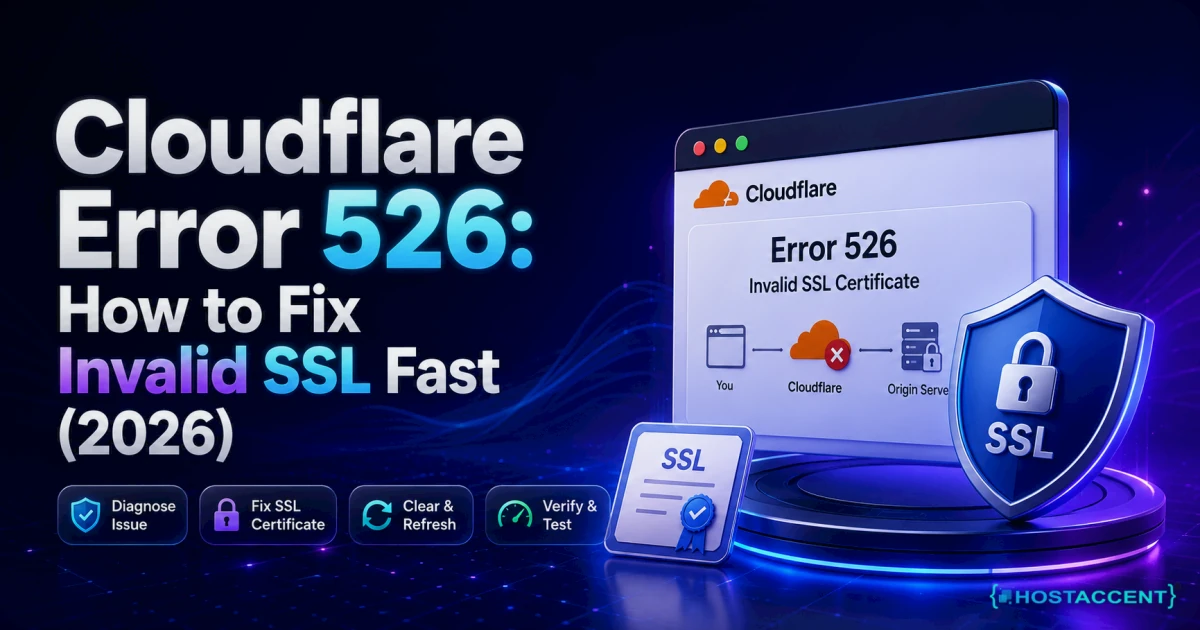
With Cloudflare proxying on, visitors receive a Cloudflare certificate at the edge, so your origin's broken chain is invisible in a browser. It is not invisible to Cloudflare. Under Full (strict), the edge validates your origin certificate on every request, and a missing intermediate there surfaces as Cloudflare Error 526: How to Fix Invalid SSL Fast (2026) rather than as a certificate warning. Same root cause, completely different symptom, which is why people fix the wrong layer.
On our own Cloudflare to Nginx to Apache stack, TLS terminates at the Nginx reverse proxy. The fullchain belongs in the Nginx server block. Apache behind it never negotiates with the public at all, so its certificate config matters only for direct-to-origin traffic and panel services, and a perfect Apache vhost will not save you if Nginx is pointing at cert.pem.
Load balancers behave the same way. Whichever tier presents the certificate to the client is the tier that needs the bundle.
Then there is the multi-IP trap. If your domain resolves to several A records, or you run a second node for failover, every one of them serves its own certificate files. Test each address individually rather than trusting the round-robin to hand you the broken one:
bashcurl -sSIv --resolve example.com:443:203.0.113.10 https://example.com
Insider Insight: Never judge an origin chain through a CDN. Either test the origin IP directly with
--resolve, or grey-cloud the record for two minutes while you check. Reading the edge certificate and concluding the origin is healthy is the most common false all-clear in this entire class of problem.
Verify the Fix, Then Stop It Coming Back
Re-run the same openssl command you started with. A fixed chain shows at least two certificates and verify return code 0, and that result should appear within seconds of the reload because nothing is cached at the protocol level. If the output has not changed, you reloaded a service that was not the one terminating TLS.
Then prove it on hardware that has no history with your site. Pull up the domain on a phone using mobile data rather than office WiFi, ideally a device that has never visited before, because a phone that loaded your site last week may still hold the intermediate. Run one external scanner and confirm the chain issues line is gone. External graders cache results, so request a fresh scan rather than reading yesterday's grade.
Four habits keep it from recurring:
- Reference
fullchain.pemin every config, permanently. There is no scenario on a public web server wherecert.pemalone is the right answer. - Attach a reload to renewal:
certbot renew --deploy-hook "systemctl reload nginx". A renewed certificate sitting on disk while the running process holds the old one is its own outage. - Monitor the chain, not just the expiry date. Most uptime monitors check whether the certificate is valid and never check whether the intermediate is being sent, which is exactly how this hides for weeks.
- Never pin an intermediate. Deploy whatever your CA hands you at renewal. Pinning is what turns a routine rotation into a Monday morning incident.
Certificate hygiene sits alongside the rest of your DNS and mail records, and the same neglect that leaves a bundle uninstalled tends to leave DKIM Record Not Found: How to Add & Verify It (2026) sitting in the queue too. If you are choosing infrastructure rather than repairing it, the checklist in our Domain & Hosting Buying Guide: What to Check First covers which of these jobs a host should be doing for you.
Your Next Step: An SSL Chain That Stays Fixed
If your openssl output now shows two certificates and code 0, you are done, and the one habit worth keeping is simple: always deploy the fullchain, never the leaf alone. Worth saying plainly, though: on a properly managed platform an incomplete certificate chain is a ten-minute fix that support handles before you notice it, not a Saturday you spend reading OpenSSL output. That is the difference our shared hosting is built around, with SSL installed and maintained for you, NVMe SSD storage, a 99.9% uptime guarantee, and the engineers who wrote this guide answering the Hostaccent support line. Start on the Economy plan at Economy — $1.99/mo, renewing at the same $1.99/mo, with 30 days to change your mind. One honest caveat: Economy is sized for a single site, so if you are running several, Standard is the better fit.
Still stuck? Open a ticket and you will get the exact quote before any work begins.
Frequently Asked Questions About SSL Chain Errors
How do I know if I have an incomplete certificate chain?
Run openssl s_client -connect yourdomain.com:443 -servername yourdomain.com and read two things. The Certificate chain block should list at least two certificates, your leaf and the intermediate above it. The final line should read verify return code 0. A single certificate, or code 20 or 21, confirms an incomplete certificate chain. Do not rely on your own browser, because desktop Chrome and Firefox fetch or cache the missing intermediate and will show a padlock over a broken chain.
Do I need to include the root certificate in the CA bundle?
No, and adding one blindly will not repair a missing intermediate. Clients already carry roots in their trust store, so sending yours only adds bytes to every handshake. What the server must send is the intermediate that actually signed your certificate. Some CAs ship a bundle containing both the intermediate and the root, and pasting that whole file is harmless. Just do not substitute a root for the intermediate and expect the chain to validate, because it will not.
Why did my SSL break after a certificate renewal?
Two usual reasons. Either the renewal wrote new files while the web server kept serving the old ones in memory, which a reload fixes immediately, or your config pointed at cert.pem all along and the previous certificate happened to be cached widely enough to mask it. A third possibility in 2026 is a pinned intermediate. Certificate authorities rotate intermediates on their own schedule, and anything hardcoding a specific one will break the moment issuance moves.
Does an incomplete chain hurt SEO or affect payments?
It can affect both, but payments break first and hardest. Googlebot is fairly tolerant, though a certificate error at crawl time can stall indexing. Payment gateways, webhook senders and mobile SDKs are strict by design, so callbacks fail silently while your site looks healthy in a desktop browser. That gap between what you see and what your customers experience is the real cost, because nobody files a bug report about a checkout that simply refused to complete.
Can Cloudflare fix a broken chain on my origin server?
Cloudflare hides the problem from visitors rather than fixing it. With proxying on, browsers receive Cloudflare's edge certificate, so your origin's missing intermediate never reaches them. Cloudflare itself still validates your origin under Full (strict), and a broken chain there produces error 526. Turn proxying off, or send a direct request to the origin IP, and the fault reappears instantly. Treat a CDN as a curtain over this issue, never as a repair.
Who should be fixing this if I am on shared hosting?
Your host should, and on a decent shared plan you should not be pasting bundles at all. Certificates are issued, installed and renewed at the platform level, chain included, which is the entire point of paying for managed infrastructure. If your provider tells you to source your own intermediate, that is a signal about the service rather than about the certificate. Open a ticket first, and the Hostaccent engineers who answer that ticket resolve most chain faults inside one reply.

Discussion
Have a question or tip about this topic? Share it below — your comment will appear after review.