
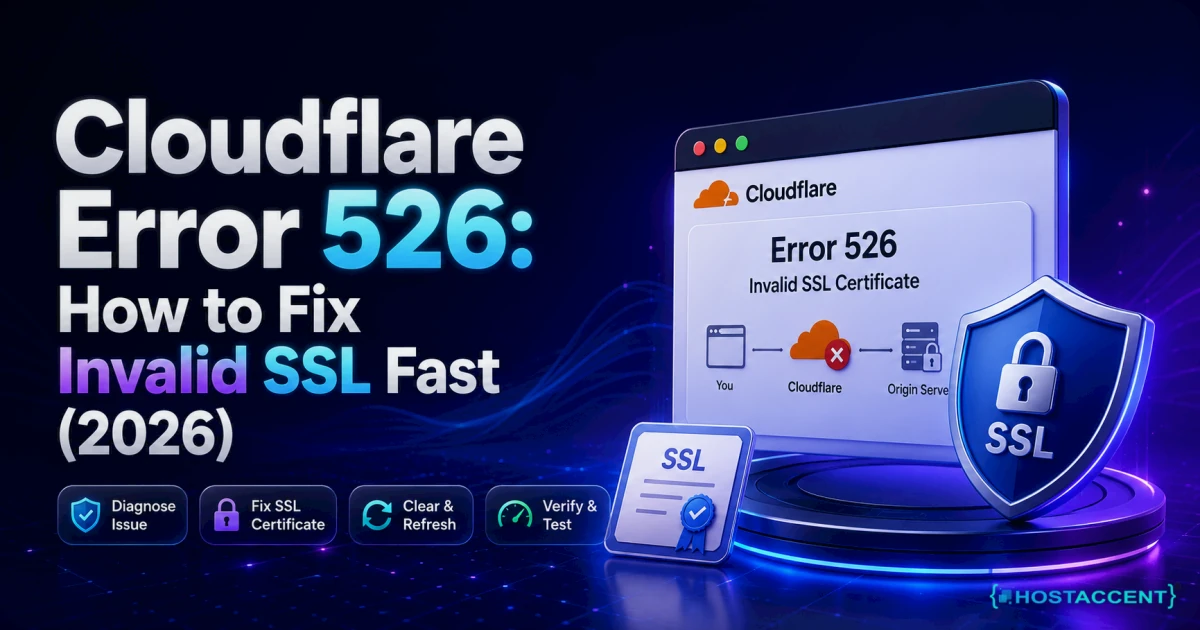
Your site is down. The Cloudflare branded page says 526, and everything you check looks fine — DNS resolves, the server is up, the site loads over plain HTTP. So what broke?
Here's the short version: nothing is wrong with your visitors' connection to Cloudflare. That leg is healthy. The break is on the second leg — Cloudflare reaching back to your own server — and Cloudflare refused to trust the certificate it found there.
Quick Answer: Cloudflare error 526 means Cloudflare could not validate the SSL certificate on your origin server while your encryption mode is set to Full (strict). The certificate is expired, self-signed, mismatched to your hostname, or missing its intermediate chain. Fix it by installing a valid, unexpired certificate that matches your domain on the origin — or temporarily switching to Full mode while you repair it. As of July 2026, expiry remains the single most common trigger.
Our team resolves 20-30 client issues every day, and SSL problems are a steady slice of that queue — so this guide is written from the actual fix path our engineers walk, not from theory. On stacks like Hostaccent's, a 526 almost always resolves in under 10 minutes once you know which of four causes you're looking at.
Let's find yours.
What Cloudflare Error 526 Actually Means
Cloudflare sits between your visitor and your server. Two separate encrypted connections exist, not one.
Leg one: visitor → Cloudflare edge. Cloudflare handles this with its own universal certificate, and it works.
Leg two: Cloudflare edge → your origin server. This is where 526 lives. When your SSL/TLS encryption mode is Full (strict), Cloudflare doesn't just encrypt this leg — it verifies the certificate your server presents, exactly the way a browser would. Wrong certificate, no connection. Cloudflare returns 526 and stops.
That verification is the entire point of strict mode, and it's why the error exists. Cloudflare's SSL/TLS encryption modes documentation spells out the difference: Full encrypts but accepts anything, Full (strict) encrypts and validates.
So a 526 is not a bug. It's your proxy doing its job and telling you something at the origin is genuinely wrong.
The confusing part for most people is that the site "looks" fine. Hit the origin IP directly on port 443 and it responds. But responding isn't the same as presenting a valid, trusted, unexpired, correctly-named certificate — and Cloudflare checks all four.
Pro Tip: Error 526 and Error 525 are siblings, not twins. A 525 means the TLS handshake to your origin failed outright — usually a cipher, protocol, or port problem. A 526 means the handshake succeeded and Cloudflare then rejected the certificate on inspection. If you're not sure which you're chasing, the Cloudflare Error 525: How to Fix SSL Handshake Failed breakdown covers the other side.
The 4 Causes, Ranked by How Often We Actually See Them
Not every cause is equally likely. In our experience, the distribution is lopsided — and knowing the order saves you twenty minutes of poking at the wrong thing.
1. The origin certificate expired. Far and away the most common. Let's Encrypt certificates are valid for 90 days, and if the renewal cron broke three weeks ago you'd never know until the day it lapsed. Check this first, always.
2. The certificate is self-signed or from an untrusted issuer. Common on freshly provisioned VPS boxes, staging environments, and anything set up in a hurry. Full (strict) will not accept a self-signed cert. Full will. That difference is the whole error.
3. The hostname doesn't match. The certificate covers example.com but Cloudflare is connecting to www.example.com, or a wildcard *.example.com cert is being asked to cover example.com itself (it doesn't — wildcards cover one level down, not the apex).
4. The intermediate chain is missing. Your server sends only the leaf certificate and omits the intermediate CA. Browsers often paper over this by fetching the missing link themselves. Cloudflare does not. This is the cause people burn the most time on, because the certificate genuinely is valid — it's just incompletely served.
There's a fifth, rarer case: multiple sites on one IP where SNI is misconfigured, so Cloudflare gets served the wrong virtual host's certificate entirely.
Insider Insight: Before you change anything, run one command.
curl -svI https://YOUR-ORIGIN-IP --resolve yourdomain.com:443:YOUR-ORIGIN-IPtells you what the origin is actually presenting — bypassing Cloudflare completely. Nine out of ten times the answer is sitting in that output and you've diagnosed the whole thing in 30 seconds.
Step 1: Diagnose Before You Touch Anything
Find the real cause first. Guessing here is how people end up with a broken cert and a broken vhost config.
SSH into your origin and run:
bash## Replace with your actual domain and origin IP openssl s_client -connect YOUR-ORIGIN-IP:443 -servername yourdomain.com < /dev/null 2>/dev/null | openssl x509 -noout -dates -subject -issuer
Read the output line by line:
notAfteris in the past → cause #1, expired. Go to Step 2.issuermatches thesubject→ cause #2, self-signed. Go to Step 3.subjectCN doesn't match your hostname → cause #3. Go to Step 4.- All three look correct → cause #4, chain. Go to Step 5.
To check the chain specifically:
bashopenssl s_client -connect YOUR-ORIGIN-IP:443 -servername yourdomain.com -showcerts < /dev/null 2>/dev/null | grep -c "BEGIN CERTIFICATE"
A result of 1 means you're serving only the leaf — that's your problem. You want 2 or 3.
Step 2: Fix an Expired Certificate
This is the one you'll hit most. Renew it.
Let's Encrypt via Certbot:
bashsudo certbot renew --force-renewal sudo systemctl reload nginx ## or: sudo systemctl reload apache2
If renewal fails rather than succeeds, you have a second problem underneath the first — usually a port 80 block, a webroot path that moved, or a DNS challenge that can't complete. Our Certbot Renewal Failed? Fix Let's Encrypt SSL (2026) walkthrough covers each failure mode.
cPanel/WHM: SSL/TLS Status → select the domain → Run AutoSSL. Watch the log; AutoSSL silently skips domains whose DNS doesn't currently point at the server, which is a trap during migrations.
Plesk: Websites & Domains → SSL/TLS Certificates → Reissue Certificate.
Now check whether the renewal actually took effect:
bashecho | openssl s_client -connect localhost:443 -servername yourdomain.com 2>/dev/null | openssl x509 -noout -dates
If the old date is still showing, the certificate renewed on disk but your web server is still holding the old one in memory. Reload — don't just restart PHP-FPM and hope.
Pro Tip: Certbot writes to
/etc/letsencrypt/live/yourdomain.com/via symlinks, and those symlinks repoint on every renewal. If your Nginx or Apache config hardcodes a path like/etc/letsencrypt/archive/yourdomain.com/cert3.pem, it will keep serving a stale certificate forever, silently, until it expires and you get a 526. Always point at thelive/symlink. We find this exact misconfiguration regularly in the tickets we handle after someone has "fixed" their SSL by hand.
Step 3: Replace a Self-Signed or Untrusted Certificate
A self-signed certificate encrypts fine. It just proves nothing, and Full (strict) mode wants proof.
You have two clean options.
Option A — Cloudflare Origin CA certificate (recommended when you're behind Cloudflare). In your Cloudflare dashboard: SSL/TLS → Origin Server → Create Certificate. Cloudflare issues you a certificate valid up to 15 years, trusted by Cloudflare's edge specifically. Install the certificate and key on your origin, point your vhost at them, reload. This is purpose-built for exactly this connection and it's free.
The trade-off, and it matters: an Origin CA certificate is trusted only by Cloudflare. If anyone reaches your origin IP directly, their browser will throw a warning. That's fine when Cloudflare is always in front. It's not fine if you need the origin publicly reachable.
Option B — a real publicly-trusted certificate. Issue a standard Let's Encrypt certificate on the origin. Free, publicly trusted, and works whether or not Cloudflare is proxying. The documentation at Let's Encrypt covers the ACME challenge types if port 80 is unavailable to you.
Hostaccent's own control panel provisions and auto-renews Let's Encrypt certificates on every plan, which removes this entire failure class — the renewal cron is managed rather than something you remember to check.
Step 4: Fix a Hostname Mismatch or Missing Chain
Hostname mismatch. Reissue the certificate covering every hostname Cloudflare might use. That means both apex and www:
bashsudo certbot --nginx -d yourdomain.com -d www.yourdomain.com
For wildcards, remember the rule: *.example.com covers blog.example.com and shop.example.com — it does not cover example.com. You need both entries on the certificate.
Missing chain. This is the fix people get wrong. You must serve the leaf and the intermediate, concatenated, in the right order — leaf first, then intermediate.
Nginx:
nginxssl_certificate /etc/letsencrypt/live/yourdomain.com/fullchain.pem; ## fullchain, NOT cert.pem ssl_certificate_key /etc/letsencrypt/live/yourdomain.com/privkey.pem;
That's it. fullchain.pem already contains leaf + intermediate. Using cert.pem instead is the single most common chain mistake, and it's a one-word fix. The ngx_http_ssl_module reference documents the directive.
Apache 2.4.8 and later:
apacheSSLCertificateFile /etc/letsencrypt/live/yourdomain.com/fullchain.pem SSLCertificateKeyFile /etc/letsencrypt/live/yourdomain.com/privkey.pem
Older Apache builds used a separate SSLCertificateChainFile directive — the mod_ssl documentation has the deprecation details. On 2.4.8+, don't use it.
Test the config, then reload:
bashsudo nginx -t && sudo systemctl reload nginx ## Apache: sudo apachectl configtest && sudo systemctl reload apache2
From the Ticket Queue: SSL problems account for roughly 20% of the support tickets Hostaccent handles in a typical month — first-party data from our own queue. The overwhelming majority trace back to a renewal that quietly stopped running, not to anything exotic.
Confirm the Fix and Stop It Coming Back
Verify from outside your server, not from inside it:
bashcurl -svI https://yourdomain.com 2>&1 | grep -E "HTTP/|expire|subject|issuer"
You want a 200, a future expiry date, and your own hostname in the subject. Then purge the Cloudflare cache and hard-refresh — a cached error page will convince you the fix failed when it worked. If you now see a redirect loop instead of a 526, that's a different problem and Too Many Redirects WordPress: Fix the Loop Fast (2026) covers it.
Still seeing 526 after 5 minutes? Check that Cloudflare is connecting to the IP you think it is — an old A record pointing at a decommissioned box will happily serve you an ancient certificate.
Prevention, in order of value:
- Monitor expiry, don't trust the cron. Set an alert 14 days out. A renewal cron that fails silently is worse than no cron.
- Never hardcode
archive/paths. Point atlive/. - Verify after every migration. Moving servers is when certificates most often get left behind — that's cause #1 and cause #3 arriving together.
- Use Full (strict), keep it there. Downgrading to Full permanently is not a fix, it's turning off the smoke alarm.
If certificate errors are a recurring theme for you, SSL Certificate Errors: How to Fix 12 Common Issues (2026) maps the broader set, and Your Connection Is Not Private'? How to Fix It (2026) covers the browser-side equivalent your visitors see. For unrelated access failures, 403 Forbidden Error: How to Fix It (Step-by-Step 2026) is the one you want.
The Fix, Summarised
Three things to take away:
- Check expiry first. It's cause #1 by a wide margin, and one
opensslcommand settles it. - Use
fullchain.pem, nevercert.pem. The missing-intermediate bug wastes more hours than any other cause on this list, and it's a one-word edit. - Diagnose before you edit. Thirty seconds with
curl --resolvebeats twenty minutes of guessing.
And don't leave Full mode on as a permanent workaround. It hides the 526; it doesn't fix it.
If You'd Rather Not Manage Certificates by Hand
Every cause of cloudflare error 526 in this guide comes back to the same root: certificate lifecycle management that someone has to own. On managed hosting, that someone isn't you — Let's Encrypt certificates are provisioned and auto-renewed at the platform level, so the 90-day clock never becomes your problem.
Hostaccent Limited is a UK-registered hosting company (Companies House 11431799, incorporated 2018), trading since 2012, with 10,000+ websites launched and 4,000+ migrations behind us. Our Shared Hosting starts at $1.99/mo for the Economy plan (renews at $1.99/mo — no jump), with free auto-renewing SSL, NVMe SSD storage, a 99.9% uptime guarantee, and a 30-day money-back guarantee.
Honest limitation: if you need a custom origin certificate configuration or root-level control over your TLS stack, shared hosting isn't the right fit — a VPS is. This plan is for people who want SSL to just work.
Frequently Asked Questions
What does cloudflare error 526 mean?
It means Cloudflare could not validate the SSL certificate on your origin server while your encryption mode is Full (strict). The certificate is expired, self-signed, doesn't match the hostname, or is missing its intermediate chain. Cloudflare refuses the connection rather than trusting an unverified origin.
Is Error 526 a Cloudflare problem or my server's problem?
It's your origin server's problem, essentially always. Cloudflare is reporting a fault it found, not causing one. The certificate your server presents failed validation. Fix the certificate at the origin and the error clears — there's nothing to change on Cloudflare's side.
Can I fix a 526 by switching to Full mode?
You can make it disappear, which isn't the same thing. Full mode encrypts the origin connection but skips validation, so an expired or self-signed certificate passes unnoticed. Use it for 10 minutes while you repair the real certificate, then switch back to Full (strict). Leaving it off permanently is a security downgrade.
Why does my certificate work in a browser but trigger a 526 invalid ssl certificate error?
Almost always a missing intermediate chain. Browsers cache intermediates and fetch missing ones automatically; Cloudflare does neither. Your certificate is genuinely valid — your server just isn't sending the full chain. Switch your config from cert.pem to fullchain.pem and reload.
What's the difference between Error 525 and Error 526?
A 525 is a failed TLS handshake — Cloudflare couldn't establish an encrypted connection at all, usually a port, protocol, or cipher issue. A 526 is a successful handshake followed by a rejected certificate. The handshake worked; the trust check didn't. Error 520 is broader still: Cloudflare got a response, but one it couldn't parse at all, so it's treated as a catch-all rather than a single root cause.
Does a Cloudflare Origin CA certificate fix the cloudflare full strict ssl error?
Yes, and it's free and valid for up to 15 years. Generate it under SSL/TLS → Origin Server, install it on your origin, reload the web server. One caveat: it's trusted only by Cloudflare's edge, so direct-to-origin visitors will see a browser warning.
How do I stop an origin certificate invalid error from happening again?
Monitor expiry independently of your renewal cron — alert at 14 days remaining. Point your web server config at the live/ symlink, never a hardcoded archive/ path. Verify SSL after every server migration. Or use managed hosting where renewals are handled at the platform level.




Discussion
Have a question or tip about this topic? Share it below — your comment will appear after review.