
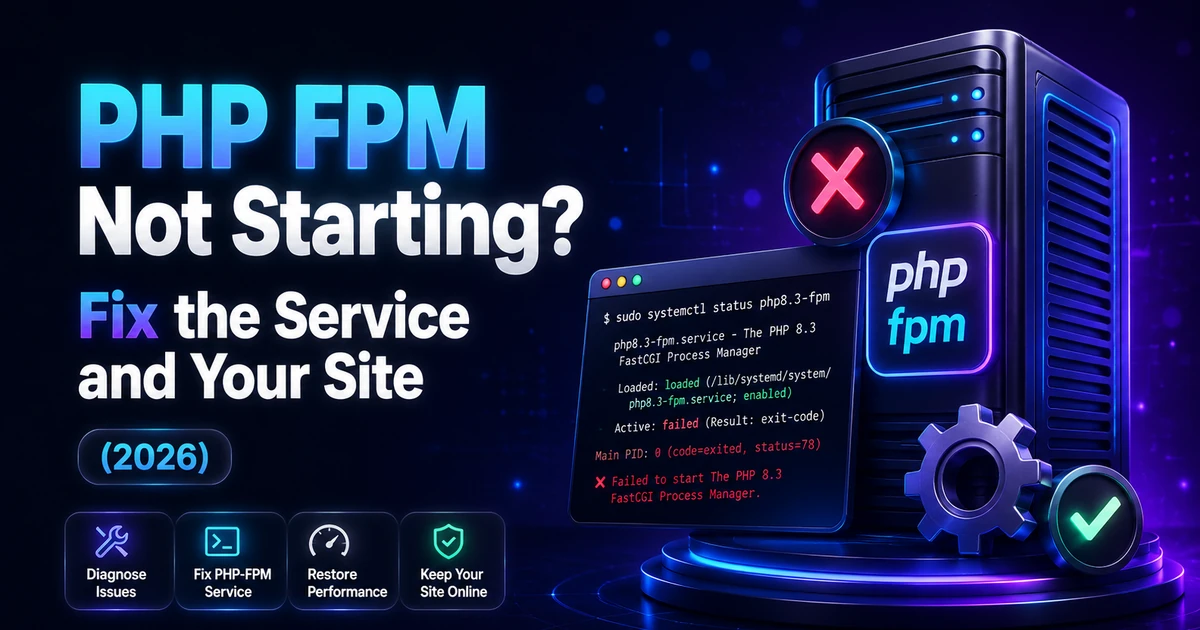
Every page on your site returns 502. Static images still load fine. Then systemctl status prints a red failed line and you realise the problem is PHP FPM not starting, not the web server itself.
Quick answer (as of August 2026): PHP-FPM refuses to start for three reasons in almost every case: a bad config or pool file, which systemd reports as status=78/CONFIG; a socket or TCP port that is missing, locked, or owned by the wrong user; or a version and extension mismatch left behind by an upgrade. Test the config first with php-fpm8.3 -t, then read the journal.
Nothing on disk is lost when this service dies. Your files, your database and your SSL certificates are all still sitting there, waiting for a process manager that will actually boot. On a managed stack like Hostaccent's, this class of failure is a support job that takes minutes. On a server you run yourself, it is usually a ten-minute job once you know which of the three failure classes you are in.
We handle 20-30 client site issues every day, and this one arrives with the same panicked opening message almost every time. What follows is the whole fix, in the order our engineers actually work through it, with the exact commands and file paths.
What PHP FPM Not Starting Actually Means for Your Site
PHP-FPM is the process manager that executes your PHP code. Nginx and Apache do not run PHP themselves: they hand the request to FPM over a Unix socket or TCP port 9000, then wait for HTML to come back. When FPM is down, that handoff fails instantly, and the web server answers with 502 Bad Gateway while static files keep loading normally.
That split is your first diagnostic clue. If your logo, CSS and JavaScript still load but every PHP page is dead, the web server is alive and the PHP layer is not. If nothing loads at all, you are looking at a different problem, and our guide on 502 Bad Gateway Nginx errors walks through the wider set of causes.
Your data is safe. A stopped service does not touch the filesystem or the database. WordPress posts, uploads, customer orders and certificates are untouched. The only thing you lose is uptime, which is exactly why the calm approach beats the panicked one here.
Do I need to reinstall PHP to fix this?
Almost certainly not. In our experience, a reinstall is what people try at minute five and regret at minute forty, because it overwrites the pool tuning they spent months getting right. The service is telling you what is wrong in its own logs. Read those first.
The 90-Second FPM Triage. Three commands, in this order, on any Debian, Ubuntu, RHEL or AlmaLinux box. They identify the cause in almost every case we see:
systemctl status php8.3-fpm --no-pager -l— gives you the exit code and the last few log lines.journalctl -xeu php8.3-fpm --since "10 min ago"— gives you the full error, including the specific file or socket that failed.php-fpm8.3 -t— validates the configuration without starting anything, and prints the offending line number.
Swap 8.3 for your actual version. On RHEL-family systems the unit is usually just php-fpm. That third command is the one people skip, and it is the one that solves most cases outright. The official PHP FPM configuration reference documents every directive it validates.
The Causes We See Most, Ranked by Real Frequency
Six causes account for nearly all of these tickets. The rough split below reflects the pattern we see in our own queue rather than a formal study, so treat the percentages as operational estimates. According to Hostaccent's own support-queue data (August 2026), Linux server issues account for roughly 25% of the tickets we handle in a month, and a dead FPM service is one of the most frequent single items inside that slice.
- Broken or stale pool config (~40%). A pool file points at a directory that no longer exists, or references a Linux user that was deleted. Common after removing a site or an account.
- Socket or port conflict (~25%). An old master process still holds the socket, or two PHP versions both want port 9000.
- Wrong unit name or missing service (~15%). The service exists but not under the name you typed.
- Missing extension after an upgrade (~10%). A
.sofile referenced in an ini file vanished during a version change. - Out of memory (~7%). The kernel killed FPM, or it cannot fork the children its config demands.
- Disk or inode exhaustion (~3%). Nothing can write, so nothing can start.
Here is the lookup table. Find your log line, jump to the fix:
| Log line you see | What it actually means | Where to fix it |
|---|---|---|
| status=78/CONFIG | Config or pool file rejected | Config section below |
| failed to open configuration file | php-fpm.conf missing or moved | Config section below |
| the chdir path ... does not exist | Stale pool from a deleted site | Config section below |
| cannot get uid for user | Pool references a deleted Linux user | Config section below |
| Another FPM instance seems to already listen | Old master still holding the socket | Socket section below |
| Address already in use (98) | Port 9000 taken by another version | Socket section below |
| Unit php-fpm.service not found | Wrong unit name for your distro | Upgrade section below |
| Unable to load dynamic library | Extension .so missing after upgrade | Upgrade section below |
If you are on shared hosting rather than a VPS, none of these commands are available to you, and the symptom usually points somewhere else entirely. Our breakdown of shared hosting resource limits covers what that looks like. On a VPS with tight memory, read the notes on a VPS running out of RAM alongside cause five.
Fix the Config Errors Behind status=78/CONFIG
Exit code 78 is systemd repeating what FPM told it: the configuration was rejected, so nothing started. This is the single largest bucket of failures, and it is also the fastest to fix, because php-fpm8.3 -t prints the exact file and line that broke. Roughly 4 in 10 of the cases our team clears are resolved inside 5 minutes by this one command.
Run the test:
bashphp-fpm8.3 -t
A clean result reads configuration file /etc/php/8.3/fpm/php-fpm.conf test is successful. Anything else names your culprit. Three patterns cover most of them.
The config file is missing. The log says failed to open configuration file '/etc/php/8.3/fpm/php-fpm.conf': No such file or directory (2). This happens after a partial upgrade, a purge, or a hand-edited path. Check what actually exists with ls -la /etc/php/8.3/fpm/, then restore the file from your backup or reinstall only the fpm package with apt install --reinstall php8.3-fpm.
A pool points at a deleted directory. The log names a chdir path that no longer exists, usually because a site or hosting account was removed while its pool file stayed behind. Find it:
bashgrep -R "chdir" /etc/php/8.3/fpm/pool.d/
Move the orphan out of the way rather than deleting it, so you can put it back if you guessed wrong:
bashcp -a /etc/php/8.3/fpm/pool.d/olddomain.conf /root/olddomain.conf.bak mv /etc/php/8.3/fpm/pool.d/olddomain.conf /root/olddomain.conf.disabled systemctl reset-failed php8.3-fpm systemctl start php8.3-fpm
A pool references a deleted user. The error reads cannot get uid for user 'someuser'. Open the pool file, check the user and group lines, and point them at a user that exists (www-data on Debian and Ubuntu, nginx or apache on RHEL-family systems). Verify with id www-data before restarting.
Pro Tip:
systemctl reset-failedmatters more than people think. After several failed start attempts, systemd applies rate limiting and refuses further starts even once your config is correct. If your fix looks right but the service still will not launch, reset the failed state, then start it.
Fix a Missing or Locked PHP-FPM Socket
The second bucket is about ownership of a listening address. FPM has valid config, tries to claim its socket or its TCP port, finds it already taken or impossible to create, and exits. Two log lines dominate here: Another FPM instance seems to already listen on /run/php/php8.3-fpm.sock, and unable to bind listening socket for address '127.0.0.1:9000': Address already in use (98).
Case one: a zombie master process. The service was stopped badly, or a manual php-fpm run left a process behind. Check first, then clear it:
bashps -ef | grep [p]hp-fpm ss -lnp | grep -E 'php|9000'
If you see a master process that systemd does not know about, stop the service, kill that PID specifically, then start again. Reach for killall php-fpm8.3 only after you have looked at what is actually running, because on a multi-version box it takes down more than you intended.
Case two: the runtime directory vanished after a reboot. /run is a tmpfs, so it is rebuilt empty every boot. If FPM was configured with a custom socket path under a directory that nothing recreates, you get a php-fpm socket missing on every restart, and the service dies before Nginx ever connects. The fix is to let systemd own the directory, by adding RuntimeDirectory=php to a drop-in at /etc/systemd/system/php8.3-fpm.service.d/override.conf, then running systemctl daemon-reload.
Case three: the socket exists but the web server cannot read it. FPM starts cleanly, and you still get 502. That is a permissions mismatch. In your pool file, listen.owner and listen.group must match the user Nginx runs as:
bashlisten = /run/php/php8.3-fpm.sock listen.owner = www-data listen.group = www-data listen.mode = 0660
Then confirm the path in your Nginx fastcgi_pass directive matches character for character. A stale php8.1-fpm.sock left in a vhost after a PHP upgrade is one of the most common versions of this. The Nginx FastCGI module documentation covers the directive syntax.
Insider Insight: before you change a socket path, run
ss -lnp | grep phpand write down what is actually listening right now. Our team has cleared this exact failure on servers where three PHP versions were installed and two of them were quietly fighting over port 9000. The listening table tells you the truth; the config file only tells you the intention.
Live site down and no appetite for experiments? Our engineers fix this exact failure for a small one-time fee, and you see the precise quote before anyone touches your server. Hosted with Hostaccent? Then a dead service like this is simply covered by your support, at no extra cost. Have an engineer fix it
Fix Version, Extension and Memory Failures After an Upgrade
Upgrades cause the third bucket, and they produce the most confusing errors, because the service you are trying to start sometimes does not exist under the name you are using. If your PHP FPM service won't start immediately after apt upgrade or a panel-driven version switch, start by confirming what is actually installed rather than what you expect.
"Unit php-fpm.service not found." On Debian and Ubuntu the unit is versioned: php8.3-fpm, not php-fpm. This produces a PHP FPM start error on Ubuntu that looks alarming and means almost nothing. List what exists:
bashsystemctl list-units --type=service | grep -i php ls /lib/systemd/system/ | grep php
Start the versioned name you find. If nothing appears at all, the fpm package is genuinely not installed: apt install php8.3-fpm.
"Unable to load dynamic library." After a version change, ini files in /etc/php/8.3/fpm/conf.d/ can still point at .so files built for the old version. FPM reports the warning, then fails initialization. Find the broken reference:
bashphp-fpm8.3 -t 2>&1 | grep -i "unable to load"
Then disable the specific ini file it names by renaming it with a .disabled suffix, and reinstall that extension for the current version. Third-party extensions like monitoring agents are the usual offenders, since distribution packages are normally rebuilt for you.
Memory failures. These are the cases that are genuinely not a ten-minute fix, and pretending otherwise would be dishonest. If dmesg -T | grep -i "killed process" shows the kernel terminating php-fpm, the server ran out of RAM. Two culprits: pm.max_children set higher than your memory can support, or a single leaking process. As a starting rule, divide your available memory by the average process size, which you can read with ps --sort -rss -eo rss,comm | grep php-fpm. On a 2GB VPS with processes averaging 80MB, a pm.max_children of 50 is arithmetic that cannot work.
Database timeouts often ride alongside these failures, and the symptoms overlap. If you also see connection errors in your PHP logs, our write-up on MySQL server has gone away covers that pairing. For Apache users, the equivalent proxy configuration is documented in the Apache mod_proxy_fcgi reference.
Confirm the Fix and Stop It Coming Back
A service that starts is not proof that your site works. Confirm all three layers before you close the incident: the process is running, the socket is listening and correctly owned, and a real PHP request returns 200. That takes about 60 seconds and prevents the second outage that follows a premature "fixed it" message.
Run these in order:
bashsystemctl is-active php8.3-fpm systemctl is-enabled php8.3-fpm ss -lnp | grep php curl -I -s https://yourdomain.com/ | head -n 1
is-enabled is the one people forget. A service that is active now but disabled will be gone after your next reboot, which is how a Tuesday fix turns into a Saturday outage. Enable it with systemctl enable php8.3-fpm.
Prevention comes down to four habits. First, never restart FPM without testing the config: php-fpm8.3 -t && systemctl restart php8.3-fpm runs the restart only if the test passes, and that single && has saved more sites than any monitoring tool. Second, when you remove a site or an account, remove its pool file in the same breath. Stale pools are the largest cause in the ranking above, and they are entirely self-inflicted. Third, size pm.max_children against real memory, not optimism. Fourth, monitor the service rather than the homepage, so you learn about a failure before your customers do.
Pro Tip: hold PHP back from unattended upgrades on production boxes. Set PHP packages to a hold with
apt-mark hold php8.3-fpm, then upgrade deliberately during a window when you can watch the logs. Automatic security updates are worth keeping for everything else.
One more habit worth building: know your restore path before you need it. We found that the clients who recover fastest are the ones who had already tested a restore, not the ones with the most backups. If PHP errors are being swallowed silently, turn on proper logging using the WordPress debugging documentation so the next failure leaves evidence. And once the service is stable, the performance work is worth doing too: our guide to fixing high TTFB in WordPress covers the opcache and pool tuning that keeps FPM comfortable under load.
Your Next Step: Fixed It, or Want It Handled?
You now know the difference between a config rejection, a locked socket and a memory kill, which is more than most people managing their own server ever learn. If you fixed it yourself, keep the -t && habit and you may never see this again. If you would rather this class of problem simply belonged to someone else, that is what managed infrastructure is for: start on the Basic VPS plan at $7.99/mo, with free 30 Gbps DDoS protection and a 99.9% uptime guarantee, or take the Economy shared plan at $1.99/mo if you would rather not run a server at all. Honest caveat: VPS plans include full root access but no bundled control panel licence, since cPanel alone runs $30+/mo. Still stuck? Open a ticket and Hostaccent's engineers will quote you first, so PHP FPM not starting never becomes your emergency again.
Frequently Asked Questions About PHP-FPM Startup Failures
Why is PHP FPM not starting after a server reboot?
Two causes explain nearly all reboot-specific failures. Either the service is not enabled, so systemd never launches it at boot, or the socket lives in a /run subdirectory that nothing recreates, since /run is wiped on every boot. Check systemctl is-enabled php8.3-fpm first. If that returns enabled, add RuntimeDirectory=php to a systemd drop-in so the directory is created before FPM tries to bind its socket.
What does exit code 78 mean for php-fpm.service?
Exit code 78 maps to EX_CONFIG, which means FPM read your configuration, rejected it, and quit before starting any workers. It is a configuration error, never a hardware or network problem. Run php-fpm8.3 -t and the validator prints the exact file and line responsible. The three most common triggers are a missing php-fpm.conf, a pool pointing at a deleted directory, and a pool referencing a Linux user that no longer exists.
Why does systemctl say "Unit php-fpm.service not found"?
Because Debian and Ubuntu name the unit by version. The service is php8.3-fpm, or php8.2-fpm, not the generic php-fpm used on RHEL-family systems. Run systemctl list-units --type=service | grep -i php to see the real name, then use that. If the search returns nothing at all, the FPM package genuinely is not installed on that server, and apt install php8.3-fpm will fix it in under a minute.
Can I run my website without PHP-FPM while I fix it?
Technically yes, by switching Apache to mod_php or CGI, but we would not recommend it during an incident. Swapping the PHP handler mid-outage introduces a second set of variables while you are still diagnosing the first, and mod_php performs noticeably worse under concurrency. Fixing FPM is almost always faster than migrating away from it. Put a maintenance page up instead, then work the log methodically.
How do I tell whether PHP-FPM crashed or never started?
The journal timestamps answer this. If you see NOTICE: ready to handle connections followed later by a termination or nothing at all, the service started and then died, which points at memory pressure or a killed process. Check dmesg -T | grep -i "killed process". If the log jumps straight from Starting The PHP FastCGI Process Manager to a failure with no ready message, it never started, and the cause is configuration.
Should I reinstall PHP to fix a dead FPM service?
Reinstalling is the last thing to try, not the first. It rewrites your pool files, so the socket ownership and pm.max_children values you tuned disappear with it. Across the 10,000+ sites launched and 4,000+ migrations behind Hostaccent's support desk, a UK-registered host operating since 2012 and incorporated in 2018, nearly every dead FPM service traced back to one named file in the journal output. Read the log, fix that file, keep your configuration.

![Terminal screenshot showing nginx won't start with nginx: [emerg] error and the nginx -t config test command in 2026](/blog-images/posts/nginx-wont-start.webp?v=1782665447625)


Discussion
Have a question or tip about this topic? Share it below — your comment will appear after review.