
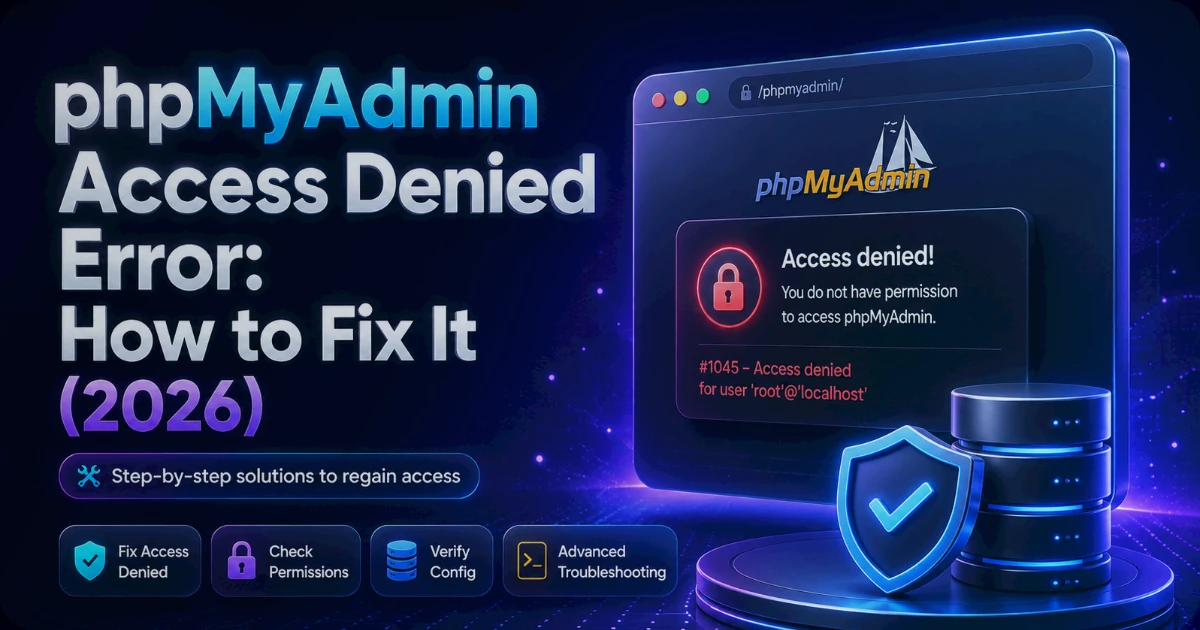
Your database was working five minutes ago. Now phpMyAdmin throws a red banner — Access Denied — and either your site's admin area or the tool itself won't let you in. If you're staring at a phpMyAdmin Access Denied message right now, take a breath: this is one of the most common and most fixable database errors there is, and you almost certainly haven't lost any data.
Nine times out of ten, the culprit is boring — a wrong password, a host that doesn't match, or a database user missing a single privilege. Not a hack, not corruption, not a dead server.
According to Hostaccent's support-queue data (as of July 2026), login and privilege errors like this sit among the most common Linux-server tickets our engineers handle — we clear 20-30 of them on a typical day. This guide is that queue written up: the exact checks we run, in the order we run them, so you can fix it yourself in a few minutes.
Quick Answer: A phpMyAdmin Access Denied error is MySQL error 1045 — the database received your login and rejected it. The full message reads
Access denied for user 'name'@'host' (using password: YES). It's an authentication failure, not data loss. As of July 2026, three causes explain most cases: wrong credentials, a host mismatch (localhost vs 127.0.0.1), and a user without privileges on that database.
Work through the causes below in order. The first check usually clears it.
What the phpMyAdmin Access Denied Error Actually Means
A phpMyAdmin Access Denied error is MySQL error 1045: the database server received your login attempt and refused it. The full text reads Access denied for user 'name'@'host' (using password: YES). It is purely an authentication failure — the server is up, your tables are intact, and nothing has been deleted. This is the MySQL access denied error 1045 in full, and every word in it is a clue.
Read the message left to right and it hands you the diagnosis.
The 'name' is the username MySQL tried to authenticate. If it says 'root' but you meant to log in as your site's database user, the wrong account is being used. The 'host' — the part after the @ — is where MySQL thinks the connection came from. And (using password: YES) means a password was sent but rejected; (using password: NO) means no password was sent at all, which points at a blank or missing password field rather than a wrong one.
That last detail matters more than most guides admit. YES and NO send you down two completely different fix paths. YES means "I got your password and it's wrong." NO means "you didn't give me one."
Reading the error message line by line
Here's the part that trips people up: in MySQL and MariaDB, 'user'@'localhost' and 'user'@'127.0.0.1' are two different accounts. One connects over a local socket file, the other over TCP on port 3306. Grant access to one and connect as the other, and you get Access Denied even with a perfect password. If your phpMyAdmin login failed despite credentials you're certain are right, this host mismatch is the first suspect.
None of this means your site is broken beyond a login. A slow WordPress site is a performance problem; this is an access problem. Different fix, calmer situation.
What Causes phpMyAdmin Access Denied (Ranked by How Often We See It)
Ranked by real frequency, phpMyAdmin Access Denied comes down to six causes — and the top three account for the clear majority. Across the 4,000+ sites our team has migrated since 2012, the single most common trigger is a config file still pointing at the old server's database credentials after a move. Fix the likely causes first and you rarely need the rest.
Here's the order we actually check, most-likely first:
- Wrong username or password — a typo, a recently changed password, or credentials copied from the wrong site. This is the
using password: YEScase. - Host mismatch — the user exists for
localhostbut you're connecting as127.0.0.1(or the reverse). Extremely common on VPS and local dev setups. - Missing privileges — the login succeeds but the user has no
GRANTon that specific database, so the tables refuse to open. - Stale
config.inc.phporwp-config.php— after a migration or password reset, an old credential is still hard-coded in a config file. - cPanel session or cookie problems — the credentials are fine, but the panel can't hand phpMyAdmin a valid session.
- root using socket authentication — on modern MariaDB,
rootlogs in by system user, not password, so a password attempt in phpMyAdmin fails outright.
Pro Tip: Before you change anything, note the exact
(using password: YES/NO)value. If it says NO, stop hunting for a wrong password — you're sending a blank one, usually because a config file field is empty or a copy-paste dropped the string. That one word saves people twenty minutes of resetting a password that was never the problem.
Occasionally "access denied" is really the server refusing new connections because an account hit its limit — different error number, same panic. If your site also shows resource warnings, check whether you've exceeded a shared hosting resource limit before touching credentials.
How to Fix Wrong Credentials and Error 1045
For the wrong-credentials case, the fix is to confirm the exact username and password the database expects, then make your config or login match it. On a using password: YES error, roughly the first thing to rule out is a stale credential in a config file — the value you think is current isn't the one being sent.
Start with the file that actually holds the credentials.
WordPress sites: open wp-config.php in the site root and read four lines — DB_USER, DB_PASSWORD, DB_NAME, and DB_HOST. These are the exact values WordPress sends. If you reset a password recently, this file is where the old one is probably still living.
Standalone phpMyAdmin: the login form uses whatever you type, but if you're on auth_type = 'config', the credentials are hard-coded in config.inc.php (commonly at /etc/phpmyadmin/config.inc.php or the install directory). A wrong controluser/controlpass there produces access denied on load.
If the credentials in the file are wrong, reset the database user's password so both sides match:
- cPanel: MySQL Databases → Current Users → Change Password. Copy the new one straight into
wp-config.php. cPanel manages the account for you, so you never touch raw SQL here. - VPS with root/admin SQL access:
bash
## log in as an admin user, then: ALTER USER 'siteuser'@'localhost' IDENTIFIED BY 'new-strong-password'; FLUSH PRIVILEGES;
On the Nginx → Apache stack we run at Hostaccent, cPanel stores each account's database credentials inside its own config, which is exactly why a password reset in the panel fixes the login instantly — the panel rewrites both sides at once. On a raw VPS you're doing that plumbing by hand, so the FLUSH PRIVILEGES line is not optional.
Now the host half of the problem. Run this to see which host each user is actually granted for:
bash## which hosts is this user allowed to connect from? SELECT user, host FROM mysql.user WHERE user = 'siteuser';
If it returns localhost but your config's DB_HOST is 127.0.0.1, that's your Access Denied — right password, wrong door. Either change DB_HOST to localhost, or grant the user for the address you're using. MariaDB's own account and privilege reference spells out how host matching is evaluated if you want the underlying rules.
Do I need root access to fix this on shared hosting?
No. On shared or cPanel hosting you never need — and don't get — root. Everything above is handled through the panel: reset the password in MySQL Databases, correct wp-config.php, done. Root-level steps only apply if you run your own VPS or a local install. If you're on shared hosting and still stuck, the credential is almost certainly mismatched in a file, not a server-level lockout.
How to Fix Missing Privileges, Host Grants, and root@localhost
If the login succeeds but tables won't open — or root won't log in at all — you're past credentials and into privileges. This is where two distinct problems hide: a user with no GRANT on the database, and root using socket authentication instead of a password. As of July 2026, the second one is one of the more common raw-VPS tickets we see, precisely because it looks like a wrong password when it isn't.
For a user missing privileges, grant them explicitly and reload:
bash## give siteuser full rights on its own database only GRANT ALL PRIVILEGES ON sitedb.* TO 'siteuser'@'localhost'; FLUSH PRIVILEGES;
Grant on sitedb.*, never *.* — a single site's user has no business touching every database on the server. If your earlier SELECT user, host check showed the user only exists for one host, add the second host explicitly rather than assuming MySQL will guess.
Now the root@localhost trap. On MariaDB 10.4+ and MySQL 5.7+, root authenticates by the unix_socket (auth_socket) plugin — it trusts the Linux user, so there's no password to type. Try to log into phpMyAdmin as root with a password and you get access denied, every time. That's the access denied for user root localhost situation, and it's socket authentication, not a bad password.
The clean fix is to stop using root in phpMyAdmin and create a dedicated admin user with a password. If you must give root a password login:
bash## run from the shell as the system root user sudo mysql ## then inside MariaDB: ALTER USER 'root'@'localhost' IDENTIFIED BY 'strong-password'; FLUSH PRIVILEGES;
Locked out of root entirely? You'll need a password reset in safe mode (stop the service, start with --skip-grant-tables, reset, restart). That's a genuine last resort — it opens the database to anyone during the window, so do it fast and only when nothing else works.
Insider Insight: When we migrated ~50 client sites in five days during an upstream shutdown, the errors that ate the most time weren't wrong passwords — they were users granted only for the old server's host. The lesson: after any move, always re-check
SELECT user, host, because a valid credential pointed at the wrong host looks identical to a wrong password from the front end.
Live site down and no time to experiment? Our engineers fix this exact error for a small one-time fee — and you'll see the exact quote before we touch anything. Hosted with Hostaccent? Then issues like this are simply covered by support — free, no ticket-close scripts, real people who fix the grant and move on. Have an engineer fix it.
When cPanel phpMyAdmin Won't Open at All
Sometimes the credentials are perfect and phpMyAdmin still won't load — a blank page, a redirect loop, or access denied the instant it opens. A cPanel phpMyAdmin not opening at all is usually a session or cookie problem, not a database one, because inside cPanel phpMyAdmin logs in automatically using your cPanel user's own MySQL account. You rarely type a database password there — so a failure points at the panel handshake.
Run these in order, easiest first:
- Clear cookies and cache for the panel domain, or open it in a private/incognito window. A stale cPanel session cookie is the number-one cause of a phpMyAdmin that won't load.
- Log out of cPanel fully and back in. An expired session hands phpMyAdmin invalid credentials, which surfaces as access denied even though nothing is actually wrong with your database.
- Try a different browser. This isolates a local cookie problem in seconds.
- Check you're opening it from inside cPanel, not a bookmarked deep link — those often carry a dead session token.
If it still won't open across browsers, the issue may be server-side (the panel service needs a restart, which only your host or a root admin can do). cPanel's official database documentation covers the panel-side behaviour. A blank page specifically can also be a PHP memory ceiling on the phpMyAdmin process — the same class of resource ceiling behind a 502 Bad Gateway on Nginx, where the process dies before it can respond.
Pro Tip: If phpMyAdmin loads fine but times out on one huge table, that's not access denied — that's a resource limit masquerading as one. On a starved VPS it shows up right alongside memory pressure; our guide on why a VPS runs out of RAM walks through spotting it before it takes the whole database offline.
How to Confirm the Fix and Stop It Coming Back
To confirm the fix, log in cleanly once — no cached session — and open a table. If it lists rows, authentication and privileges are both correct and error 1045 is gone. Then spend two minutes on prevention, because the same error recurs for the same three reasons, and every one is avoidable.
First, close the config-drift gap. After any password change or migration, immediately update every place the credential lives: wp-config.php, config.inc.php, and any app .env file. The most common repeat offender is a config.inc.php control user still holding a rotated password — phpMyAdmin's own mysqli connection layer will keep sending the stale value until you change it.
Second, stop using root for day-to-day work. Create one dedicated user per database with privileges scoped to that database only. It's the single change that prevents the widest range of these errors — and it limits the blast radius if a credential leaks. OWASP's credential and authentication guidance is the plain-English case for why least-privilege database users matter.
Third, back up before you edit. Every command in this guide is safe, but the habit of exporting the database before touching users or grants means a mistake costs you thirty seconds, not thirty minutes. If your site also feels sluggish after all this, that's a separate track — start with high TTFB in WordPress, not the database login.
Here's the shortcut we teach every new engineer: the three-line credential check — confirm the user, confirm the host, confirm the privilege, in that order. Nail those three and phpMyAdmin Access Denied has nowhere left to hide.
Your Next Step: Whether You Fixed It or You're Still Stuck
Now that you've cleared the phpMyAdmin Access Denied error, you're at a fork. If you fixed it yourself — good, that's the whole point of this guide. The one habit to keep is the three-line check after every password change or migration, and a quick export before you edit. On a well-run host, this class of problem is support's job, not yours: our own engineers handle credential resets and grants daily, which is how support is meant to work at Hostaccent — real fixes, UK-registered company operating since 2012 (incorporated 2018), 99.9% uptime, 30-day money-back. If you'd rather not manage database plumbing at all, our Economy Shared Hosting plan — $1.99/mo, renews at $1.99/mo — keeps the panel and backups handled. One honest caveat: it's sized for a single site, so if you're running several client projects, Standard fits better. Still stuck right now? Open a ticket — small one-time fee, exact quote first, and free if you're already hosted with us.
Frequently Asked Questions About phpMyAdmin Access Denied
Why does phpMyAdmin say access denied for user root localhost?
Because on modern MariaDB and MySQL, the root account uses socket authentication (the unix_socket plugin) rather than a password. When you type a password into phpMyAdmin as root, the server rejects it — not because the password is wrong, but because root isn't meant to log in that way. The fix is to create a dedicated password-based admin user, or reassign root to mysql_native_password from the shell.
How do I fix MySQL access denied error 1045?
Read the error's own clues first. using password: YES means the password is wrong or stale — reset it and update every config file (wp-config.php, config.inc.php). using password: NO means no password is being sent, so check for an empty credential field. If the login works but tables won't open, it's a missing privilege — run GRANT ALL PRIVILEGES ON db.* TO 'user'@'host'; FLUSH PRIVILEGES;.
Why is my cPanel phpMyAdmin not opening?
Inside cPanel, phpMyAdmin logs in automatically with your cPanel user's own database account, so a failure to open is almost always a session or cookie problem rather than a wrong password. Clear the panel's cookies, open it in a private window, or log out of cPanel and back in. If it fails across every browser, the panel service may need a server-side restart from your host.
What causes a phpMyAdmin login failed message even with the right password?
The most frequent cause is a host mismatch: your user is granted for localhost but you're connecting as 127.0.0.1, or the reverse. MySQL treats those as separate accounts. Run SELECT user, host FROM mysql.user; to see which hosts each user is allowed from, then either correct your DB_HOST value or add a grant for the address you're actually using.
How do I reset my phpMyAdmin or database password?
On cPanel, go to MySQL Databases, find the user, and click Change Password — then paste the new value into wp-config.php so both sides match. On a VPS with admin access, run ALTER USER 'user'@'localhost' IDENTIFIED BY 'new-password'; FLUSH PRIVILEGES;. Always update every config file that stores the old credential, or the error simply comes straight back on the next load.
Can I fix phpMyAdmin Access Denied without the command line?
Yes, on shared or cPanel hosting you can fix nearly every case through the panel — reset the database user's password in MySQL Databases and correct your site's config file. The command line only comes into play on a self-managed VPS. At Hostaccent, our engineers can log in and correct the grant or host mismatch directly if you'd rather not touch SQL at all, and for hosting clients that help is covered by support.
Is a phpMyAdmin Access Denied error a security problem?
Usually not — it's far more often a wrong credential or host mismatch than an attack. That said, treat repeated denied attempts you didn't make as a signal worth checking. The safest posture is prevention: use a dedicated, least-privilege database user per site instead of root, keep passwords rotated and stored in one place, and back up before editing grants so a slip never costs you data.






Discussion
Have a question or tip about this topic? Share it below — your comment will appear after review.