
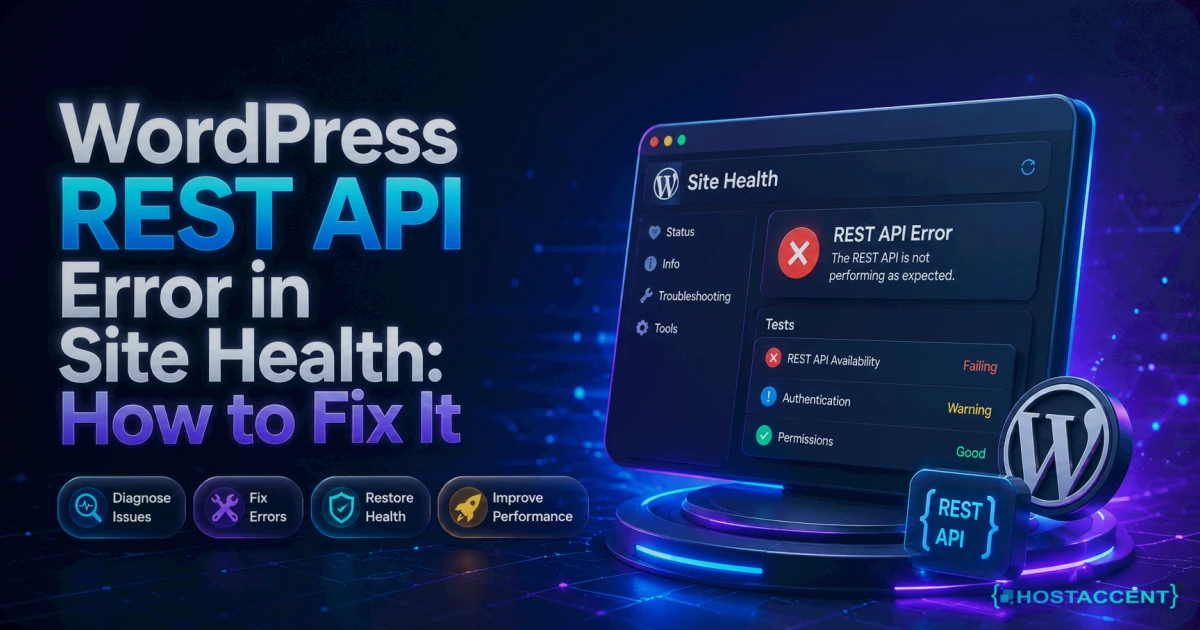
Your Site Health screen just turned red, and the message makes very little sense on its own. Meanwhile the block editor refuses to save, the media uploader spins forever, and a plugin settings panel loads as a blank white box. Visitors see nothing wrong at all on the front end, which is exactly what makes this one unsettling.
Good news first. A WordPress REST API error almost never means your site is broken. It means a request is being blocked. Something sitting between WordPress and its own /wp-json/ endpoint is refusing to let the call through, and in most cases you can find that something in under 10 minutes.
Our engineers resolve 20 to 30 client issues every day, and this one lands in the queue most weeks. What follows is the exact order we work through it, written so you can run the whole thing yourself. On stacks like the one Hostaccent runs (Cloudflare in front, Nginx reverse-proxying to Apache), the block is usually at the edge, not inside WordPress.
Quick Answer: As of August 2026, this error means WordPress could not get a clean JSON response from its own REST API. The five usual causes are a permalink or rewrite failure, a security plugin blocking /wp-json/, a WAF or CDN rule, an SSL or site URL mismatch, and a PHP timeout. Flushing permalinks fixes it most often.
What a WordPress REST API Error in Site Health Actually Means
Site Health runs a live test. It asks your own site for /wp-json/wp/v2/types/post?context=edit as your logged-in user, then reads what comes back. If the reply is anything other than valid JSON, a 403, a 404, a 500, or a timeout after roughly 10 seconds, the test fails and the notice appears. The error describes a blocked response, not a damaged WordPress install.
You will see one of three wordings, and they all point at the same class of problem:
- "The REST API encountered an error"
- "The REST API encountered an unexpected result"
- "The REST API did not behave correctly"
The status code printed underneath is the useful part. Everything else is boilerplate. A 403 means something refused the request on purpose. A 404 means the URL never reached WordPress. A 500 means PHP crashed while answering. A cURL timeout means the request left your server and never came home.
Why the block editor breaks but your homepage doesn't
Your homepage is served by PHP rendering HTML. The block editor is a JavaScript application that talks to WordPress entirely over the REST API, so when /wp-json/ is blocked, Gutenberg loses its data source and shows "Updating failed. The response is not a valid JSON response." Scheduled events, WooCommerce admin screens, the site editor and most modern plugin panels rely on the same channel. The official REST API Handbook documents which routes core registers, which helps when a specific endpoint fails while others work.
Pro Tip: Before you change a single setting, screenshot the full error text including the endpoint URL and the status code. Half the diagnosis is already written there, and it is the first thing any engineer will ask you for.
The Real Causes, Ranked by How Often We See Them
Every WordPress REST API error we see falls into one of six buckets, and they are not evenly distributed. Roughly speaking, permalink and rewrite failures account for the largest share, plugin or firewall blocks come next, and genuine server misconfiguration sits at the bottom. Working in that order saves you hours, because the cheapest checks also happen to be the most likely.
- Permalink or rewrite failure. The
/wp-json/route depends on pretty permalinks. Switch to Plain, or losemod_rewrite, and the endpoint 404s instantly. - Security plugin blocking REST access. Several popular plugins ship an option to block unauthenticated
/wp-json/requests as an anti-enumeration measure. It also breaks the editor. - WAF, CDN or ModSecurity rule. A generic rule inspecting cookies or query strings flags a legitimate authenticated request and returns 403.
- SSL or site URL mismatch. After a move to HTTPS,
siteurlandhomedisagree with what the server actually serves, so the loopback request fails. - PHP limits and timeouts. A low
max_input_vars, an exhausted memory limit, or a slow origin produces a 500 or cURL error 28. - DNS or loopback routing. The server cannot resolve its own hostname, usually behind a strict firewall or a misconfigured hosts file.
From the Ticket Queue: WordPress issues make up about 30% of the support tickets Hostaccent handles in a typical month, with brute-force and malware at 25%, Linux server issues at 25%, and SSL problems at 20%. Blocked REST requests are a recurring member of that first group.
Do I actually need to fix this if the site looks fine?
Yes, and here is the honest reason. The REST API is not decoration. WP-Cron dispatch, scheduled publishing, the block editor, application password authentication and a large share of plugin admin screens all ride on it. Leaving it broken means silent failures you will discover weeks later, usually as posts that never published. If the notice sits alongside a fatal PHP error, deal with that first using our critical error walkthrough.
The Three-Layer wp-json Test: Find Which Layer Is Blocking
Most people start changing settings before they know where the block sits. We use a small named routine instead, and it takes about two minutes. The Three-Layer wp-json Test asks the same endpoint three different ways, and the layer that disagrees with the others is your culprit. In our experience it removes the guesswork from roughly nine cases out of ten.
Layer 1: your browser, logged out. Open https://yoursite.com/wp-json/ in a private window. A healthy site returns a wall of JSON describing available routes. If you get an HTML error page instead, note the code. A wp-json 403 forbidden screen here means something is refusing anonymous access, which is almost always a security plugin or an edge rule.
Layer 2: the server itself, over the loopback. SSH in and run:
bashcurl -sI https://yoursite.com/wp-json/ curl -sI -H "Host: yoursite.com" https://127.0.0.1/wp-json/
If the first fails and the second succeeds, the block is outside your server: a CDN, a proxy, or a DNS route. If both fail, it is local.
Layer 3: an authenticated admin session. In wp-admin, open your browser devtools, go to the Network tab, and reload the post editor. Filter for wp-json. The failing request appears with its real status code and response headers, cookies included. This is the only layer that reproduces exactly what Site Health tests, because the check runs ?context=edit as a logged-in user.
The comparison is what matters. Anonymous fails but authenticated works? A REST-blocking plugin. Authenticated fails but anonymous works? A WAF rule triggered by your session cookie. Both fail identically? Rewrite rules. MDN's reference on 403 responses is a useful reminder that re-authenticating never clears a 403, which is why "log out and back in" advice wastes time here.
Insider Insight: Run Layer 2 from the origin server rather than your laptop. When those two disagree, you have proven the block lives at the edge, and you can stop touching WordPress entirely.
The Five-Minute Fixes That Clear Most Cases
Work through these in order and stop as soon as Site Health goes quiet. Take a backup before step three, because that is where you start deactivating things on a live site.
1. Flush your permalinks. Go to Settings, then Permalinks, and click Save Changes without editing anything. That rewrites the rules table and regenerates .htaccess on Apache. From the command line it is faster:
bashwp rewrite flush --hard wp option get permalink_structure
If permalink_structure returns empty, you are on Plain permalinks and the REST route cannot resolve. Pick any pretty structure and save.
2. Check that rewrites work at all. On Apache, confirm mod_rewrite is loaded with apachectl -M | grep rewrite and that your vhost sets AllowOverride All for the site directory. A missing module produces a clean 404 on every REST call while the homepage still loads. The Apache mod_rewrite documentation covers the directives worth checking. On Nginx there is no .htaccess, so verify your location block ends with try_files $uri $uri/ /index.php?$args;. If that line is missing or ordered after a catch-all, /wp-json/ never reaches PHP. This is the single most common cause behind a 404 on a URL that should exist.
3. Rule out a plugin or theme conflict. Install Health Check and Troubleshooting, then use its troubleshooting mode, which disables plugins for your session only and leaves visitors untouched. On the command line, wp plugin deactivate --all followed by reactivating in small groups is quicker. Test Site Health after each group.
4. Look inside your security plugin. Search its settings for anything named "REST API", "user enumeration" or "disable JSON". Turning off blanket REST blocking is the correct move: use application passwords and proper capability checks rather than closing the endpoint.
5. Check for an SSL or URL mismatch. Run wp option get siteurl and wp option get home. Both must match the scheme and hostname your server actually answers on, including or excluding www consistently. A half-finished HTTPS move often shows up here first, and it usually arrives with a mixed content warning too.
Server, Firewall and CDN Blocks: The Harder Half
If the five-minute fixes changed nothing, the block is below WordPress. This is where the Layer 2 result earns its keep: you already know whether the refusal happens at your origin or at the edge, so you only have to search one place.
ModSecurity false positives. The OWASP Core Rule Set inspects cookies, and WordPress session cookies contain pipe characters that some rules read as command injection attempts. Check /var/log/apache2/modsec_audit.log or /var/log/modsec_audit.log for entries matching /wp-json/, note the rule ID, and add a targeted exclusion for that ID on that path only. Never disable ModSecurity wholesale to fix one rule, because you lose real protection to solve a cosmetic notice.
Cloudflare and other edge firewalls. Open Security Events and filter by the /wp-json/ path. Managed rules aimed at bot scraping or user enumeration catch authenticated REST calls surprisingly often. The right fix is a narrow skip rule rather than switching protection off. Cloudflare documents the skip action for custom rules, and an expression matching http.request.uri.path contains "/wp-json/" combined with your own IP is a safe starting point. Also check whether Bot Fight Mode or a rate limit is challenging the request: a challenge page returns HTML, and Site Health reads that as an unexpected result.
Stripped Authorization headers. Behind a reverse proxy, the Authorization header is easy to lose. On Apache add SetEnvIf Authorization "(.*)" HTTP_AUTHORIZATION=$1 and on Nginx make sure your PHP location passes it through. Application passwords and headless integrations fail here while the browser editor works, which is a confusing split until you know to look.
PHP limits. Raise max_input_vars to 3000 and memory_limit to 256M if either is low, then restart PHP-FPM. A cURL error 28 usually means the loopback request timed out, often because the server resolves its own domain to a public IP that its firewall blocks. Adding the domain to /etc/hosts pointing at 127.0.0.1 resolves that class of failure immediately.
Live site and no time to experiment? Our engineers fix this exact error for a small one-time fee, and you see the exact quote before anyone touches a file. Already hosted with Hostaccent? Then a blocked wp-json endpoint is simply covered by your support, at no extra charge. Have an engineer fix it
If your logs show unfamiliar rules or files you never added, treat this as a possible compromise rather than a config bug and follow the first 24 hours checklist.
Confirm the Fix, Then Stop It Coming Back
Do not trust a green screen alone. Re-run all three layers of the wp-json test, then open a post in the block editor, make a trivial edit and save it. That single save exercises the exact ?context=edit path Site Health tests, and it is the fastest way to confirm the WordPress REST API error is gone for good rather than temporarily masked by a cache.
Check three more things before you close the tab:
- Scheduled events. Run
wp cron event listand confirm nothing is overdue. Blocked loopback requests stall WP-Cron quietly. - Application passwords. If you use a mobile app or an integration, re-test one call. Header stripping survives a permalink flush.
- Caching layers. Purge page cache and any object cache. Stale 403 responses cached at the edge will keep the error visible for hours after the real fix.
Prevention is mostly documentation. Whenever you add a WAF exception for /wp-json/, write down the rule name and why it exists, because the next person to audit your firewall will otherwise delete it. Avoid plugins whose entire purpose is disabling the REST API; they solve a 2016 problem and break a 2026 editor. Keep automatic backups running so that any config change is reversible in one click.
Pro Tip: After any REST fix, watch your admin response times for 24 hours. When we ran this check across client sites, a REST endpoint that recovered but stayed slow almost always pointed at an origin bottleneck rather than a firewall, which is a different repair entirely. Our guide to high TTFB in WordPress covers that path, and slow admin requests frequently show up later as failing Core Web Vitals.
Your Next Step: A Site Where wp-json Is Someone Else's Job
Now that you know the block is usually a firewall rule rather than WordPress itself, the real question is who chases it down next time at 2am. You can keep auditing WAF logs yourself, or run somewhere a WordPress REST API error stops being your problem and becomes support's. Across the 10,000+ sites our team has launched since 2012, the REST exceptions are already in the stack template. Start on managed WordPress hosting at Basic, $22.99/yr, renewing at the same $22.99/yr, with a 30-day money-back guarantee and a 99.9% uptime guarantee on NVMe SSD servers. Skip it if you run a headless build with your own ops team; you will want root access instead. That is the whole idea behind Hostaccent's managed WordPress plans. Still stuck right now? Open a ticket and you will get the quote before any work starts.
Frequently Asked Questions About the WordPress REST API Error
What does "the rest api encountered an unexpected result" actually mean?
It means Site Health received a response from /wp-json/wp/v2/types/post?context=edit that was not valid JSON. The status code printed below the message tells you which layer refused it: 403 for a deliberate block, 404 for a rewrite failure, 500 for a PHP crash, and a cURL timeout for a request that never returned. The wording differs between WordPress versions, but the diagnosis is identical in every case.
Will a WordPress REST API error hurt my SEO or my visitors?
Not directly. Search engines crawl your rendered HTML, and the REST API is an admin-side channel, so rankings and page speed are unaffected on the day it breaks. The indirect damage is real though. Scheduled posts silently fail to publish, plugin settings cannot be saved, and WooCommerce admin screens misbehave. Content that never goes live costs you far more traffic over a quarter than any single technical signal ever would.
Why does wp-json return 403 Forbidden when my pages load fine?
Because the refusal is deliberate and specific to that path. A 403 comes from something that understood the request and chose to reject it: a security plugin blocking anonymous REST access, a ModSecurity rule triggered by your session cookie, or a CDN firewall rule aimed at user enumeration. Your pages load because none of those rules match a normal page request. Check anonymous access first, then your edge firewall's event log for that exact path.
Can I just disable the Site Health REST API check?
You can filter it out of the report, and you should not. Hiding the test does nothing to the underlying block, so the block editor stays broken, scheduled events keep failing, and application passwords still return errors. The notice is doing its job by surfacing a genuine fault. If the check is failing on a local or staging environment that legitimately has no external routing, that is the one reasonable case for suppressing it.
Do I need my host to whitelist /wp-json/ on the server?
Sometimes, and it is a fair thing to ask for. If your Layer 2 curl test succeeds from inside the server but fails from outside, the block is on shared infrastructure you do not control, which usually means a ModSecurity ruleset or an edge WAF. Ask your provider to exclude the specific rule ID for that path rather than to disable protection. On Hostaccent's managed WordPress stack, that exception is already part of the standard configuration.
What if the error says "the rest api did not behave correctly"?
Same family, slightly different trigger. This wording usually appears when the endpoint responded successfully but returned something WordPress could not parse, most often JSON with stray output in front of it. A plugin or theme printing a PHP notice, a BOM at the start of a file, or a debug line echoed during bootstrap will all do it. Enable WP_DEBUG_LOG, reload the editor, and the log will name the file adding the extra output.


Discussion
Have a question or tip about this topic? Share it below — your comment will appear after review.