
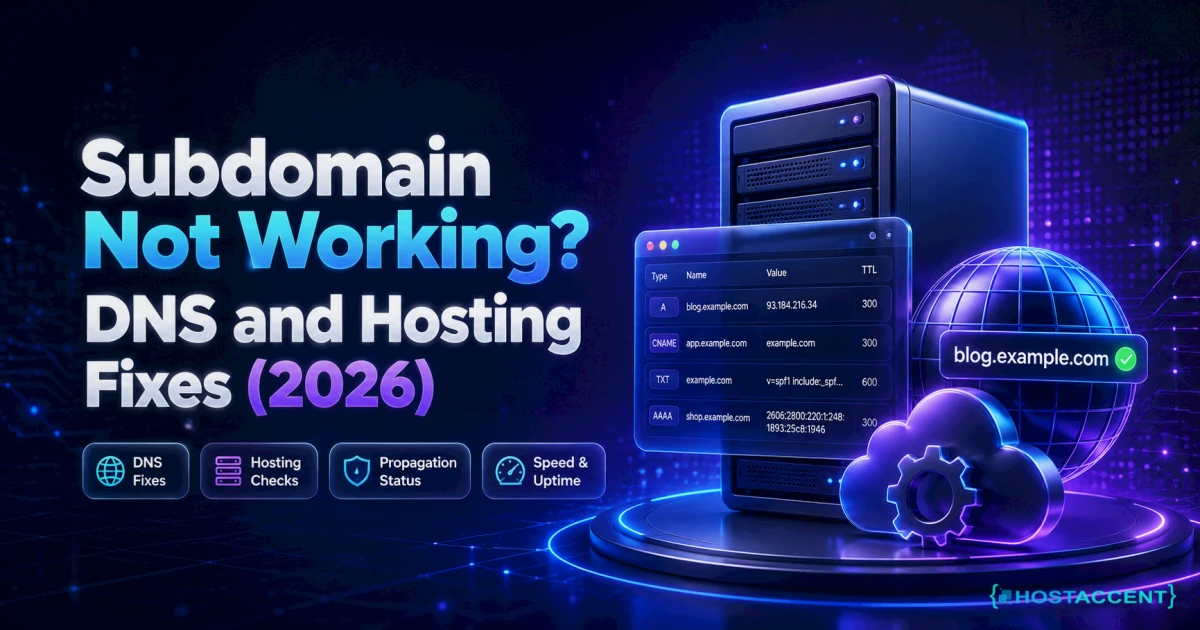
You created blog.yoursite.com twenty minutes ago. It still won't load.
Maybe the browser throws a DNS error. Maybe it serves your main homepage instead. Maybe it loads, but the padlock is broken and Chrome refuses to show the page. Whatever the symptom, a subdomain not working comes down to three layers — the DNS record, the document root, and the certificate. Check them in that order and you'll usually find it in ten minutes.
Quick Answer: A subdomain that won't load is almost always caused by a missing or wrong DNS A record, a document root pointing at the wrong folder, or an SSL certificate that doesn't cover the new hostname. Add the A record, wait for the TTL to expire, confirm the document root in your control panel, then reissue the certificate including the subdomain. As of July 2026, those three checks resolve the large majority of cases.
In the tickets our team at Hostaccent handles — 20-30 client issues every day — broken subdomains are a permanent fixture of the queue. The running order below is the one we use internally, written so you can run it yourself without opening a ticket. Nothing here is held back.
Call it the D-R-S check: DNS, Root, SSL. In that sequence, every time. Skipping ahead to the certificate when DNS hasn't propagated is how a fifteen-minute job turns into a three-hour one.
What "Subdomain Not Working" Actually Means
A subdomain is a separate hostname, not a folder. blog.example.com and example.com share a registration, but the internet treats them as two different addresses.
Each one needs three things pointed at it: a DNS record saying where it lives, a server configuration saying which folder to serve, and a TLS certificate that lists that exact name. When a subdomain not working lands in front of you, one of those three is missing. Your main site is fine. Nothing is corrupted. Nothing is lost.
The confusing part is that each failure looks different in the browser. Here's the shortcut:
| What you see | The layer that's broken | |---|---| | DNS_PROBE_FINISHED_NXDOMAIN, "server not found" | DNS — no record, or the TTL hasn't expired | | Your main homepage loads instead | Server — no vhost; a wildcard record is catching it | | 404, or "Index of /" | Document root pointing at the wrong folder | | "Your connection is not private", ERR_CERT_COMMON_NAME_INVALID | SSL — the certificate doesn't list the hostname | | Cloudflare 522 or 521 | Proxy on, origin not answering for that hostname |
Match your symptom, then jump to the matching step. If you're seeing the NXDOMAIN variant specifically, our deeper walkthrough on how to fix dns_probe_finished_nxdomain errors fast covers the resolver-side causes too.
Causes Ranked by How Often We See Them
Ordered by frequency in real support work, not by how interesting they are:
- The A record was never created, or it was created on the wrong nameservers — the registrar's default zone instead of the host's. Classic subdomain DNS error.
- The TTL hasn't expired yet. The record is right; your resolver is still holding the old answer.
- DNS exists, but the server has no virtual host for it — so Apache serves the first matching vhost, which is your main site.
- The document root points at the wrong directory, producing a subdomain 404 or a bare directory listing.
- The certificate doesn't cover the hostname. Very common after adding a subdomain to a site that already had SSL.
- Cloudflare is proxying the hostname but the origin or SSL mode disagrees, giving a 522 or a redirect loop.
From the Ticket Queue: SSL problems account for roughly 20% of Hostaccent support tickets in a typical month, alongside WordPress issues (30%), brute-force and malware (25%) and general Linux server issues (25%). That's first-party data from our own queue — and it's why Step 3 exists as its own section rather than a footnote.
Step 1 — Fix the DNS Record First (Subdomain Not Resolving)
Start here, always. If the name doesn't resolve, nothing downstream matters.
Check what the world actually sees. From a terminal:
bashdig +short blog.example.com A ## or on Windows: nslookup blog.example.com 1.1.1.1
Empty output means no record exists — or you're querying a nameserver that doesn't hold your zone. An IP that doesn't match your server means the record is pointing somewhere stale.
Confirm which nameservers are authoritative:
bashdig +short NS example.com
This is the single biggest gotcha. If your domain uses your host's nameservers but you added the record at the registrar, you edited a zone nobody reads. The reverse is just as common. Whichever set comes back from that command is the only zone that counts. (How DNS resolution works explains the delegation chain if you want the theory.)
Add the record. In cPanel, open Zone Editor → Manage → Add Record:
- Type: A
- Name:
blog(notblog.example.com— the panel appends the zone; typing the full name gives youblog.example.com.example.com) - Record: your server's IPv4
- TTL: 300
Use a CNAME instead only when you're pointing at a hostname that may change IP — a CDN endpoint, for example. Never put a CNAME on a name that also needs MX records; it breaks mail. If you're routing mail on a subdomain, our guide to creating email with your own domain covers the record layout properly.
Pro Tip: Drop the TTL to 300 seconds before you make changes, not after. TTL is honoured on the old record — so if the current value is 3600, resolvers will cache the wrong answer for a full hour no matter what you do next. Lower it, wait an hour, then edit. Raise it back to 3600 once everything's stable.
About wildcards. A * A record makes every subdomain resolve — handy, and also the reason your typo'd subdomain "works" but serves the main site. If you have a wildcard, add the explicit record anyway; explicit beats wildcard in resolution order.
Propagation is not something you can rush. Your own machine can be flushed (ipconfig /flushdns on Windows, sudo dscacheutil -flushcache on macOS), but third-party resolvers hold their own copies. Give it 15 minutes with a 300s TTL, up to 24-48 hours if the previous TTL was long.
Still blocked at Cloudflare?
Send the error code, affected hostname, and recent DNS or SSL changes. We will separate edge, origin, firewall, and certificate causes before proposing work.
Step 2 — Point the Document Root (and Kill the Subdomain 404)
DNS resolves now, but you're seeing your homepage, a 404, or a directory listing. That's the server layer, and it's a separate job.
In cPanel: Domains → Create A New Domain. Enter blog.example.com, then uncheck "Share document root" and set the path explicitly:
bash/home/username/public_html/blog
That checkbox is the culprit in most of these tickets. Left ticked, the subdomain inherits the main site's root — so it serves your homepage, and WordPress then redirects it back to the primary URL, which looks like DNS is broken when it isn't.
On a self-managed server, the vhost needs its own block. Check what Apache thinks it has:
bashapachectl -S ## look for blog.example.com in the vhost list
If it's missing, Apache falls through to the first vhost in the config — your main site. Add a ServerName block with the correct DocumentRoot, test with apachectl configtest, then reload. The Apache virtual host documentation has the canonical syntax. Behind an Nginx reverse proxy — the arrangement we run on our own stack — the server_name directive needs the subdomain added too, or Nginx hands the request to its default server and Apache never sees the right hostname.
Empty folder, or wrong permissions? A genuine HTTP 404 means the path resolved but the file isn't there. Confirm:
bashls -la /home/username/public_html/blog ## directories 755, files 644, owned by the cPanel user
A folder owned by root after an rsync or a manual upload will throw a 403 rather than a 404 — different symptom, same root cause.
Check .htaccess. A WordPress install in the parent folder with a hard-coded canonical redirect will happily hijack the subdomain. So will a RewriteRule forcing www. Rename .htaccess to .htaccess.bak for sixty seconds and reload. If the subdomain suddenly works, you've found it.
Live site and no time to experiment? Our engineers fix this exact class of subdomain fault for a small one-time fee, and you see the exact quote before anyone touches your server. Hosted with Hostaccent? Then a broken subdomain is simply support's job — covered, no fee. Have an engineer fix it
Step 3 — When Subdomain SSL Is Not Working
Subdomain SSL not working is the last layer, and the one people hit after doing everything else right. The page loads over HTTP, then dies on HTTPS with a certificate name mismatch.
The reason is simple: a certificate issued for example.com and www.example.com does not cover blog.example.com. TLS matches the hostname against the certificate's SAN list. No entry, no trust.
On cPanel with AutoSSL: SSL/TLS Status → tick the subdomain → Run AutoSSL. It usually issues within 15 minutes. AutoSSL will silently skip any hostname that doesn't resolve publicly to that server — which is why Step 1 has to be finished first. This is the most common ordering mistake we see.
On a self-managed box with Certbot:
bashsudo certbot --apache -d example.com -d www.example.com -d blog.example.com
Include every hostname in one command. Running Certbot again with only the new name replaces the certificate rather than extending it, and your main site loses its coverage.
Wildcards. A *.example.com certificate covers every subdomain in one go, but Let's Encrypt only issues wildcards via the DNS-01 challenge — meaning your DNS provider needs an API and a plugin. Worth the setup if you spin up subdomains regularly; overkill for one blog. Honest trade-off, not a sales pitch.
Cloudflare in front? Set SSL/TLS mode to Full (strict) and make sure the subdomain's record is proxied. Flexible mode plus an HTTPS redirect at the origin produces an infinite loop — the browser reports too many redirects, and everyone blames the certificate. Our SSL certificate management guide walks through renewal and mixed-content cleanup afterwards.
Insider Insight: Across the 4,000+ sites we've migrated, the step people miss most is re-running AutoSSL after the DNS change lands. They add the record, add the subdomain, request the certificate in the same five minutes — and the CA validation fails because propagation hasn't finished. Wait for
digto return the right IP, then request. It's not a queue you can jump.
Step 4 — Confirm the Fix and Prevent the Next One
Don't trust the browser. It caches, it redirects, it lies.
bashdig +short blog.example.com A curl -I https://blog.example.com
You want the correct IP from the first command and HTTP/2 200 from the second. A 301 to your main domain means Step 2 isn't done. A certificate warning from curl means Step 3 isn't done.
To test the origin directly, bypassing DNS and any proxy:
bashcurl -I --resolve blog.example.com:443:203.0.113.10 https://blog.example.com
That's the fastest way to prove whether the problem is at your server or in front of it.
Prevention, in one line each:
- Create the DNS record and the subdomain in the panel in the same sitting — half-finished subdomains are the norm, not the exception.
- Keep TTL at 300 while you're building, 3600 once stable.
- Add every new hostname to the certificate on day one, not the day someone reports the padlock.
- Take a backup before touching a live zone. Restoring a wrong record from memory at 2am is not a plan.
- Document the nameserver set your domain actually uses. Half of all DNS incidents are edits made in the wrong zone.
Pro Tip: Before you create a subdomain, decide whether it should be a subdomain at all.
example.com/bloginherits your main domain's authority;blog.example.combuilds its own from zero. If SEO is the goal and the content is closely related, the subfolder usually wins. Pick deliberately — moving it later costs you redirects and rankings.
Your Next Step: Fixed It, or Still Stuck?
If you fixed it — the one thing worth keeping from this: run D-R-S in order, always, and never request a certificate before dig agrees with you. Here's the honest observation, though. On a well-run host, a subdomain not working is support's problem, not yours. You shouldn't be reading apachectl -S output on a Saturday. That's the difference a host makes, and it's why the Economy shared hosting plan — Economy — $1.99/mo — includes NVMe SSD storage, free SSL, daily backups, a 99.99% uptime guarantee and 15 datacenter locations, with our own engineers answering the ticket. Pair it with your .com — .com — $13.99/yr — and the domain, the DNS and the hosting live behind one login, on one renewal date, with one team to call. One honest caveat: Economy is sized for a single site — running several client projects? Standard ($4.58/mo) fits better. The price you sign up at is the price that renews, and there's a 30-day money-back guarantee; that's the whole idea at Hostaccent.
If you're still stuck — open a ticket. Have an engineer fix it: a small one-time fee, and you'll see the exact quote before any work starts. We're a UK-registered company (Companies House 11431799), trading since 2012 and UK-incorporated in 2018, with 10,000+ websites launched. Not sure whether to fix or move? The domain and hosting buying guide is the neutral version of that decision.
Frequently Asked Questions About Subdomain Not Working
Why is my subdomain not working right after I created it?
Almost always DNS caching. The record exists, but your resolver is still serving the previous answer until the old TTL expires. Run dig +short blog.example.com A against 1.1.1.1 to see the authoritative answer. If it returns the right IP, the record is fine — flush your local cache and wait.
How long does a subdomain take to start resolving?
With a 300-second TTL, most resolvers pick up the change within 15 minutes. If the previous TTL was 3600 or higher, budget up to an hour; worst case, 24 to 48 hours for stubborn ISP resolvers. Lowering the TTL after the edit doesn't help — the old value governs the wait.
Why does my subdomain show my main website instead?
The server has no virtual host for that hostname, so Apache serves the first matching vhost — your main site. In cPanel, this happens when "Share document root" stays ticked. Uncheck it, set an explicit document root such as /home/username/public_html/blog, then reload.
Why am I getting a subdomain 404 error?
A 404 means the hostname resolved and the server matched a vhost, but the requested file isn't in the document root. Confirm the path exists, contains an index file, and is owned by your hosting user with 755 directories and 644 files. Also check for a .htaccess rewrite in the parent folder.
Do I need a separate SSL certificate for a subdomain?
Yes, unless you're using a wildcard. Certificates match hostnames against the SAN list, so one covering example.com won't cover blog.example.com. Either reissue including every hostname, or use a *.example.com wildcard — which requires DNS-01 validation and API access to your DNS provider.
Can I point a subdomain to a completely different server?
Yes. Change the subdomain's A record to the other server's IP, and configure a vhost plus certificate there. The parent domain stays where it is. Keep both TTLs low during the change, and confirm with dig before requesting the certificate on the new box.
Do subdomains cost extra on shared hosting?
No — subdomains use your existing registration, so there's no additional registrar fee. Hostaccent's Economy plan, for instance, includes subdomains at $1.99/mo with free SSL covering them. You only pay again when you register a genuinely new name, which is a different decision — see .com vs .net vs .io and how to choose a domain name.





Discussion
Have a question or tip about this topic? Share it below — your comment will appear after review.