
Your small business website is doing real work — collecting leads, taking bookings, running a WooCommerce store, or just building credibility with potential clients. The last thing you need is a host that goes dark at 2am or crawls to a halt during a product launch. The right WordPress hosting for companies of this size is not about paying the most — affordable WordPress hosting with isolated resources and real support handles the job comfortably.
Quick Answer: The best wordpress hosting for small business combines solid uptime (99.9%+), NVMe SSD storage, a free SSL certificate, and support you can actually reach. For most small businesses expecting 500–5,000 monthly visitors, a well-optimised shared or entry WordPress plan at $2–$5/month delivers everything you need — provided you avoid the renewal-price trap and choose a host that bundles real features rather than upselling them separately.
Here's how to cut through the noise and pick the right plan for where your business actually is right now.
What Actually Makes Good WordPress Hosting for Small Business
Not all "WordPress hosting" is the same. Many providers slap a WordPress logo on a generic shared account and call it a day. Here's what the specs genuinely mean for a small business site.
Storage type matters more than storage size. NVMe SSD reads data 3–6× faster than older SATA drives. A plan advertising "100GB storage" on a spinning disk can still feel sluggish — while 10GB on NVMe feels snappy. Check the storage type, not just the number. WordPress itself recommends at least PHP 8.1 and a modern MySQL/MariaDB stack; your host should meet these minimums out of the box.
Uptime SLA vs real uptime. A 99.9% uptime SLA sounds tight — and it is. That's roughly 8.7 hours of allowable downtime per year. But watch for providers who guarantee 99.9% uptime on paper while quietly measuring it monthly rather than annually. Ask whether the SLA covers server downtime only, or also planned maintenance windows.
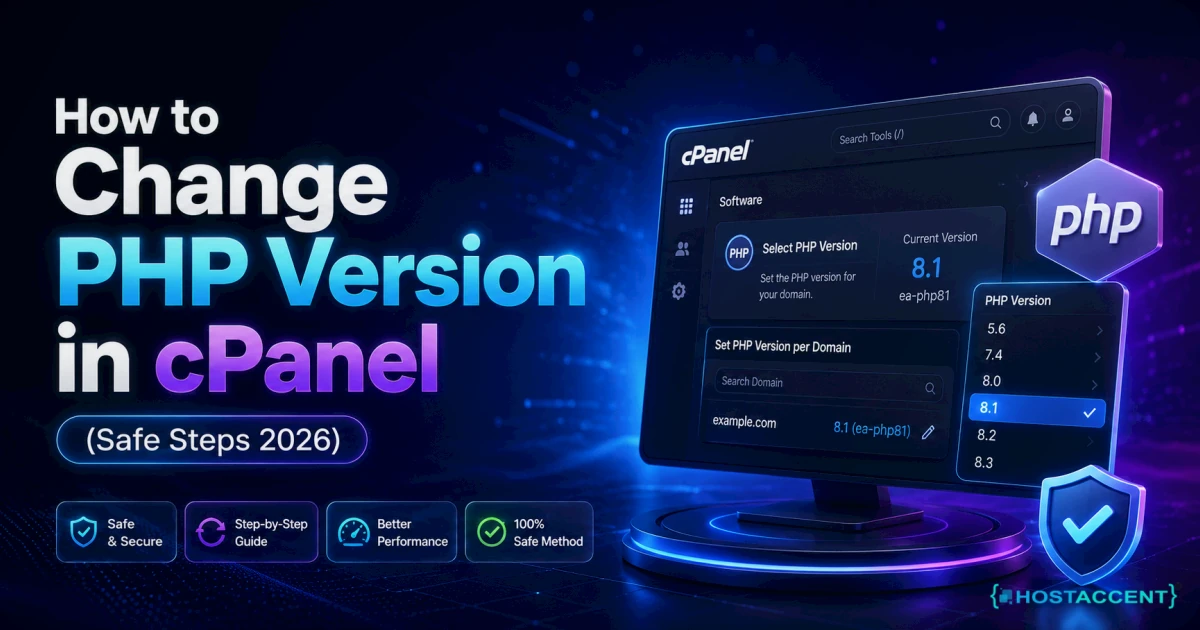
PHP version control. WordPress 6.x performs meaningfully better on PHP 8.1–8.3 than on the outdated PHP 7.4 some budget hosts still default to. If you can't change your PHP version from the control panel, that's a red flag.
SSL included or sold separately? Free SSL via Let's Encrypt is standard in 2026. Any plan charging extra for a basic domain-validated SSL certificate is overcharging you.
Support that actually responds. For a small business owner, a 48-hour ticket queue might as well be no support at all. Look for hosts with stated first-response times under 2 hours for standard tickets.
Pro Tip: Before buying, send a pre-sales question to the host's support chat at an odd hour — say, 11pm on a Sunday. The response time and quality of that answer tells you exactly what you're getting into.
The Specs That Matter at Small Business Scale
Most small business WordPress sites don't need enterprise infrastructure. Here's a practical framework by traffic tier:
| Monthly Visitors | Recommended Plan Type | Min RAM | Storage | Key Feature | |---|---|---|---|---| | Under 1,000 | Entry shared/WordPress | 512MB | 5GB NVMe | Free SSL, 1-click install | | 1,000–5,000 | Mid-tier shared or starter VPS | 1GB | 20GB NVMe | Caching, daily backups | | 5,000–20,000 | Business shared or VPS | 2GB | 40GB NVMe | CDN integration, staging | | 20,000+ | Managed VPS or dedicated | 4GB+ | 80GB+ NVMe | Dedicated resources |
For most small businesses, the first or second row covers the reality. You don't need a $50/month managed WordPress plan when you're getting 800 visitors a month.
When your traffic grows, you'll want to read our guide on Best Hosting for High Traffic WordPress Sites in 2026 — but most businesses won't need that for a while.
WordPress Hosting for Small Business: Plans Compared
This table compares entry-tier plans at a matched pricing level — no cherry-picking an expensive rival plan against Hostaccent's cheapest. All competitor intro prices are best-known rates as of early 2026.
| Provider | Intro Price | Storage | Uptime SLA | Free SSL | Backups | Support | |---|---|---|---|---|---|---| | Hostaccent | $22.99/yr | NVMe SSD | 99.9% | ✓ Free | ✓ Included | UK-based human | | Bluehost | ~$2.95/mo intro | HDD/SSD mix | 99.9% | ✓ Free | Add-on cost | Chat/ticket | | Hostinger | ~$2.99/mo intro | NVMe | 99.9% | ✓ Free | Weekly (basic) | Chat only | | SiteGround | ~$3.99/mo intro | NVMe | 99.9% | ✓ Free | Daily | Chat/ticket | | DreamHost | ~$2.59/mo intro | SSD | 100% | ✓ Free | Automated | Email/ticket |
What Hostaccent's position in this table means: At $22.99/yr (that's under $2/month), the Basic plan delivers NVMe storage, free SSL, and UK-based human support — without locking you into a 3-year term to get that price. The renewal price is the same rate. More on that below.
Why We Recommend Hostaccent for Small Business WordPress Sites
We're going to be transparent here: we're Hostaccent. So take this section as a frank explanation of where we fit — and where we don't — rather than pure marketing.
Where Hostaccent works well:
- Small business sites with under 10,000 monthly visitors that need reliable performance without overpaying
- Business owners who want UK-based human support (our team is in the UK, not routed through an overseas call centre)
- Sites that need real NVMe storage, not a vague "SSD" label that might mean SATA
In the support tickets our team handles, the most common complaint from customers switching from other hosts is unexpected renewal price increases — paying $2.99/month for the first year, then being billed $14.99/month at renewal. Our pricing doesn't work that way.
Where Hostaccent may not be the right fit:
- If you need a US East Coast or Asia-Pacific data centre (check our current locations before buying)
- If you're running a large WooCommerce store with 50,000+ monthly visitors — you'd want our VPS options instead
On our Nginx → Apache + NVMe stack, the typical TTFB (time to first byte) for a well-configured WordPress site sits under 200ms — which puts you in a strong position for Core Web Vitals. Poor TTFB is one of the most common issues we see with sites migrating from older shared hosts; if you're already experiencing that, check our guide on How to Fix High TTFB in WordPress (2026 Guide).
Best Pick by Use Case
Not every small business needs the same thing. Here's a quick decision shortcut:
Choose an entry plan (like Hostaccent Basic at $22.99/yr) if:
- You're launching a new business site or portfolio
- You have under 2,000 monthly visitors
- You want to validate the site before investing in more infrastructure
Step up to a mid-tier plan ($8–$10/month) if:
- You're running WooCommerce with 20+ products
- You have a blog with 5,000+ monthly visitors
- You need staging environments for testing updates safely
Consider a VPS if:
- Your site is your primary revenue channel
- You have sustained traffic above 20,000 monthly visits
- You need dedicated resources that aren't shared with other customers
If your site is already slow and you're not sure why, our WordPress Site Slow: Complete Diagnosis and Fix Guide (2026) walks through the exact diagnostic process — before you start blaming your host, it helps to confirm the host is actually the bottleneck.
The Renewal Price Reality (Read This Before You Buy Anything)
This is the part most hosting review sites quietly skip.
Intro pricing is a marketing mechanism. A host advertising "$1.99/month" typically requires a 3-year upfront commitment to get that rate — and renews at $9.99–$14.99/month when the term ends. That's a 400–700% price increase.
The real questions to ask before signing up:
- What's the renewal rate? Ask before buying, not after.
- What commitment length is required for the intro price? Monthly billing usually costs 2–3× more than the advertised annual rate.
- Are backups and SSL included, or charged separately? Some hosts advertise a $2/month plan but require add-ons to make it functional, pushing real costs to $7–$10/month.
Industry data consistently shows that hosting renewal prices are the #1 source of small business complaints about their providers. Budget for the renewal rate, not the intro rate, and you'll never be surprised.
Insider Insight: When comparing hosting costs, calculate the 3-year total cost of ownership — not the first-month price. Include any add-ons you'd actually need (backups, SSL, staging, email). That's the number that tells you the real value.
What Cloudflare and CDN Mean for Your Business Site
You'll see CDN mentioned on most hosting spec sheets. Here's what it actually does for a small business.
A CDN (Content Delivery Network) caches your site's static files — images, CSS, JavaScript — on servers close to your visitors. A customer in Sydney gets files from a Sydney node instead of your UK server, cutting load time significantly.
For a small business site, CDN integration matters most when:
- You have customers in multiple countries
- Your site has large image files
- You want consistent performance without upgrading to a more expensive plan
Our stack runs Cloudflare at the edge, which means every site on our infrastructure benefits from DDoS protection and caching by default — not as an optional extra. When sites we migrate from other providers start experiencing errors like 504 timeouts, it's often a server-side configuration issue rather than traffic volume; our guide on Fix 504 Gateway Timeout WordPress Error: 2026 Guide covers this in detail.
If your site's Core Web Vitals scores are suffering, it's worth checking whether your host's CDN setup is actually doing anything. Many "CDN-enabled" hosts enable the feature but leave compression and caching rules unconfigured by default. See Core Web Vitals Failing? Your Hosting Might Be the Problem for a step-by-step check.
Ready to Sort Your WordPress Hosting?
If you've read this far, you have a clearer picture of what to look for — and what to avoid. The right host for a small business site doesn't need to be expensive. It needs to be reliable, honest about pricing, and backed by support that picks up the phone (or the chat window) when something goes wrong.
Hostaccent's WordPress Hosting Basic plan starts at $22.99/yr — that's our real annual rate, not a 36-month teaser. It includes NVMe SSD storage, free SSL, daily backups, and UK-based human support. If your site grows and needs more resources, our Medium ($8.99/mo), Ultimate ($12.99/mo), and Business ($16.99/mo) plans scale up without forcing you to switch providers.
It's not the right fit if you need a US-only data centre or a managed service with daily developer-level audits. But for most small business WordPress sites in 2026, it covers everything that actually matters.
Check the WordPress Hosting plans and see which tier fits your current stage. And if you're dealing with a slow site right now, start with our Fix a Slow WordPress Site: Diagnose in 30 Minutes guide before migrating — sometimes it's a plugin, not the host.
Frequently Asked Questions
What is the best wordpress hosting for small business in 2026?
The best option depends on your traffic and budget. For most small businesses under 5,000 monthly visitors, a well-configured shared WordPress plan with NVMe SSD storage, free SSL, and daily backups covers everything needed. Hostaccent's Basic plan at $22.99/yr is a strong starting point — transparent pricing, NVMe storage, and UK-based support included.
How much should a small business spend on WordPress hosting?
Realistically, $20–$60/year covers a solid entry plan. Mid-tier plans run $8–$12/month for sites with growing traffic or WooCommerce stores. Avoid judging cost by the intro price — always check the renewal rate before committing. A plan that costs $1.99/month intro but renews at $12.99/month isn't actually cheap.
Do I need managed WordPress hosting for my small business?
Not necessarily. Managed WordPress hosting (typically $25–$50/month) handles updates, security scans, and backups automatically — useful if you have no technical person on hand. But for a basic business site, a standard WordPress hosting plan with automatic updates enabled in the dashboard covers most of what managed hosting does at a fraction of the cost.
What uptime should I expect from a business WordPress host?
A 99.9% uptime SLA is the minimum standard in 2026. That translates to roughly 8.7 hours of allowable downtime per year. For business-critical sites (e-commerce, bookings), look for hosts that measure uptime monthly and compensate for outages beyond the SLA — not just those that advertise the number.
Does WordPress hosting include free SSL?
It should. Free SSL via Let's Encrypt is standard across reputable hosts in 2026. If a provider charges separately for a basic SSL certificate, that's a pricing red flag — either move on or negotiate it in. SSL isn't optional; Google's security standards and Chrome's browser warnings make HTTPS mandatory for any site you want visitors to trust.
Can I migrate my WordPress site to a new host without downtime?
Yes, with proper planning. The safest approach: set up your new hosting, migrate files and the database, test everything using a temporary URL or local hosts file edit, then change your DNS records. DNS propagation typically takes 24–48 hours but often resolves within a few hours. Our Migrate WordPress to a New Host Without Downtime (2026) guide walks through the exact zero-downtime migration sequence step by step.
What's the difference between shared and managed WordPress hosting?
Shared hosting puts your site on a server alongside many other accounts — resources are divided, costs are low. Managed WordPress hosting gives your site a more isolated environment with automated maintenance (updates, backups, security scans) handled by the host. For a small business just starting out, shared WordPress hosting is sufficient. Consider managed hosting when the site becomes a primary revenue channel and downtime has real financial consequences.

Discussion
Have a question or tip about this topic? Share it below — your comment will appear after review.