
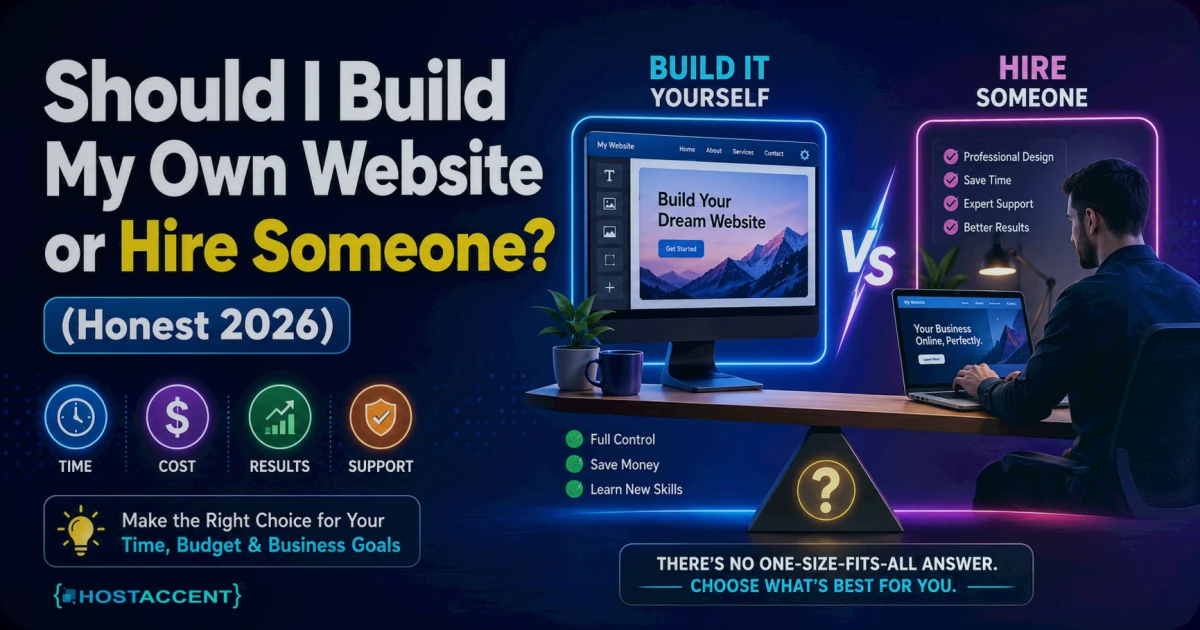
Quick Answer: Should I build my own website or hire someone? Build it yourself if you can spare 15–40 hours, your budget is under $100, and you need five pages or fewer. Hire someone if your time is worth more than about $30/hour, you need the site earning within days, or design quality directly drives sales. There's also a third path — a done-for-you setup — that costs far less than most owners expect.
That's the short version. The longer version needs real numbers, because most guides on this question are written by web designers, and (surprise) they usually conclude you should hire a web designer. This one comes from people who run hosting infrastructure for both camps — so we see what happens after the decision: the DIY builds that stall at DNS, and the professionally built sites whose owners can't log in to their own hosting.
Here's the part nobody leads with: the infrastructure is the cheap bit. A .com domain costs $13.99/yr and entry shared hosting from a host like Hostaccent starts at $1.99/mo — under $40 for your entire first year. What actually decides this question is time. Yours, specifically, and what an hour of it is worth to your business.
What Each Path Really Costs in 2026
As of July 2026, here's the honest comparison — fastest path first:
| Path | Upfront cost | Your time | Typical timeline | Ongoing effort | |---|---|---|---|---| | Done-for-you setup (Hostaccent Full Package) | Infrastructure from ~$38/yr + a setup quote | ~1 hour (one message, plus your content) | A few days | Minimal — updates, errors, and security handled for you | | Hire a freelancer or agency | $500–$2,500 (freelancer), $3,000–$10,000+ (agency) | 5–10 hours of briefs, reviews, feedback | 2–8 weeks | You still manage hosting, renewals, and updates | | Build it yourself | ~$38–$120 first year | 15–40 hours | 2–6 weeks of evenings | Everything is on you |
Two of those numbers deserve a closer look.
First, professional pricing is all over the map because "a website" can mean a five-page brochure or a full online store. Industry data puts a basic freelancer-built site at $500–$2,500, while agencies rarely start below $3,000 — and complex projects run well past $10,000. We've broken this down line by line in How Much Does a Website Cost in 2026? Full Breakdown.
Second, watch renewal pricing wherever you buy infrastructure. A big chunk of the industry advertises a low first-year price that doubles or triples at renewal. For transparency: our Economy plan renews at the same $1.99/mo it starts at, and a .com renews at the same $13.99/yr. Whoever you buy from, check the renewal line before the intro line.
The DIY Path: What Building a Website Yourself Actually Takes
DIY is genuinely viable in 2026 — but "easy" is doing a lot of marketing work in most ads for it. Here's the full job list when you build a website yourself, with honest time estimates for a first-timer:
-
Choose and register a domain (1–2 hours). Your domain is your address on the internet — yourbusiness.com. Shorter beats clever, and .com still carries the most trust with visitors. Our guides on How to Choose a Domain Name in 2026 (Practical Guide) and .com vs .net vs .io: Which Domain Extension Wins 2026 cover the traps. You can search and register your domain in about ten minutes once you've picked one.
-
Pick hosting and connect DNS (1–3 hours). Hosting is the computer (a server) where your site's files live. DNS is the internet's address book — it tells browsers which server holds your domain. In the support tickets our team handles, the most common first-timer sticking point isn't design at all — it's DNS. A domain pointed at the wrong nameservers can leave a finished site invisible for 24–48 hours while records update. Cloudflare's Learning Center has a plain-English primer if you want the full picture.
-
Install WordPress and SSL (1–2 hours). WordPress is free software that powers roughly 43% of all websites — most hosts install it in one click. Check the WordPress Hosting Requirements: PHP, MySQL & Memory (2026) first so your plan matches. SSL is the padlock in the browser bar that encrypts traffic; it's free now, so never pay for a basic certificate. The official WordPress documentation walks through first-time setup step by step.
-
Pick a theme and build your pages (10–25 hours). This is where the hours vanish. A theme is a pre-made design you fill with your content — free ones exist, premium ones run about $59. The tool isn't the hard part; the decisions are. What should the homepage say? How do services get organized? Why does the mobile menu look broken? Budget most of your time here.
-
Set up email on your domain (1 hour). [email protected] looks professional and it's included with most hosting. Our walkthrough: How to Create Email With Own Domain (2026 Guide).
-
Pre-launch checks (2–4 hours). Test on a phone, check loading speed against web.dev guidance, turn on backups, and click every link once.
Add it up and 15–40 hours is realistic for a first site. If you're comfortable with technology and your content is already written, the low end is reachable. If you're starting from zero on both, plan for the high end — spread across evenings, that's 2–6 weeks.
Pro Tip: Whichever path you choose, register the domain yourself, in your own account, with your own email. If a developer or a friend registers it for you and later disappears, getting your own domain back can take weeks of ownership disputes. We've untangled several — none were fun.
Where DIY genuinely wins: you learn how your site works, every future edit is free, and total first-year cost stays around $38–$120. Where it stalls: across the sites we host, the abandoned DIY builds almost always died at step 4 — not for technical reasons, but because the owner ran out of evenings.
Don't want to do any of this yourself? Hostaccent's team sets up everything — domain, hosting, SSL, and your live website — start to finish. Tell us what you need and we'll handle the rest. One message, zero technical work.
What Hiring a Professional Really Involves
Most DIY website vs hiring a professional comparisons stop at the sticker price. The price matters — but so do three things that rarely make the brochure.
The real timeline is 2–8 weeks, not "next week." A competent freelancer follows a process: discovery, design drafts, your feedback, build, revisions, launch. Each feedback round you're slow on adds days. Expect to invest 5–10 hours of your own time in briefs and reviews — hiring someone doesn't mean zero involvement.
You're buying skill, not magic. A good professional writes or customizes real code — HTML and CSS at minimum (the MDN Web Docs show what's under the hood) — and makes the hundred small decisions that keep a site fast, readable, and working on phones. That expertise is what the $500–$2,500 buys. Is it worth paying someone to build a website at that price? If the site brings in customers, usually yes: 20 saved hours at even $30/hour covers most of a freelancer's fee before you count the quality difference.
Ownership is the silent risk. When we migrate customer sites, we repeatedly see the same painful pattern: a site built years ago by someone who registered the domain in their account, hosted it on their plan, and has since vanished. The owner is left paying for a site they can't fully control.
Insider Insight: Before hiring anyone, ask three questions in writing: Whose name is the domain registered in? Whose account is the hosting on? Do I get every login at handover? The answers should be yours, yours, and yes. Anyone who hedges on those is a future support ticket waiting to happen.
The Middle Path: A Done-for-You Setup
There's a third option that most articles skip, because most articles are written by designers selling $3,000 projects or platforms selling monthly subscriptions: have your hosting provider set the whole thing up on infrastructure that's registered to you.
A proper A-to-Z setup includes:
- Your domain, registered in your name — not the provider's
- Hosting configured and connected — DNS, nameservers, the parts that generate support tickets
- Free SSL installed — the padlock, working from day one
- WordPress (or your chosen platform) installed and your site built to live, working state
- Email on your domain — [email protected]
- Backups and ongoing care — updates, errors, and security handled, so you're never staring at a broken site alone
The honest math: you pay transparent infrastructure costs (the same ~$38/yr domain-plus-hosting a DIYer pays) plus a one-time setup fee quoted for your specific site — typically a fraction of an agency project, because you're paying for setup and configuration, not weeks of custom design.
And the honest limitation: this path is not for everyone. If you want pixel-level custom branding or a complex web application, a specialist designer or developer is still the right call. And you won't get the learning that comes from building it yourself — some owners genuinely value that.
Should I Build My Own Website or Hire Someone? How to Decide
Here's the decision in three lines:
- Build it yourself if: you have 15–40 hours to invest, your budget is tight, you need five pages or fewer, and you actually want to learn how it works. The skills compound — every future change is free.
- Hire a professional if: the site directly drives revenue, you need custom design or e-commerce, and your time is worth more than roughly $30/hour. Just verify ownership first (see the three questions above).
- Choose a done-for-you setup if: you want a real website on infrastructure you own, live within days, without learning DNS, SSL, or WordPress — and without agency pricing.
If you land on "build it yourself," the next stop is the shopping list — the seven things a website needs, with a 2026 price against each one.
The key takeaways, if you skimmed:
- Infrastructure is cheap — about $38 for year one. Time is the real cost.
- DIY takes 15–40 honest hours; most stalled builds die at the page-building stage, not the technical stage.
- Professionals cost $500–$10,000+ and still need 5–10 hours of your involvement.
- Whoever builds it, the domain and hosting must be in your name.
- A done-for-you setup covers the gap between "too busy to DIY" and "can't justify an agency."
One Message, Zero Technical Work
If you've read this far and your honest answer to "should I build my own website or hire someone" is neither — I just want it done, that's exactly what our Full Package covers. Hostaccent Limited — a UK-registered company running hosting infrastructure since 2012 — sets up your domain (in your name), an Economy shared hosting plan at $1.99/mo, free SSL, your email, and your live, working website, then keeps handling updates and security so you never face an error alone. Every site is different, so there's no inflated fixed price list: tell us what you need and you'll get a plain-English quote, not a pitch. And if DIY turned out to be your answer? Bookmark this page — you already have the full job list.
Frequently Asked Questions
Is it worth paying someone to build a website?
Usually yes, if the site brings in customers. A freelancer at $500–$2,500 saves you 15–40 hours of learning and building; if your time is worth $30/hour or more, the fee pays for itself. For a hobby site or a simple one-pager, DIY is the better-value route.
How much does it cost to build a website yourself in 2026?
Around $38–$120 for the first year: $13.99/yr for a .com domain, hosting from $1.99/mo, free SSL, and free WordPress. The optional extras — a premium theme (about $59) or paid plugins — push you toward the top of that range. Your time is the real investment.
How long does it take to build a website yourself?
Plan for 15–40 hours as a first-timer, usually spread over 2–6 weeks of evenings. The technical setup (domain, hosting, WordPress, SSL) takes 4–8 hours; writing content and building pages consumes the rest. Having your text and photos ready before you start cuts the timeline roughly in half.
Should I build my own website or hire someone if I'm not technical at all?
Don't force it. If DNS and SSL sound like alphabet soup, your evenings are better spent on your actual business. A done-for-you setup like Hostaccent's Full Package gets you a live site on infrastructure you own, within days, without learning any of it — usually for far less than an agency project.
Can I start with a DIY site and hire someone later?
Yes, and it's a common path: launch a simple site yourself, then bring in a professional once the business proves itself. Just keep the domain and hosting in your own accounts from day one, so a future designer can rebuild on top without any migration drama.
Who owns my website if someone else builds it?
You should — but only if it's set up that way. Insist that the domain is registered in your name, the hosting account uses your email, and every login is handed over at launch. Get design ownership in writing too, so the finished files are yours to keep.



Discussion
Have a question or tip about this topic? Share it below — your comment will appear after review.