
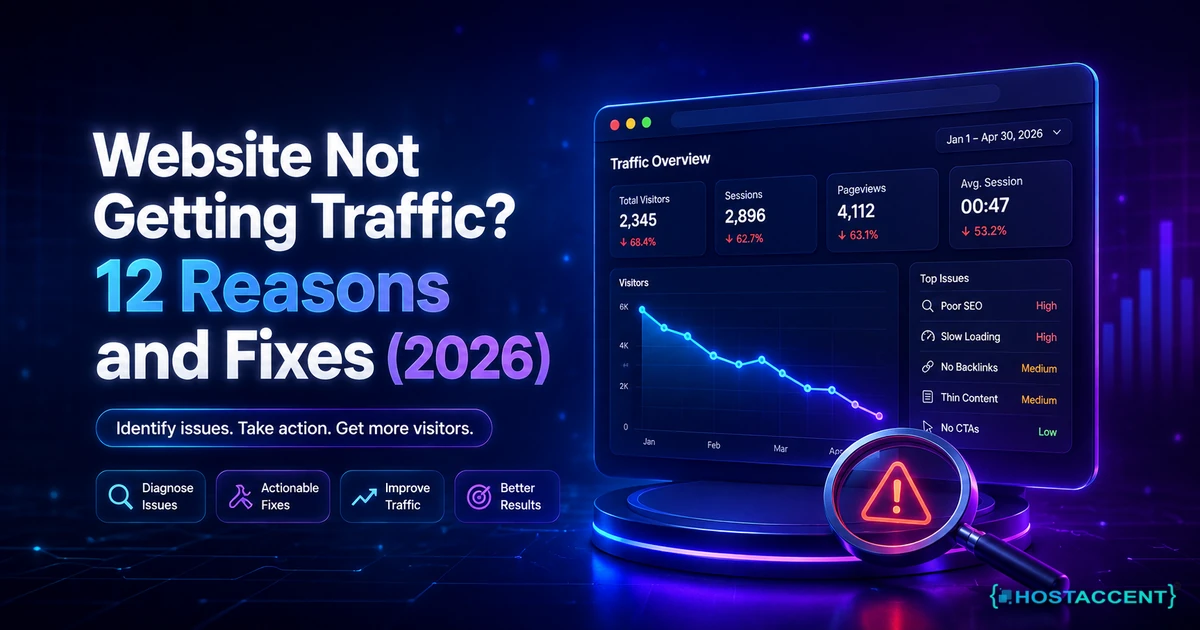
Quick answer (as of July 2026): A website not getting traffic is almost never one big failure. It's usually a stack of small ones: Google hasn't indexed your pages, your server responds slowly, you're targeting keywords nobody searches, or the site is simply too new to rank. Fix the causes in cheapest-to-check order. Most sites that get the basics right see real movement within 4 to 12 weeks.
You launched. You waited. The visitor count still reads single digits, or a flat zero.
If your website is not getting traffic weeks or months after going live, the honest news is that this is common, and it's fixable. A widely-cited 2024 Ahrefs study found that 96.55% of all web pages get no traffic from Google whatsoever. You're not broken. You're in the majority, and the majority has a route out.
We run a working hosting company, and the 20 to 30 site issues our engineers resolve every day taught us something simple: the reason a site gets no visitors is usually the cheapest thing to check, not the most expensive. On stacks like Hostaccent's, that pattern shows up every week. Most guides hand you 20 disconnected tactics and wish you luck. This one is ordered by cost, because that order is what saves you time.
So we start at the bottom of the ladder, with the checks that cost nothing and take a minute.
Website Not Getting Traffic? Run the 60-Second Check First
Before you rewrite a word or buy anything, run what we call the Cheapest-Cause-First check. It has five rungs, ordered from the fix that takes 60 seconds and costs nothing up to the one that takes months: first, is your tracking even working; second, is Google indexing you; third, is your server fast and reliable; fourth, are you targeting real search demand; fifth, do you have any authority yet. Roughly nine out of ten "zero traffic" panics get solved on the first two rungs.
Reason 1: your tracking is broken, so the traffic is invisible, not absent. Plenty of "no visitors on your website" reports are really zero-tracking reports. If you set up GA4 with an aggressive filter, or the tag never fired on live pages, real people can be arriving while your dashboard shows a flat line. Open Google Search Console, not just Analytics. The Performance report counts impressions and clicks straight from Google, so it is the honest second opinion when Analytics looks empty.
Reason 2: Google has not indexed your pages at all. Type site:yourdomain.com into Google. If nothing shows up, your pages are not in the index, and no amount of writing will help until they are. As of July 2026, this single search is still the fastest way to split an indexing problem from a content problem, because a page Google has never crawled cannot rank for anything. Google has to discover, crawl, and index each URL before it can appear, and for a fresh domain that can take days to a few weeks. For the exact steps to request indexing and read crawl status, Google's own crawling and indexing documentation is the source worth trusting over any blog.
Pro Tip: "Not indexed" and "not ranking" look identical from your chair but need opposite fixes. Indexed-but-buried means your pages sit on page 5 and need better relevance. Not indexed means Google cannot see them yet. The
site:check tells the two apart in about ten seconds.
Indexing Blockers You Set by Accident
Reason 3: something is telling Google to stay away. This is the quiet killer, and in the tickets we handle it is one of the most common reasons a brand-new site stays invisible. Three settings do most of the damage.
The first is a stray noindex tag. Many CMS platforms and staging setups ship with a "discourage search engines" box, and if it stays ticked after launch, every page politely asks Google not to list it. In WordPress the toggle lives under Settings, Reading, "Search engine visibility". Uncheck it, then confirm the page source no longer contains a noindex meta tag.
The second is a robots.txt file that blocks crawling. A single Disallow: / line will wall off your entire site. Visit yourdomain.com/robots.txt and read it with your own eyes. If you see a bare Disallow: /, that one line is the whole problem.
The third is a wrong canonical tag pointing every page at your homepage, which tells Google your 40 blog posts are all duplicates of one URL. Check the canonical in your page source and make sure each page points to itself.
A dead site also gets deindexed. If visitors and Googlebot are hitting a fatal PHP error instead of your content, Google eventually drops those pages. If you are seeing white screens or error messages, fix that before anything else. Our walkthrough on There Has Been a Critical Error on This Website: Quick Fix covers the usual causes. Once the blockers are gone, resubmit your sitemap in Search Console and give Google a week to recrawl. Indexing fixes are slow to show, but they are the highest-leverage thing on this list.
Your Hosting Is Quietly Throttling Traffic (Reasons 4-6)
Here is the part almost every "no traffic" guide skips, because most of them are written by marketers who never see the server. Your hosting can suppress traffic in three concrete ways, and all three are measurable.
Reason 4: a slow server response time throttles both crawl rate and visitors. Googlebot has a crawl budget. When your server is slow to answer, Google crawls fewer of your pages per visit, so new content takes longer to get indexed and rank. On our own blog, the Hostaccent team watched a roughly 900ms server response time hold Googlebot's crawl rate down; tightening the stack until responses landed near 200ms let far more pages get crawled in the same window. A good time-to-first-byte target is under about 200ms, and cheap oversold shared plans on old SATA disks routinely blow past that. NVMe SSD storage and a properly tuned PHP stack are the difference. If your host runs slow, no keyword strategy will outrun it. Google's Core Web Vitals guidance on web.dev explains why response time feeds directly into rankings.
Reason 5: downtime is deleting your rankings while you sleep. If your server drops offline when Google tries to crawl, those visits fail, and repeated failures cost you positions. This is why a real uptime commitment matters. A 99.9% uptime guarantee is not marketing fluff; it is the floor that keeps your pages crawlable around the clock. Budget hosts that quietly oversell hardware are the usual reason a small site flickers offline at peak hours.
Reason 6: broken SSL or mixed content scares visitors and search engines off. A "Not Secure" warning in the address bar tanks trust and click-through. Mixed content, where an HTTPS page loads an HTTP image or script, can break pages and trip browser blocks. Confirm your certificate is valid and force HTTPS everywhere. Cloudflare's SSL/TLS learning docs are a clear reference for getting this right.
Insider Insight: People blame content when the real culprit is the stack underneath it. Before rewriting anything, check that your CMS is running a current, supported PHP version, since an outdated one is both a security risk and a speed drag. Our guide on How to Change PHP Version in cPanel (Safe Steps 2026) shows the safe way, and the WordPress Hosting Requirements 2026: Official PHP, MySQL & Memory post lists exactly what your server should provide.
Do I actually need to switch hosts, or is it my content?
Honest answer: run the numbers before you move. If Search Console shows healthy impressions and your site: check lists your pages, but time-to-first-byte sits above 500ms and traffic still crawls, hosting is a real bottleneck worth fixing. If you have almost no impressions at all, that is a demand-and-content problem, and a faster server will not create searches that do not exist. Fix the layer the data points at, not the one that is easiest to buy.
Wrong Keywords and Thin Content (Reasons 7-9)
Even a perfectly hosted, fully indexed site gets nothing if it answers questions no one is asking. Across the 4,000+ sites Hostaccent has migrated since 2012, the pattern we notice most is a site that ranks well for phrases its owner invented and nobody searches.
Reason 7: you are targeting keywords with no search demand. A page called "Our Skincare Journey" can sit at position one and still pull zero clicks, because that exact phrase has no searches behind it. Before writing a page, type the phrase into Google and watch autocomplete. If Google suggests nothing similar and page one shows unrelated results, the demand is not there. Rebuild the page around the words customers actually type, phrased as questions they ask.
Reason 8: you are chasing terms far too competitive for a new site. Pointing a three-month-old domain at a head term like "web hosting" or "running shoes" is entering a race that ended years ago. Those slots belong to sites with years of links. Go long-tail instead. Specific, lower-competition phrases with clear intent are where a new website with no traffic actually breaks in first, then you climb toward the bigger terms later.
Reason 9: your content is thin or misses the intent. If your page is 300 words while the ten results above it each answer twelve sub-questions, yours reads as thin, and Google's Helpful Content systems suppress it. Match the intent precisely. If searchers want a step-by-step fix and you give them a sales page, you lose. Depth, specificity, and genuinely answering the question are what rank now. The official WordPress documentation is a good model for how thorough a genuinely useful page looks.
Pro Tip: One free, genuinely useful resource, a calculator, checklist, or dataset, beats ten thin blog posts. It gives visitors a reason to arrive and other sites a reason to link, which quietly fixes your authority problem without a single outreach email.
Great Impressions, Zero Clicks (Reason 10)
Sometimes the traffic problem hides in plain sight: Google is showing your page and people are choosing not to click. In Search Console you will see impressions climbing while clicks stay flat. That is not a ranking problem. That is a packaging problem.
Reason 10: your titles and meta descriptions are not earning the click. The title link and meta description are the two lines a searcher reads before deciding, and if they read like factory placeholders, people scroll past. We have seen sites where default template text sat in the meta descriptions of dozens of posts, so Google displayed a generic line instead of a reason to click. Impressions were fine. Clicks collapsed.
The fix costs nothing and works fast, often within a recrawl. Rewrite each important page's title to front-load what the searcher typed and add one concrete hook: a number, a year, an outcome. Rewrite the meta description to answer the query in the first ten words and give a reason to choose you. You can lift click-through without touching your rankings at all, which is the rare traffic win that shows up in days rather than months.
If a database hiccup is mangling how your pages render in results, that is worth ruling out too. Our guide on How to Repair MySQL Database Safely (2026 Step-by-Step) covers the safe process when corruption is the culprit behind broken pages.
No Authority Yet: Links and Time (Reasons 11-12)
The last two reasons are the honest ones most guides skip, because the answer is partly "wait".
Reason 11: nothing on your site links to anything else. Internal linking is the cheapest authority move there is. An afternoon spent connecting related pages with descriptive anchor text is routinely worth more than a month of new content, because it helps Google understand and value every page you already have. New sites often publish a homepage and three orphan pages with no paths between them. Link them. If you are self-hosting on a fresh server, our How to Install WordPress on VPS: Ubuntu + Nginx Guide gets the foundation right so your links and structure hold up.
Reason 12: you have no backlinks and the site is simply too new. Competitive rankings go to domains with links and history, and a new domain has neither yet. The same Ahrefs research found lack of backlinks to be a leading reason pages get no search traffic at all. Give it time. A realistic window is 3 to 6 months of consistent, helpful publishing before you judge a new site harshly, and 4 to 12 weeks before the first flickers appear. Earn a few real links from relevant directories, communities, and genuinely useful content in the meantime. And do not ignore the newest channel: as of 2026, AI assistants send measurable referral traffic when they name your site in an answer, and they favour recently-dated, well-structured pages.
Your Next Step: A Host That Isn't the Reason You're Invisible
Now that you can see why your website is not getting traffic, and how often the culprit is a slow server or downtime rather than your words, you have a choice. You can spend a weekend benchmarking response times and hardening uptime yourself, or start on a stack where NVMe storage, a 99.9% uptime guarantee, valid SSL, and a supported PHP version are already handled. That is the whole idea behind Hostaccent. We are a UK-registered host, operating since 2012 and incorporated in 2018, with 10,000+ sites launched and real engineers answering support, not ticket-closers. You can start on the Economy shared hosting plan at Economy — $1.99/mo, backed by a 30-day money-back guarantee. One honest caveat: it is sized for a single site, so if you are running several client projects, take Standard instead. Either way, a fast, always-on foundation is one variable off your list.
Frequently Asked Questions About a Website Not Getting Traffic
Why is my website not getting traffic even after months of work?
Usually because more than one thing is off at once. The most common combination we see is a site that is either not fully indexed or is targeting keywords with no search demand, sitting on hosting slow enough to throttle crawl. Work the Cheapest-Cause-First order: confirm indexing with a site: search, check your server response time, then audit whether real people search the phrases you target. Fix the layer your data actually points to, not the easiest one to buy.
How long does it take for a new website to get traffic?
Plan for patience. A new website with no traffic in its first few weeks is completely normal, not a failure. A realistic window is 4 to 12 weeks of consistent, helpful publishing before you see the first meaningful movement, and 3 to 6 months before search traffic becomes dependable. Google has to discover, crawl, index, and then trust your pages, and trust is the slow part. Paid ads can bring visitors sooner, but they do not fix the underlying foundation.
My website is live but not showing on Google. Is something wrong?
Not always. For a fresh site this is often just the normal discovery stage. Run site:yourdomain.com in Google. If some pages appear, you are indexed and the issue is ranking or click-through, not visibility. If zero pages appear, check for a stray noindex tag, a blocking robots.txt, and whether you have submitted a sitemap in Search Console. Fix those, resubmit, and give Google a week or two to recrawl before drawing conclusions.
Can slow hosting really cause a website not getting traffic?
Yes, and it is underrated. A slow server response time reduces how many pages Googlebot crawls per visit, so new content is discovered and ranked slower, and downtime during a crawl can cost you positions outright. Our engineers at Hostaccent see this daily: a site with fine content quietly held back by a server answering in 900ms instead of near 200ms. NVMe storage, a tuned PHP stack, and a genuine uptime guarantee remove that ceiling so your content can actually compete.
Why am I getting impressions but no clicks from Google?
Impressions with no clicks means Google is showing your page and searchers are choosing something else. It is a packaging problem, not a ranking one, and it is one reason a site can be getting no clicks from Google despite decent positions. The culprit is almost always weak titles and meta descriptions that read like placeholders. Rewrite the title to match what the searcher typed and add a concrete hook, then rewrite the description to answer the query in its first ten words. This often lifts click-through within one recrawl.
What is the fastest thing I can do to increase traffic?
Fix the click-through and the indexing first, because both move quickly. Rewrite the titles and meta descriptions on your highest-impression pages so they earn the click, which can pay off within days. In parallel, confirm every important page is indexed and add descriptive internal links between related pages, which helps Google value the content you already have. Deeper wins like backlinks and authority take months, so start there while the fast fixes compound.


Discussion
Have a question or tip about this topic? Share it below — your comment will appear after review.