
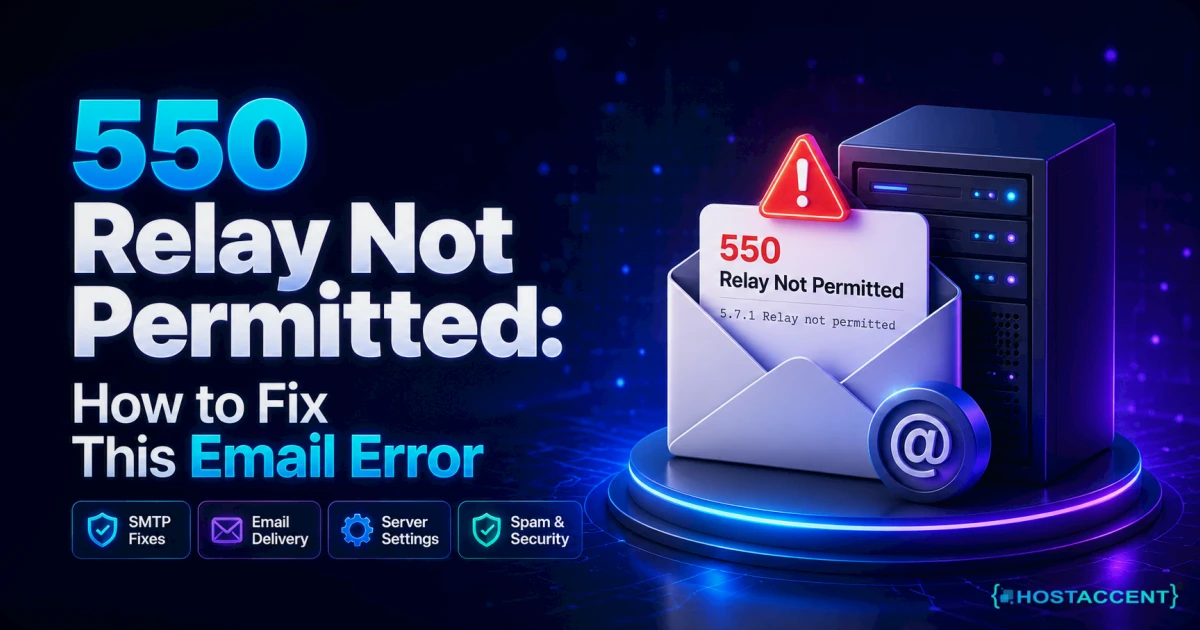
You hit send, the message hangs for a beat, then boomerangs back with a wall of red text: 550 relay not permitted. Nothing left your outbox. And if your business runs off that inbox, every minute it stays broken is a client wondering why you've gone quiet.
Here's the reassuring part. This is one of the most fixable email errors there is. It almost never means your account is hacked or your domain is dead. It means one server in the delivery chain doesn't yet trust that you're allowed to send through it. We resolve 20 to 30 client issues like this on a normal day, and the cure is usually four or five clicks in the right settings screen.
Quick answer: 550 relay not permitted is a permanent SMTP rejection that fires when the outgoing mail server can't confirm you're authorised to relay mail through it. Nine times out of ten the fix is to switch on "my outgoing server requires authentication" in your mail app, then use port 587 with STARTTLS and your full email address as the username. On managed stacks like Hostaccent's, that's the exact setting our engineers check first.
This guide walks the whole thing, in order: what the error actually means, the four causes ranked by how often they hit, the precise client-side and server-side fixes, and how to make sure it never comes back.
What "550 Relay Not Permitted" Actually Means
The rejection means a mail server received your connection but refused to pass the message onward because it couldn't verify you're allowed to relay through it. The 550 code is a permanent failure under RFC 5321, so resending the same message unchanged just reproduces the bounce. The real detail lives in the enhanced status code, usually 5.7.1.
Think of a mail server as a building with a phone in the lobby. Years ago anyone could walk in and use it. That "open relay" is exactly what spammers abused, so every modern server now demands ID before it dials out. No ID, no relay.
Now the part almost every other guide skips. Two very different people see this same error, and the fix depends entirely on which one you are.
The Sender-or-Receiver Test. Before you touch a single setting, answer two questions:
- Are you getting the bounce when you try to send? That's a sender-side problem: your mail app isn't authenticating. Fix it in your email client (the next two sections).
- Are other people getting the bounce when they try to email you? That's a receiver-side problem: your domain isn't listed as one your mail server accepts, or your MX record points somewhere stale. Fix it on the server (the server-side section).
Get this wrong and you'll spend an hour "fixing" authentication that was never broken. In our experience, roughly a third of the trickiest tickets on this error are actually the receiver-side case in disguise, and the customer had been editing the wrong settings for days.
What Causes This Rejection, Ranked by How Often We See It
Most 550 relay rejections trace back to four causes, and they aren't equally common. As of July 2026, the overwhelming majority are simple client authentication, not exotic server bugs. Work them top to bottom and you'll clear the error faster than chasing DNS first.
- SMTP authentication is switched off. The single biggest cause. Your app connects to the outgoing server but never logs in, so the server treats you as a stranger asking to relay. This is the classic relay access denied case.
- Wrong port. You're on port 25, which many networks and ISPs block outright to fight spam. Authenticated submission belongs on 587 (STARTTLS) or 465 (SSL/TLS).
- Wrong credentials or username format. A typo, an old password, or using just "john" instead of the full
[email protected]. Many servers key authentication to the complete address. - Sender IP blocked, or SPF/MX misconfigured. Your sending IP isn't whitelisted, sits on a blacklist, or your domain's SPF record doesn't authorise the server sending on its behalf. On the receiver side, your domain simply isn't in the server's accepted-domain list.
According to Hostaccent's support-queue data (July 2026), Linux server issues account for about 25% of the tickets our team handles each month, and mail relay problems are among the most common inside that slice. The pattern is boringly consistent: it's almost always an unchecked authentication box, not a broken server.
Pro Tip: If you can send from webmail but not from Outlook or Thunderbird, that's your smoking gun. Webmail authenticates automatically. Your desktop client doesn't until you tell it to, which points straight at cause #1.
If your mail lands but keeps hitting the spam folder rather than bouncing, that's a related but separate deliverability problem. Our guide on WordPress Emails Going to Spam? Here's the Actual Fix covers that side.
How to Fix It, Step by Step
For the sender-side case, clearing the rejection takes about two minutes: turn on outgoing authentication, correct the port, and match the username to your full email address. Do these three in order and the error clears for the vast majority of people before you ever touch DNS or server config.
Do I fix this in my email app or on the server?
If you get the bounce when sending, it's your email app. Only touch server config if other people can't email you, or you run your own VPS. Most readers never need to leave the mail client. Here's the sequence.
Step 1. Enable outgoing authentication. In your mail app's account settings, find the outgoing (SMTP) server and tick "My outgoing server (SMTP) requires authentication." Choose "Use same settings as my incoming mail server." Microsoft documents this exact toggle for Outlook in its guide to the 550 relay-prohibited error.
Step 2. Set the right port and encryption.
- Port 587 with STARTTLS (the modern default for authenticated submission).
- Port 465 with SSL/TLS (also fine; use it if 587 is blocked on your network).
- Avoid port 25 for sending. It's for server-to-server transfer and is widely blocked.
Step 3. Fix the username. Enter your full email address as the username, not just the local part. Then retype the password from scratch rather than trusting a saved one.
Step 4. Confirm the hostname. The outgoing server should be your provider's mail host (something like mail.yourdomain.com), not a leftover ISP server from an old setup.
Client-specific notes: in Outlook, it's More Settings then the Outgoing Server tab. In Thunderbird, it's Account Settings, then Outgoing Server (SMTP), then Edit, then Authentication method. In Apple Mail, it's the SMTP server list, then Edit, then Authentication. Different labels, identical fix.
Send a test message to yourself. If it lands, you're done. If the server rejects you for resource reasons rather than auth, that can point at plan limits, which we unpack in Shared Hosting Resource Limit Exceeded: Causes & Fix (2026).
Live site, no time to experiment? Our engineers fix this exact relay error for a small one-time fee, and you'll see the precise quote before anyone touches your settings. Already hosted with Hostaccent? Then a fix like this is simply part of support, at no extra charge. Have an engineer fix it.
Fixing 550 on the Server Side (Exim, Postfix, cPanel/WHM)
If people get the bounce when emailing you, or you manage your own server, the fix moves to the mail server itself. The core rule: the server must accept your domain, allow authenticated users to relay, and reject unauthenticated strangers, in that order. Miss the order and you either lock out real users or leave an open relay.
On Postfix, the relevant line is the recipient restriction list:
bash# /etc/postfix/main.cf smtpd_recipient_restrictions = permit_sasl_authenticated, permit_mynetworks, reject_unauth_destination
That reads left to right: authenticated senders pass, trusted local networks pass, everyone else attempting an external recipient is rejected. Reload with postfix reload after editing.
On Exim and cPanel/WHM, the equivalent controls sit under WHM's Exim configuration and the "Mail" section. For the receiver-side case, the fix is usually adding the domain to the server's accepted-domains list so inbound mail stops being treated as a relay attempt.
Check the domain's MX and routing before assuming the mail app is at fault:
bashdig +short MX yourdomain.com
If that points to a remote or outdated server, inbound senders will hit 550 relay not permitted in reply to rcpt to, because your server has no idea it's supposed to accept mail for that domain.
Insider Insight: Restriction order is the gotcha nobody warns you about. Put reject_unauth_destination before permit_sasl_authenticated and Postfix bounces your own authenticated users. Across the 4,000+ sites we've migrated since 2012, a scrambled restriction list is the server-side mistake people make most, and it looks identical to a "broken" login until you read the order.
Running your own box also means watching memory and disk, since a starved mail process throws errors that mimic relay failures. If your server is under pressure, Why Is My VPS Running Out of RAM? How to Diagnose and Fix It is worth a read.
How to Confirm the Fix and Stop It Coming Back
To confirm the fix, send one real test message and read the result end to end. A clean send with no bounce and a 250 OK in the logs means the relay path is authorised. As of 2026, that verification plus three DNS records is what keeps the error from returning for good.
Do these four things once and you rarely see this problem again:
- Send a live test, then check the bounce or the mail log. A clean pass confirms authentication is working.
- Publish an SPF record listing every server allowed to send for your domain. This is the fix for the "unauthorised sender" flavour of the error.
- Add DKIM and DMARC. They don't stop relay rejections directly, but they harden deliverability so your authorised mail isn't quietly filtered later.
- Stay on the submission port (587/465). Locking clients to authenticated submission stops the whole class of problem returning.
For the enhanced status codes you'll see in logs (5.7.1 and friends), the reference is RFC 3463. Reading the exact triplet tells you whether it's auth, policy, or a bad recipient.
One honest limitation worth stating: if your sending IP is genuinely blacklisted, no client setting will save you. You'll need to identify the list, request delisting, and prove the abuse has stopped, which can take hours to days depending on the operator. That's a reputation problem, not a config toggle, so don't burn time re-editing ports when the log clearly says the IP is blocked.
If mail is fine but pages feel sluggish while you're in there, that's a different layer entirely. How to Fix High TTFB in WordPress (2026 Guide) and Core Web Vitals Failing? Your Hosting Might Be the Problem cover the performance side.
Your Next Step: Email That Just Sends
You've got the full playbook now: switch on authentication, use port 587, match the username to your full address, and let SPF vouch for your server. Two honest paths from here.
Fixed it? Lock the win in by publishing SPF, DKIM and DMARC so it can't creep back. On a well-run host, a 550 relay not permitted bounce is support's job, not yours. That's the quiet upside of managed shared hosting from Hostaccent, where the mail stack is tuned before you ever log in. The Economy plan at $1.99/mo includes NVMe storage, free SSL and the same engineers who handle errors like this daily, and it renews at $1.99/mo rather than stepping up in year two. Fair caveat: it's built for single sites, so if you're juggling ten client domains, Standard fits better. Start on the Economy shared hosting plan.
Still stuck? Open a ticket and our engineers will fix this exact error for a small one-time fee, quote shown before any work begins.
Frequently Asked Questions About This SMTP Error
What does 550 relay not permitted mean?
It means a mail server received your connection but refused to forward your message because it couldn't confirm you're authorised to relay through it. The 550 code is a permanent SMTP failure, so resending the same message unchanged won't help. The most common trigger is that outgoing authentication is switched off in your email client, so the server treats you as an unverified stranger rather than a known account holder.
Why do I get 550 relay not permitted with Gmail?
Usually because you're routing mail through the wrong server, or your domain's mail isn't set up to accept Gmail's relay. When someone using Gmail emails your domain and the receiving server hasn't listed your domain as one it accepts, Gmail's servers get bounced with "not permitted to relay." The fix is on your side: confirm your MX record points to the correct mail host and that your domain is in the server's accepted-domain list.
Which SMTP port fixes relay access denied?
Switch off port 25 for sending and use port 587 with STARTTLS, which is the modern standard for authenticated submission. If your network blocks 587, use port 465 with SSL/TLS instead. Port 25 is meant for server-to-server transfer and is blocked on most residential and office networks to curb spam, which is why leaving your client on it so often produces a relay access denied rejection when you try to send.
Is the SMTP authentication required error the same thing?
They're two faces of the same problem. The SMTP authentication required error is the server telling you plainly why it refused: you didn't log in before trying to relay. The 550 rejection is the broader one that often carries that reason underneath. In both cases the fix is identical, which is to enable outgoing (SMTP) authentication in your mail app and send with your full email address and correct password.
Can an SPF record cause 550 relay not permitted in reply to rcpt to?
Yes, indirectly. If your domain's SPF record doesn't list the server sending on its behalf, receiving servers can reject the message during the RCPT TO stage as an unauthorised relay. Publishing a correct SPF record that names every legitimate sending source clears this. It won't fix a plain authentication problem in your mail client, though, so confirm the login side first before rewriting DNS records that were never the cause.
Should I fix this myself or ask my host?
If you get the bounce when sending, fixing it yourself takes minutes: enable authentication, correct the port, retype your password. If other people can't email you, or you manage your own server, the fix is server-side and worth handing off. If you're on Hostaccent, the relay rules are configured by our engineers, so authenticated sending works out of the box and a stuck relay is simply handled by support rather than becoming your weekend project.






Discussion
Have a question or tip about this topic? Share it below — your comment will appear after review.