
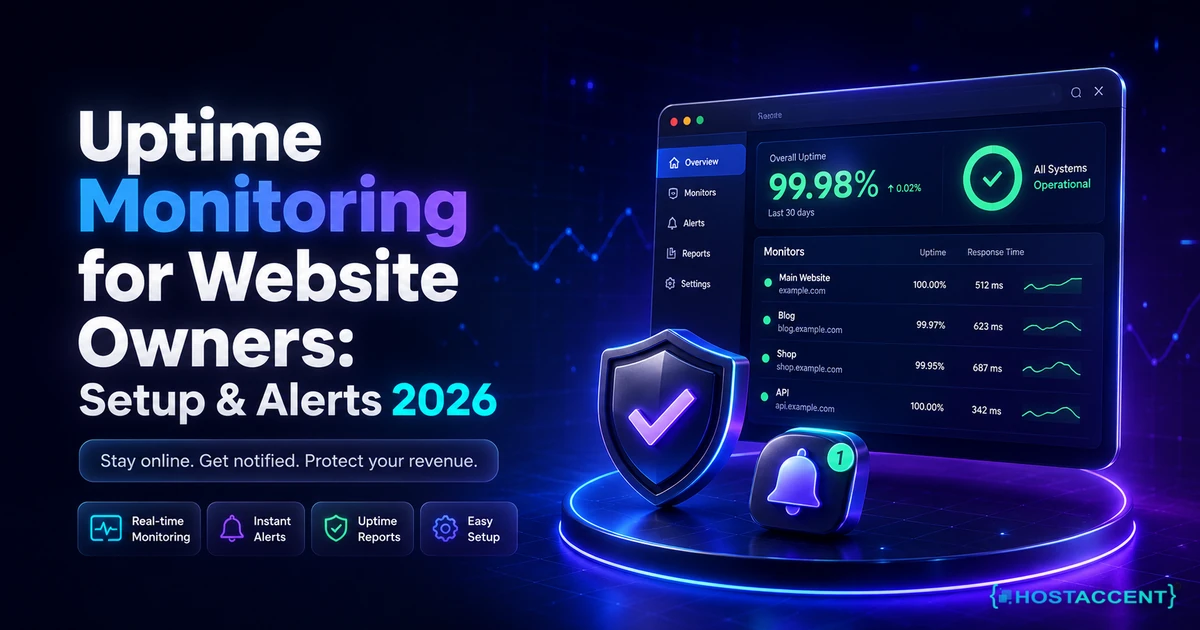
Your site went down at 2:14am on a Tuesday. You found out at 9:30am, when a customer emailed to ask whether you had gone out of business. Seven hours of lost orders, and no record of what actually happened.
That gap is exactly what uptime monitoring for website owners is built to close.
Quick Answer (August 2026): Uptime monitoring is an outside service that loads your site every 30 seconds to 5 minutes from several countries and messages you the moment it stops responding correctly. A basic setup takes about 15 minutes and can cost nothing. Check revenue pages every minute, require two failed checks from two regions before alerting, and watch SSL and domain expiry too.
Most guides stop right there, at the signup screen. This one keeps going, because knowing your site is down is only half the job. Hostaccent has been hosting websites since 2012 and has been UK-incorporated since 2018, and across the 4,000+ sites we have migrated, our engineers still resolve 20 to 30 client site issues on a normal working day. Very few of those start with a monitor. Most start with a worried human.
So you will get the real steps, the real costs, the settings that stop false alarms, and an honest answer about what monitoring cannot do for you.
What Uptime Monitoring for Website Owners Actually Measures
Uptime monitoring measures one narrow thing: whether a machine somewhere else on the internet can reach your site and get a valid answer back. As of August 2026, a standard monitor sends an HTTP request every 1 to 5 minutes, records the status code and the response time, and optionally checks that a specific word appeared on the page. Everything else is inference.
That narrowness matters, because "uptime" gets quoted as a percentage and percentages hide how much pain they allow.
| Uptime promised | Downtime allowed per month | Downtime allowed per year | What that feels like | |---|---|---|---| | 99% | about 7.2 hours | about 3.65 days | Most of a working day, gone | | 99.9% | about 43 minutes | about 8 hours 46 minutes | One bad afternoon a year | | 99.95% | about 22 minutes | about 4.4 hours | Two short incidents | | 99.99% | about 4.4 minutes | about 53 minutes | Almost nothing, and expensive to hold |
Three nines, or 99.9%, is the standard commitment across consumer and small business hosting, and it is the level we guarantee. Read the table honestly though. A single 45 minute incident uses your entire monthly allowance.
The blind spot nobody warns you about
A monitor can report a perfect green month while your business is quietly broken. This happens because most checks only confirm that the server returned HTTP 200, the code that means "here is your page". A cached homepage can return 200 while the database behind your checkout is refusing connections. A contact form can return 200 while its emails silently fail. If you want to understand what your monitor is actually reading, MDN's HTTP reference is the plainest explanation of what each status code means.
In our experience the "up but broken" outage costs more than a clean crash, because a clean crash gets noticed in minutes and a broken checkout can run for days. We once picked up a client whose database had been rejecting new connections since a memory limit change, while their monitor reported 100% uptime the entire week. The fix took under an hour once we could see the logs, and it started with something as ordinary as needing to reset the MySQL root password to get in.
Pro Tip: Add a keyword check on the one word that only appears when your site is genuinely working. On a shop, monitor for "Add to cart". On a booking site, monitor for "Check availability". A homepage that returns 200 but no longer contains that phrase is a real incident, and a plain status-code check will never catch it.
How to Monitor Website Uptime in 15 Minutes (Step by Step)
Here is the honest version of the setup. A free uptime monitor account, four monitors and two alert channels takes about 15 minutes on a laptop, and you do not need to touch your server, your DNS or your control panel to do it. Nothing in this process can break your live site, because monitoring only reads pages the way a visitor does.
- Create an account with any mainstream monitoring service. Free tiers commonly allow up to 50 monitors at 5-minute intervals, which is more than a single business needs.
- Add your homepage first. Paste the full address including https, and pick the HTTP or HTTPS check type rather than a ping check. Ping only proves the server is powered on, not that your website works.
- Add your money page second. For a shop that is the cart or checkout. For a service business it is the contact or booking page. This is the one that actually costs you money when it fails.
- Turn on a keyword check on at least one monitor, using the phrase test described above.
- Set the check interval. One minute on the money page, five minutes on everything else. Faster is not automatically better, as the next section explains.
- Add two alert channels. Email plus one that will actually wake you or reach your phone. Email alone fails at 2am.
- Test it deliberately. Point one monitor at a page that does not exist on your domain, wait for the alert to arrive, then change it back. An untested alert is not an alert, it is an assumption.
That is the whole DIY setup. Genuinely. If your site is a brochure site or a small shop, you are now better instrumented than most businesses on your street.
Do I really need a paid monitor for one small business site?
Probably not at the start. A free plan detects a total outage perfectly well. You outgrow it for two specific reasons: free tiers rarely confirm a failure from a second region before alerting, which means more false alarms, and they usually cap you at 5-minute checks, which means an outage can run nearly 5 minutes before the first failed check even happens. If a lost hour costs you real revenue, paying for 1-minute multi-region checks is a sensible upgrade. If it does not, keep your money.
Don't want to set any of this up yourself? Hostaccent's engineers set up the whole chain for you, from domain and hosting to SSL, monitoring and a live working website. Tell us what you need and we handle it start to finish, with nothing technical required from you.
Alert Settings That Catch Real Outages Without Waking You at 3am
The single most effective setting in any monitoring tool is the confirmation threshold. Requiring two consecutive failed checks, confirmed from two separate regions, before an alert fires removes the large majority of false alarms while adding only 30 to 60 seconds to detection. Industry guidance is consistent on this point: single-probe alerting is the main cause of alert fatigue.
Downtime alerts fail for a boring reason. People get so many false ones that they stop reading them, and then the real outage arrives and gets treated like the last twelve.
Here is what causes most false alarms, in the order we see them:
- One monitoring region has a routing problem. Your site is fine everywhere else. Multi-region confirmation solves this.
- Your firewall or security plugin blocked the probe. Monitoring services publish their IP ranges. Allow-list them.
- The timeout is set too tight. A 5-second timeout on a page that occasionally takes 6 seconds under load will produce phantom outages. Fix the slow page, but also set a realistic timeout.
- The keyword you are checking changed. Someone edited the button text and nobody told the monitor.
- An SSL certificate renewed mid-check. Brief, harmless, and it looks exactly like an outage.
Then set your escalation so the noise level matches the stakes. Email for anything that recovers within one check. SMS or a phone call only when a failure has been confirmed from multiple regions and has persisted past a few minutes. Suppress duplicate notifications for 15 to 30 minutes during an ongoing incident, or one four-hour outage will send you two hundred messages.
Schedule your maintenance windows in the tool as well. Every time you run updates or restart services, monitoring will see it as downtime, and a false record of an outage is almost as unhelpful as a missed one.
Insider Insight: Never route uptime alerts to an inbox hosted on the same server as the site being monitored. We have watched this play out more than once. The server goes down, the alert is generated correctly, and the message queues on the machine that is offline. Use an external address on a different provider, or a channel that has nothing to do with your hosting.
The Four-Door Check: What to Monitor Besides Your Homepage
Monitoring only the homepage is the most common mistake we see, and it is the reason sites "pass" monitoring while losing sales. We use a simple internal shorthand for scoping monitoring properly, and it takes about four extra minutes to implement: the Four-Door Check. Four doors, four separate monitors, roughly 99% of the outages that actually cost money.
Door one: the front door. Your homepage, checked from at least two regions. This catches total server failure, expired hosting, and network-level problems.
Door two: the till. Checkout, login, or your booking form. This is the page that generates revenue, and it usually depends on more moving parts than your homepage does: PHP workers, the database, a payment gateway, sometimes an external API. It fails independently, and far more often.
Door three: the locks. SSL certificate expiry and domain expiry. Both are silent, both are scheduled, and both take a site fully offline in the eyes of every browser. Free certificates from Let's Encrypt renew every 90 days automatically, right up until the renewal hook quietly breaks. Domain expiry is worse, because the recovery process can take days. Most monitoring tools track both if you switch the checks on, and almost nobody does.
Door four: the sign. The keyword or content check that proves the page rendered rather than merely responded. Without it, a cached error page can look like a healthy site for a week.
Add a fifth door if you run anything that has to stay awake: an always-on process is a different failure mode from a web page. A background service can die while the site stays perfectly up, which is why people who host a Discord bot 24/7 or run scheduled jobs use heartbeat monitoring, where the job pings the monitor rather than the other way around. The same applies to app servers, so if you host a Next.js app on a VPS the process manager needs its own watch.
One more thing worth checking annually rather than continuously: your DNS records. A registrar change or a mistyped record takes a site offline in a way that looks exactly like a server outage but has nothing to do with your server. Cloudflare's learning centre explains the mechanics clearly if you want to understand what your monitor is seeing.
Website Uptime Monitoring Tools: What the Free Tier Really Covers
Choosing between website uptime monitoring tools comes down to one question that has nothing to do with features: after the alert fires, who is going to fix the site? Detection is a commodity in 2026, and a free uptime monitor detects an outage almost as well as a paid one. Response is not a commodity, and that is where the actual cost sits.
| Monitoring setup | Typical check interval | Confirms from multiple regions | Who fixes the outage | Monthly cost | |---|---|---|---|---| | Hostaccent managed VPS with monitoring | 60 seconds | Yes | Our in-house engineers, 24/7 | From $7.99/mo for the server | | Free tier of a mainstream monitor | 5 minutes | Rarely on free plans | You | $0 | | Paid monitoring subscription | 30 to 60 seconds | Yes | You | Roughly $7 to $30/mo, industry range | | Your host's public status page | Not applicable | Not applicable | The host, when they publish it | $0 |
Now do the honest arithmetic, because the $0 row is only free in cash terms. At a 5-minute interval, an outage can run nearly five minutes before the first failed check, plus a confirmation cycle, so realistic detection is closer to eight or ten minutes. Then the alert lands on you. Working out whether the cause is PHP, the database, DNS, a full disk or the host itself takes a non-technical owner hours, usually at the worst possible time, and the answer often requires shell access you may not have. A free tier buys you a text message. It does not buy you a fix, and it will not restore a backup at 3am.
The status page row deserves the same scepticism. It is your host's account of its own reliability, published on your host's schedule. Useful, but not independent, which is precisely why external monitoring exists.
Pro Tip: Whatever you choose, export or screenshot your monthly uptime report and keep it. If you ever need to hold a provider to a 99.9% guarantee, an independent third-party record is evidence. Your provider's own dashboard is not.
The DIY Path vs the Done-For-You Path (Honest Time and Cost)
Both paths are legitimate, and we will not pretend otherwise. Setting up monitoring yourself costs about 15 minutes and $0. Responding to what it finds is the part with the real price tag, and it is measured in hours you cannot schedule.
The DIY path, honestly costed. Initial monitoring setup: 15 minutes. Tuning thresholds so the alerts stop lying to you: one to two hours spread over the first month. Learning enough to diagnose a real outage: considerably more, and the learning happens under pressure. If you are comfortable in a terminal, this is completely doable, and guides like how to install WordPress on a VPS plus the official WordPress documentation will get you most of the way. Our team genuinely does not mind if you take this route. The person who learns to fix their own site tends to remember who taught them.
Where DIY stops working. It stops when the outage is at the server layer rather than the site layer. A failing disk, an out-of-memory kernel event, an exhausted PHP worker pool, a mail queue that has been blacklisted. Those need root access, log reading and experience, and they are exactly the cases where every hour of guesswork is an hour offline.
The done-for-you path, concretely. A full A-to-Z setup means we register or transfer the domain, provision the hosting, install and secure the site, issue and auto-renew SSL, configure backups, set up monitoring with sensible thresholds, and point the alerts at people who can act on them. After launch, the same engineers handle updates, errors and security. That is the difference between fully managed VPS hosting and a bare server, and it is what server management services actually cover.
How to decide, in one line. If an hour of downtime costs you less than an hour of your own time, monitor it yourself and keep the money. If an hour of downtime costs you customers, buy the response, not just the alert.
Every month, owners come to us with problems their previous provider would not touch. We fix them anyway. That is the whole difference between a ticket number and an engineer.
Your Next Step: A Site That Tells You It Is Down, and Someone Who Fixes It
A monitor tells you the door is stuck. It does not tell you who has the key. Uptime monitoring for website owners is the smoke alarm, and somebody still has to bring the hose.
You can wire this up yourself this weekend, or hand over the whole chain. We set up everything: domain, hosting, SSL, monitoring and a live working site, backed by 24/7 support from our own in-house engineers, free 30 Gbps DDoS protection, a 99.9% uptime guarantee and 30 days to change your mind. Infrastructure is priced openly: shared hosting from Economy at $1.99/mo, or move to a VPS from Basic at $7.99/mo, both at flat renewal.
One honest caveat: if you enjoy tuning your own thresholds, you do not need us. If you would rather never see a 3am alert again, tell Hostaccent what your site needs.
Frequently Asked Questions About Uptime Monitoring for Website Owners
Is uptime monitoring for website owners worth paying for?
For a brochure site or a small blog, a free plan is genuinely sufficient and we would not push you past it. Paying becomes worthwhile when downtime has a measurable cost, because paid plans unlock 30 to 60 second checks and multi-region confirmation, which together cut both detection time and false alarms. The better question is what you are buying. Paying $15 a month for faster detection while nobody is available to respond simply means you learn about the outage sooner.
How much downtime does a 99.9% uptime guarantee actually allow?
About 43 minutes per month, or roughly 8 hours and 46 minutes across a full year. That is the standard commitment for shared and VPS hosting, and it is the level we guarantee. Stepping up to 99.99% cuts the allowance to around 4.4 minutes monthly, but it requires redundant infrastructure and automated failover rather than simply more careful operations, which is why it costs considerably more. For most small business sites, three nines with fast response beats four nines on paper.
Why does my uptime monitor say the site is down when it looks fine to me?
That is a false positive, and the usual cause is a single monitoring probe hitting a routing or DNS problem in one region while every other region reaches your site normally. Other common causes are a firewall or security plugin blocking the probe's IP, a timeout set too aggressively, or a keyword check pointing at text that has since been edited. Enable multi-region confirmation and allow-list your monitoring provider's IP ranges, and most of this noise disappears.
Can a free uptime monitor be enough for a small business website?
Yes, for detecting a total outage. Free tiers commonly allow up to 50 monitors at 5-minute intervals, which covers the Four-Door Check comfortably. The two real limitations are interval and confirmation: five minutes between checks means slower detection, and most free plans alert from a single location, so you will see more false alarms. Neither is fatal for a site where an hour offline is inconvenient rather than expensive. Start free and upgrade only when the maths changes.
What should I actually do in the first five minutes of a downtime alert?
Check the site yourself from mobile data rather than your usual network, to rule out a local problem. Then check whether one page is failing or the whole domain, because a single broken page points at your site while a dead domain points at DNS, expiry or the server. Look at your host's status page next. If the site is entirely unreachable and your domain and certificate are current, it is a server-level issue and you should open a ticket immediately rather than experimenting.
Does website downtime hurt my Google rankings?
Short outages generally do not. Google's crawlers retry, and a site that is unreachable for a few minutes will usually recover without any ranking effect. Sustained or repeated downtime is a different matter, because persistent server errors eventually reduce crawl frequency and can lead to pages being dropped from the index. The more immediate damage is commercial rather than technical: visitors who hit a dead site rarely come back for a second attempt, and paid traffic arriving during an outage is money burned.
Can someone set up hosting, SSL and monitoring for me if I am not technical?
Yes, and this is a normal request rather than an unusual one. Hostaccent's team handles the whole chain: domain registration or transfer, hosting setup, SSL issuance and auto-renewal, backups, monitoring with sensible alert thresholds, and the live site itself. Across the 10,000+ websites we have launched since 2012, most owners never touch a terminal at any point. You describe what the site needs to do, we build and secure it, and the alerts come to engineers who can act on them.


Discussion
Have a question or tip about this topic? Share it below — your comment will appear after review.