
Quick Answer: If your WordPress site was hacked, put it in maintenance mode, change every password, and make a full backup of the compromised files before you clean anything. Then run a malware scan, inspect
.htaccess,wp-config.php, andindex.phpfor injected code, replace WordPress core, delete unknown admin users and rogue cron jobs, reset all credentials, and request a review in Google Search Console. With a clean daily backup, the whole thing collapses into a single restore.
One morning your homepage loads fine for you, but another visitor lands on a pharmacy-spam page. Or Google shows a security warning for the domain. Or a client reports a download prompt you never added. A compromised WordPress site feels chaotic, but the response can be methodical: contain it, preserve evidence, recover trusted code and data, rotate access, and close the entry point.
What follows is a practical recovery sequence. Adapt it to the hosting environment, keep a record of every change, and involve a qualified incident responder when customer data, payment data, or server-level access may be affected. Do not start deleting files at random.
WordPress Site Hacked? Your First 10 Minutes
Speed matters here, but panic doesn't help. Your goal in the first ten minutes is to stop the damage spreading — to your visitors, your reputation, and your search rankings.
First, take the site offline. Maintenance mode (a holding page that returns a clean response) protects visitors from a wordpress hacked redirect while you work, and it stops Google from crawling the malicious version over and over. If you can't reach wp-admin, a single index.html placeholder in your web root does the job.
Second, change your passwords now — WordPress admin and your hosting login both. Assume the attacker has seen every credential stored on the account.
Third, write down what you saw and when. The symptom, the time, the page that broke. That note becomes your map for the next hour. With a host like Hostaccent that keeps automatic daily backups, this is also the moment to check which restore points predate the symptom — you'll want the most recent clean one later.
Pro Tip: Don't delete anything in these first minutes. A hacked site is a crime scene as much as a cleanup job. The injected files tell you how they got in, and that's the difference between fixing the hole and getting reinfected next week.
Is Your WordPress Site Hacked? How to Confirm the Symptoms
Not every broken site is a breach. A white screen is often just a plugin conflict. So confirm it before you panic-clean. In our experience, across years of real recoveries, here's the symptom order, most common first.
Spam redirects. The site sends visitors (often only mobile users, or only those arriving from Google) to spam, gambling, or pharma pages. This is the number-one symptom in real cleanups — it turns up in roughly 7 of every 10 hacked sites we clean — and it's usually the easiest to trace.
Unknown admin users. Open Users → All Users and look for an account you didn't create, often with a garbled name or a throwaway email. That's a planted backdoor login.
Browser and search warnings. A "Deceptive site ahead" screen, or a "This site may be hacked" label under your result in Google. Both mean the problem is already public.
Injected code in core files. Long strings of base64-encoded gibberish at the top of PHP files, especially index.php, wp-config.php, and theme functions.php.
Unexpected files and traffic. New .php files in /wp-content/uploads/ (nothing executable should live there), or a sudden spike in outbound email that gets your server IP blacklisted.
Knowing the likely entry point speeds up the cleanup. WordPress runs around 43% of all websites, which is exactly why attackers hammer it so hard. In the breaches we see, three doors open most often: an outdated plugin or theme with a known vulnerability, a weak or reused admin password, and nulled (pirated) themes that ship with a backdoor pre-installed. Match the symptom to the door and you'll usually find the rest of the mess nearby — a wordpress hacked redirect, for example, almost always pairs with a tampered .htaccess and at least one planted admin.
The official WordPress documentation on hacked sites is a solid second opinion if you want to match your symptoms against a checklist. If you're still unsure whether it's a hack or just a performance issue, our guide on how to Fix a Slow WordPress Site: Diagnose in 30 Minutes helps you rule out the boring explanations first.
Back Up the Compromised Site Before You Change Anything
This step feels backwards — why back up an infected site? Because the alternative is worse. If your cleanup goes sideways and you delete a file the site needs, you'll want a complete copy to fall back on. And the malware itself is evidence of the entry point.
Make a full archive of two things: every file (via SFTP, SSH, or your control panel's file manager) and the full database (a mysqldump or a phpMyAdmin export). Label it clearly as compromised so nobody restores it by accident.
On Hostaccent's WordPress plans, for instance, the automatic daily backups already hold dated restore points, so this "freeze the evidence" step is done for you — you just note which snapshot is the infected one and which is the last clean one. If you're self-managing on a VPS, our Best VPS for WordPress in 2026: Tested and Ranked for Real Performance walks through setting up your own backup routine so you're never stuck without one.
A clean, recent backup is the single biggest factor in how fast you recover. Sites with one are usually back within an hour. Sites without one can take 24 to 72 hours of manual file-by-file cleaning.
Cleaning a Hacked WordPress Site, Step by Step
This is the core of any wordpress malware removal job. Work through it in order — skipping ahead is how reinfections happen. The goal when you clean a hacked wordpress site is not just to make the symptom disappear, but to remove every way back in, so don't rush the boring steps.
1. Scan for malware
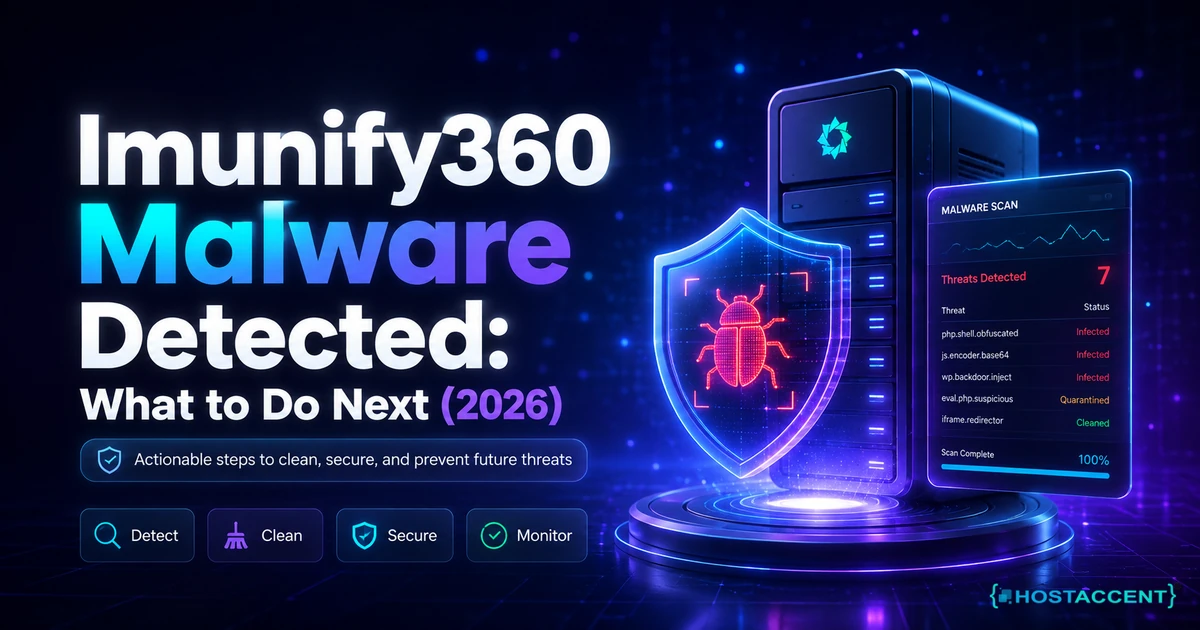
Run a reputable malware scanner against your files and database. A scanner gives you a list of suspect files to inspect; it's a starting map, not a guarantee. Treat its findings as leads, then verify by eye — to safely remove malware from wordpress you confirm each hit yourself before deleting.
2. Inspect the usual hiding spots
Three files hide most injected code. Open each and read the top and bottom carefully.
.htaccess — a wordpress hacked redirect almost always lives here. A malicious block often looks like this:
bash<IfModule mod_rewrite.c> RewriteEngine On RewriteCond %{HTTP_REFERER} google [NC,OR] RewriteCond %{HTTP_USER_AGENT} mobile [NC] RewriteRule ^(.*)$ http://malicious-domain.example/redirect.php [R=301,L] </IfModule>
If you see rules sending Google referrers or mobile users somewhere you don't recognize, that's your redirect. Replace .htaccess with a clean default.
wp-config.php and index.php — look for anything starting with eval(base64_decode( or long encoded strings. Legitimate WordPress core files don't contain those. From SSH, you can sweep the whole install fast:
bashgrep -rn "base64_decode" /path/to/site/ --include=*.php grep -rn "eval(" /path/to/site/ --include=*.php
3. Replace WordPress core, plugins, and themes
Don't try to surgically clean core files. Delete the wp-admin and wp-includes folders and every root core file, then drop in a fresh copy from WordPress.org. Reinstall plugins and themes from scratch from official sources too. Never reuse a nulled or pirated theme — those are a leading entry point in the first place.
4. Remove backdoors and rogue cron jobs
Backdoors are how attackers get back in after you think you're done. Check /wp-content/uploads/ for any .php files (delete them — that folder holds media, not code). Inspect your scheduled tasks for cron jobs you didn't set up, and check the database wp_options table for suspicious auto-loaded entries.
Pay special attention to the active_plugins and auto_prepend_file options. Attackers like to register a tiny loader there that pulls fresh malware on every page view, which is why a site can look clean for a day and then light up again. If you find an auto_prepend_file directive you didn't add — in the database or in php.ini — clear it. To genuinely remove malware from wordpress, you treat the database as hostile until you've read every auto-loaded row with your own eyes.
5. Delete unknown admin users
Remove every admin account you didn't create. Then check the wp_users table directly in case one was hidden from the dashboard. To remove malware from wordpress properly, you have to assume the attacker left more than one way in.
Insider Insight: The single most missed step is the database. People scrub the files, declare victory, and get reinfected within days because a backdoor was sitting in
wp_optionsthe whole time. Always scan both halves — files and database.
If you'd rather restore than clean by hand, this is where a dated backup earns its keep: roll back to the last snapshot from before the symptom appeared, then immediately patch whatever let them in.
Still seeing the WordPress problem?
Share the error, affected page, and the checks you completed. Your WordPress site can stay with its current hosting provider.
Reset Every Credential — Not Just Your WordPress Password
A clean site with leaked credentials is still an open door. Once the files are clean, rotate everything in one sitting.
- WordPress admin passwords for every legitimate user
- Hosting control panel and account login
- FTP, SFTP, and SSH keys or passwords
- The database password (update it in both your database and
wp-config.php) - Any API keys or secrets stored in plugins
After you reset WordPress passwords, force every existing session to log out so a stolen cookie can't be reused. Turn on two-factor authentication while you're in there — it's the cheapest insurance you'll ever buy.
Pro Tip: Reset the database password and
wp-config.phptogether, in that order, or you'll lock your own site out for a few confusing minutes. Update the database user first, then paste the new value intowp-config.php.
Getting Back Into Google's Good Graces
Cleaning the site fixes the infection. It doesn't automatically lift the warning Google may have placed on you — that takes a request.
Open Google Search Console and check the Security Issues report. If Google flagged you for a hacked-content issue, it lists sample URLs so you can confirm they're clean. Once you're certain the malware is gone, submit a review request from that same report. Google's own guide to recovering a hacked site explains what its reviewers look for and roughly how long the recheck takes (often a few days).
While you wait, resubmit your sitemap and use the URL Inspection tool on the pages that were redirecting, so Google recrawls the clean versions sooner. If your rankings or Core Web Vitals took a hit during the downtime, Core Web Vitals Failing? Your Hosting Might Be the Problem covers how to claw performance back afterward.
Keep watching for a couple of weeks after the warning lifts. Set up an uptime and integrity monitor, skim your server access logs for repeated hits on xmlrpc.php or wp-login.php, and check Search Console's coverage report for stray spam URLs that shouldn't be indexed. Reinfection, when it happens, usually shows up within the first 10 to 14 days — so the period right after you're "done" is exactly when vigilance pays off. If anything looks off, you have your runbook; start again from the top.
WordPress Security After a Hack: How to Prevent Reinfection
Here's the honest part: no host and no plugin makes a site unhackable. Good wordpress security after hack work is about lowering the odds and shrinking the blast radius when something does slip through. The wordpress security after hack habits below are the same ones that would have prevented most breaches in the first place — they just feel a lot more urgent once you've lived through one. Two sites can both get probed; the one with daily backups and account isolation recovers in an hour, the other loses a weekend.
Build these habits and they'll carry most of the weight:
- Update relentlessly. Outdated plugins and themes are the most common entry point, full stop. Enable auto-updates for everything you trust.
- Least privilege. Not everyone needs to be an administrator. Hand out the lowest role that lets each person do their job.
- Strong, unique passwords plus 2FA. A reused password is how one breach becomes five.
- Daily backups you've actually tested. A backup you've never restored is a guess, not a safety net.
- File permissions and integrity monitoring. Set folders to 755, files to 644, and
wp-config.phpto 600, then get alerted when core files change unexpectedly. The OWASP project is a great free reference for the broader security picture. - A host that isolates accounts. Shared environments where one compromised site can reach its neighbors are a reinfection risk. Hostaccent isolates each account and runs daily backups precisely so a single breach can't spread and a clean restore is always one click away.
For a deeper checklist, our WordPress Security Hardening Guide: Protect Your Site Before It Gets Targeted is the natural next read, and if you're running a busy store or site, Best Hosting for High Traffic WordPress Sites in 2026 covers scaling securely.
Three takeaways to leave with:
- Act in order — stop the bleeding, confirm, back up, clean, reset, recover. A rushed wordpress malware removal that skips steps causes reinfection.
- Always clean files and the database. The backdoor is usually in the half you forgot.
- A clean daily backup plus account isolation turns a multi-day disaster into a single restore.
If you're tired of cleaning the same mess twice, it may be the environment, not just your luck. Hostaccent's WordPress hosting comes with free SSL, automatic daily backups, and isolated accounts, with 24/7 human support that has handled plenty of real recoveries — start from $1.99/mo and build on infrastructure designed so a wordpress site hacked once doesn't become a habit. If you need fully isolated resources, a VPS plan gives you a sandbox of your own.
Frequently Asked Questions
Is my WordPress site hacked or just broken?
A broken site usually shows a consistent error for everyone — a white screen or a plugin fatal. A hack behaves differently for different visitors: a spam redirect only on mobile, a Google warning, or unknown admin users in your dashboard. If the symptom changes by device or traffic source, assume a breach and start the cleanup.
How long does it take to clean a hacked WordPress site?
With a clean recent backup, a wordpress site hacked once can be restored in under an hour. A manual, file-by-file cleanup without a backup typically takes several hours to a couple of days, depending on how deeply the malware was embedded and whether backdoors were left in the database.
Will I lose my content if my WordPress site was hacked?
Usually not. Your posts and pages live in the database, and most attacks target files, not your content. The risk to content comes from cleaning blindly — that's exactly why you back up the compromised site first, so nothing is ever truly gone.
Can a WordPress site hacked once get reinfected?
Yes, and it's common when people clean files but miss the database or skip credential resets. A leftover backdoor in wp_options or a stolen password reopens the door within days. Clean both halves, reset every credential, and patch the entry point to break that cycle.
Do I need a security plugin after a wordpress malware removal?
A scanner and a firewall plugin help, but they're a layer, not a cure. The bigger wins are relentless updates, two-factor authentication, least-privilege user roles, tested daily backups, and a host that isolates accounts so one breach can't spread — the kind of setup Hostaccent builds in by default rather than selling as an add-on.
Should I just delete everything and start over?
Rarely. A full rebuild loses your history and often isn't necessary — a structured cleanup or a restore from a clean backup is faster and keeps your content and rankings intact. Reserve the nuclear option for cases where no clean backup exists and the infection is everywhere.


Discussion
Have a question or tip about this topic? Share it below — your comment will appear after review.